Managing business expenses manually can create delays, errors, and unnecessary paperwork. Companies that rely on paper receipts and spreadsheets often struggle with tracking reimbursements, monitoring budgets, and maintaining financial transparency. The Odoo 19 Expense Module offers a modern solution by digitizing the entire expense management process. From uploading receipts to approving employee claims and integrating accounting entries, the module streamlines every stage of expense handling. Employees can quickly submit expenses through desktop or mobile devices, while managers gain real-time visibility into spending activities. Automated workflows reduce administrative effort and improve accuracy across departments. Integrating expenses with accounting, payroll, and project management systems enables businesses to achieve better operational control. By digitizing expenses in Odoo 19, organizations can eliminate manual processes, accelerate approvals, improve compliance, and gain deeper financial insights. This transformation helps businesses save time, reduce costs, and enhance overall productivity in daily financial operations efficiently.
Benefits of Expense Digitalization:
- Reduces Paperwork
- Faster Expense Submission
- Automated Approval Workflows
- Improves Accuracy
- Real-Time Expense Tracking
- Simplifies Receipt Management
- Integrates with Accounting
- Enhances Financial Transparency
- Supports Mobile Accessibility.
- Increases Productivity
Firstly, open the Expense module from the Odoo 19 dashboard and move to the Configuration > Settings. Go to the Expenses section and activate Expense Digitalization (OCR) to convert your receipts into digital records. Based on your needs, you can select either
- Do not digitize
- Digitize on demand only
- Digitize automatically
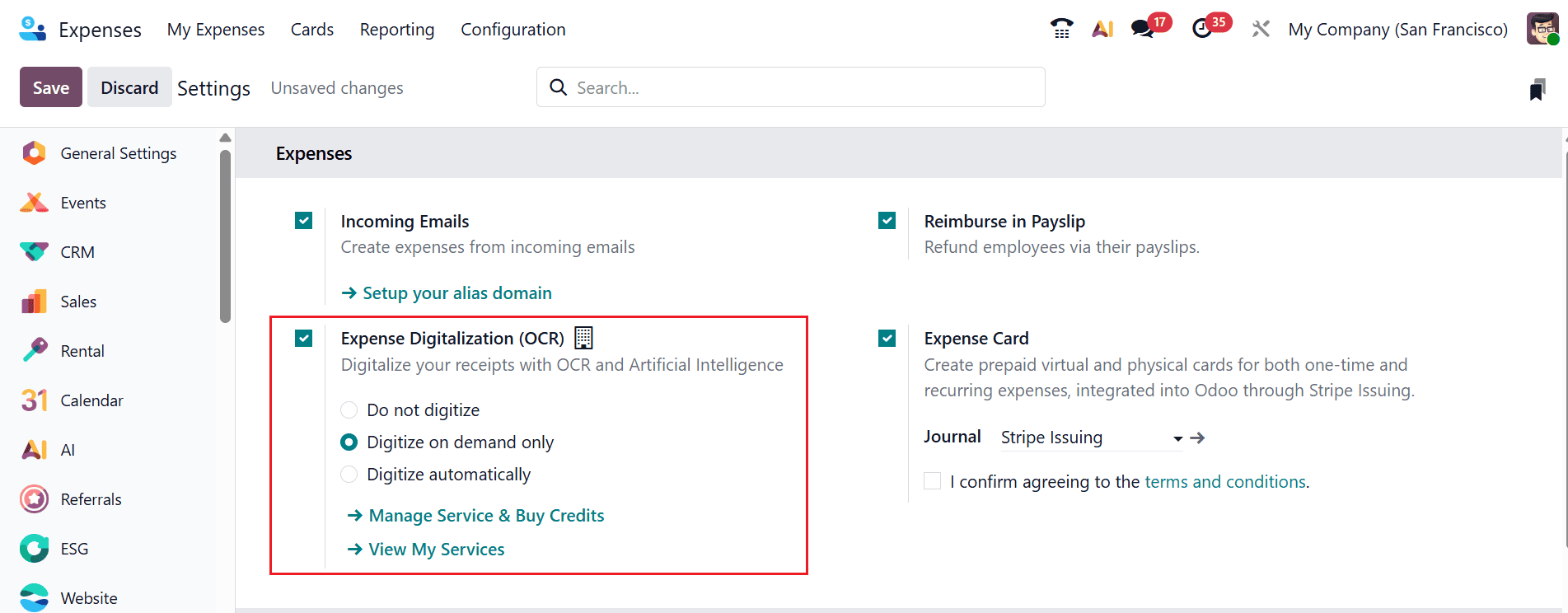
Do not Digitize:
This option keeps expense records in their original manual format without converting them into digital data. Employees must enter expense details manually instead of using automated scanning features. It is useful for businesses that prefer traditional expense management methods or have simple expense processes. This setting may require more time for data entry and approval verification. Companies using this option may experience slower processing and increased paperwork.
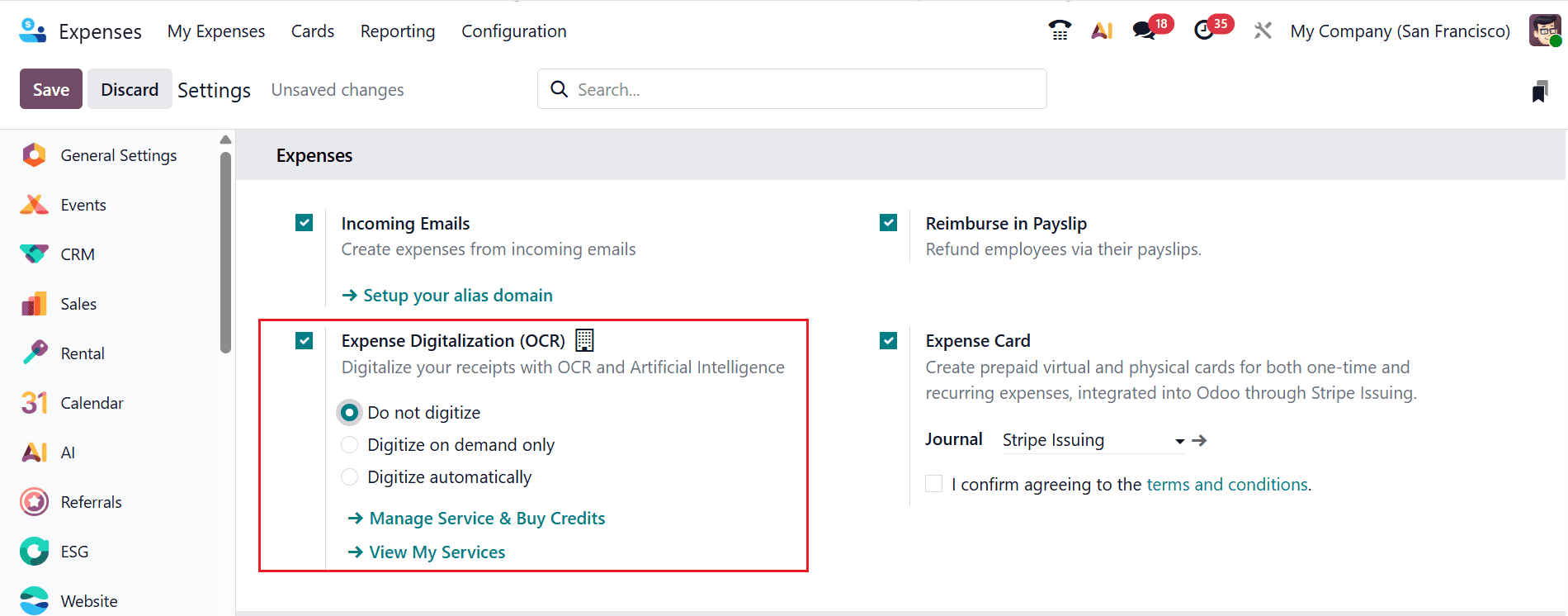
Digitize on Demand Only:
This option allows users to digitize receipts only when needed. Employees can choose specific receipts and convert them into digital records manually. It allows businesses to manage digitization costs efficiently while still gaining the advantages of selective automation. This method is useful when only important or large expenses require digital processing. It provides flexibility for organizations that do not want full automation for every expense.
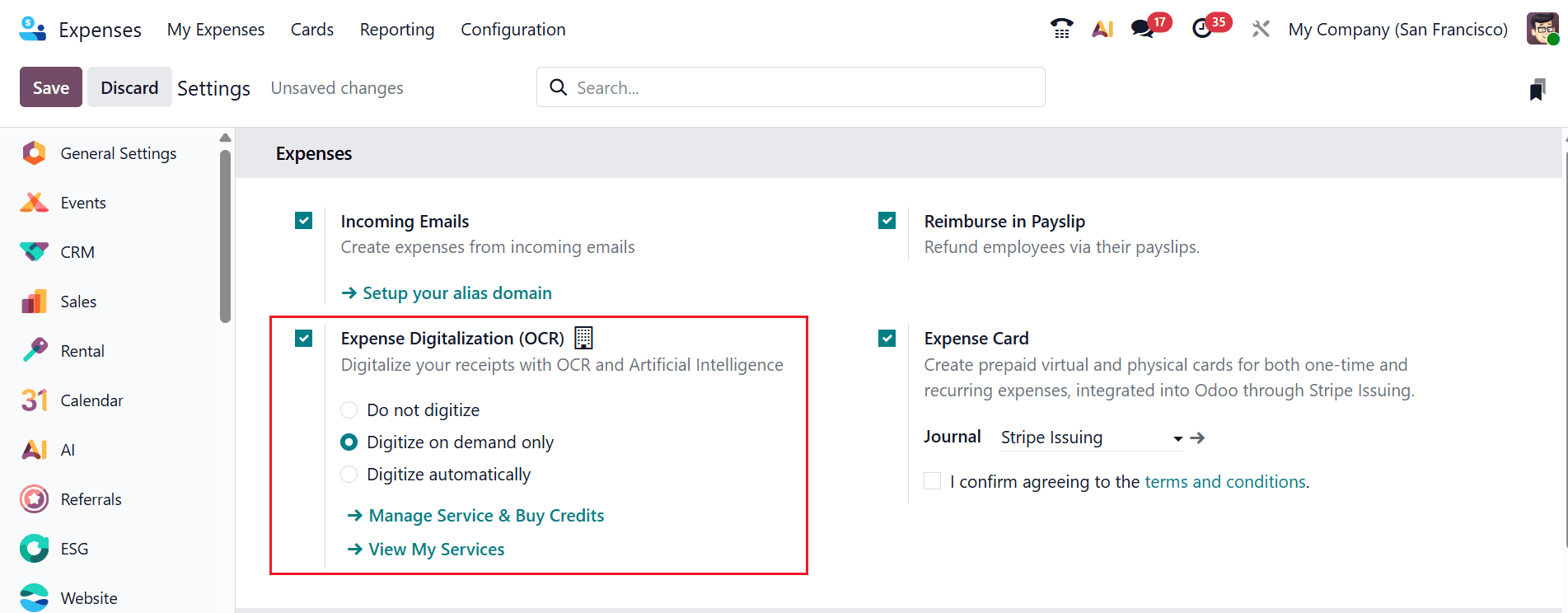
In the Expense module, navigate to the Configuration > Settings. Enable Expense Digitalization (OCR) and choose Digitize on demand only as shown below:
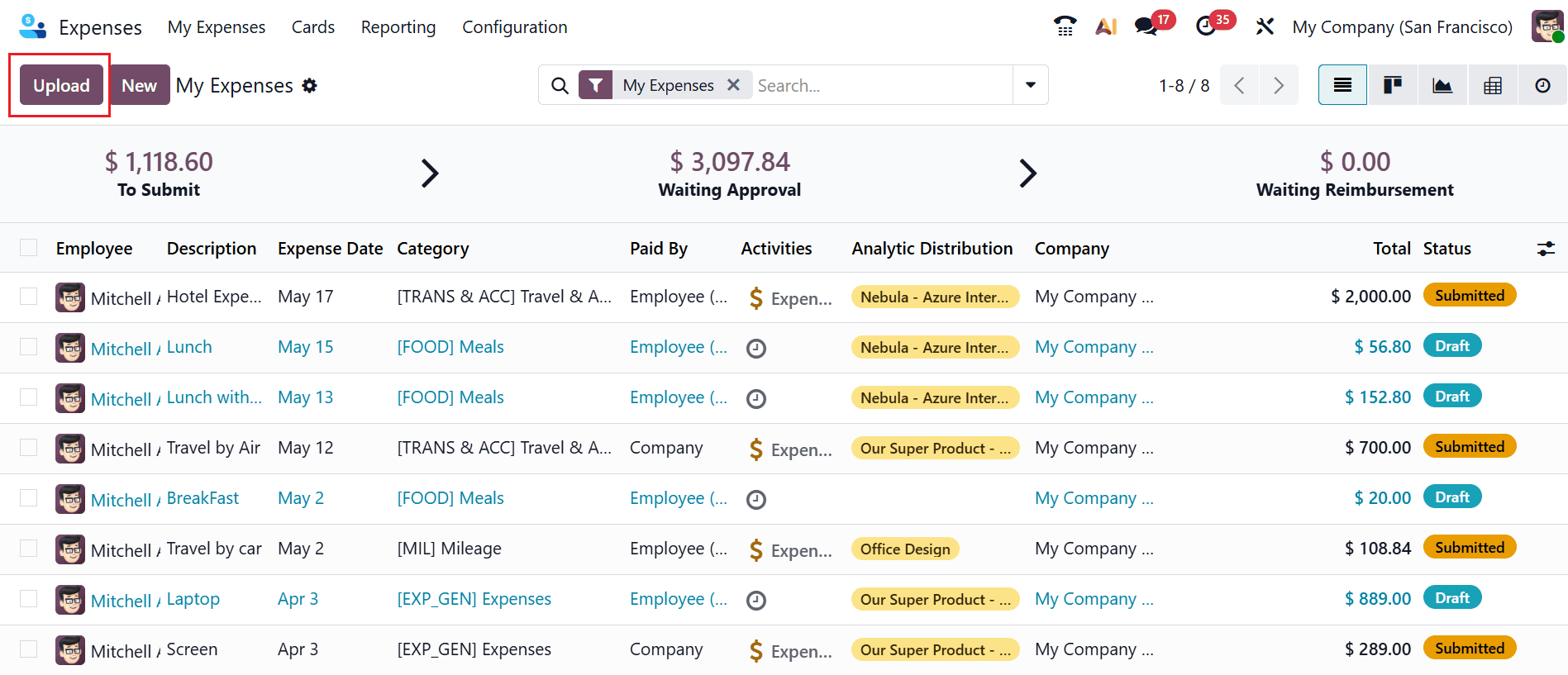
From the main dashboard of the Expense module, click on the Upload button to upload a customer invoice as shown below:
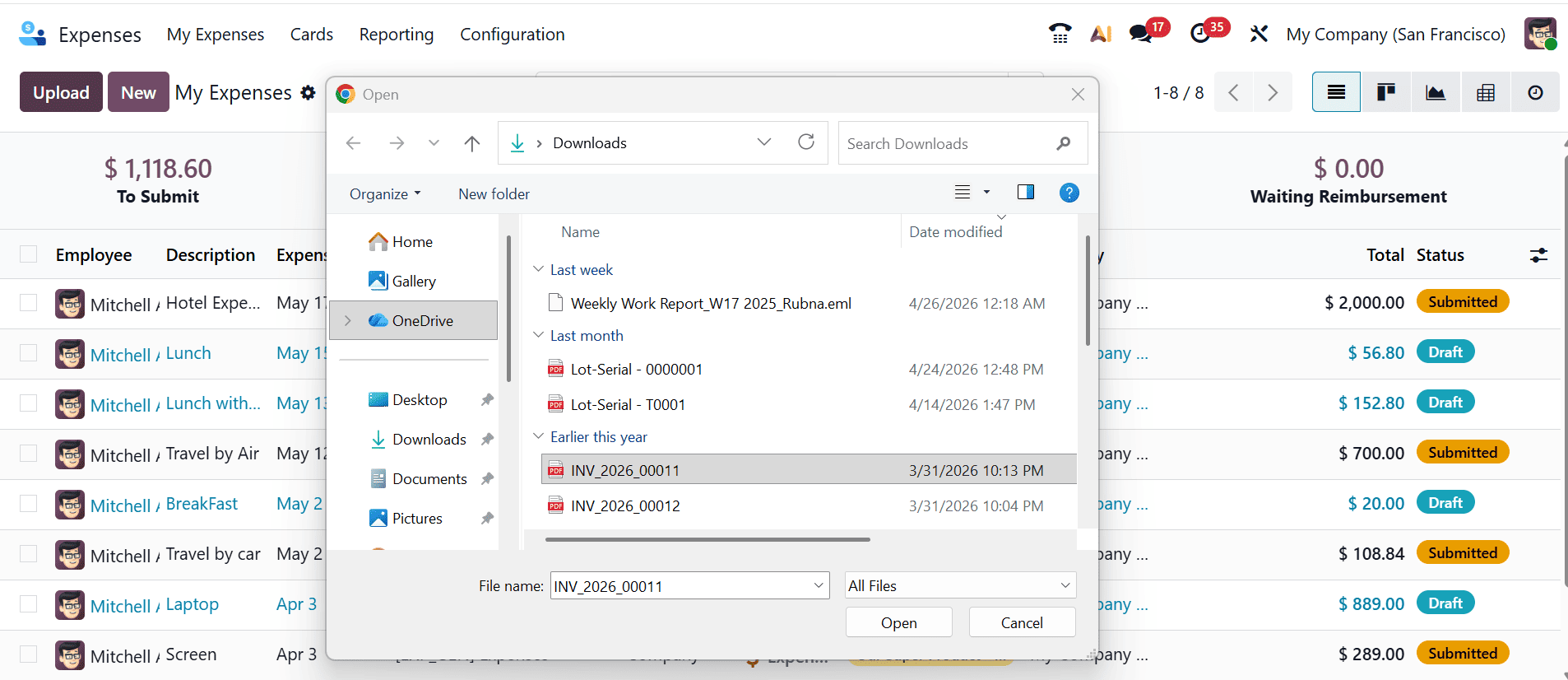
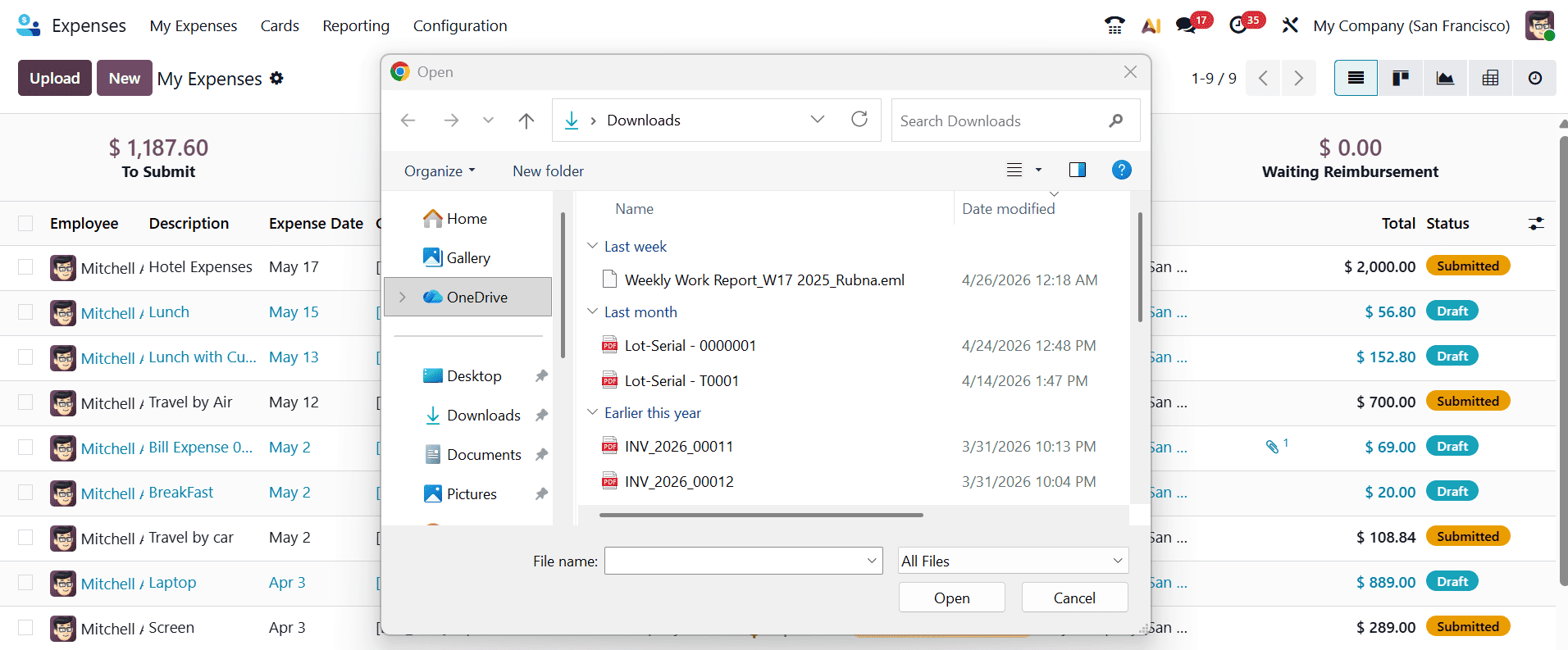
A new pop-up screen will appear where you can select the invoice file, as shown below:
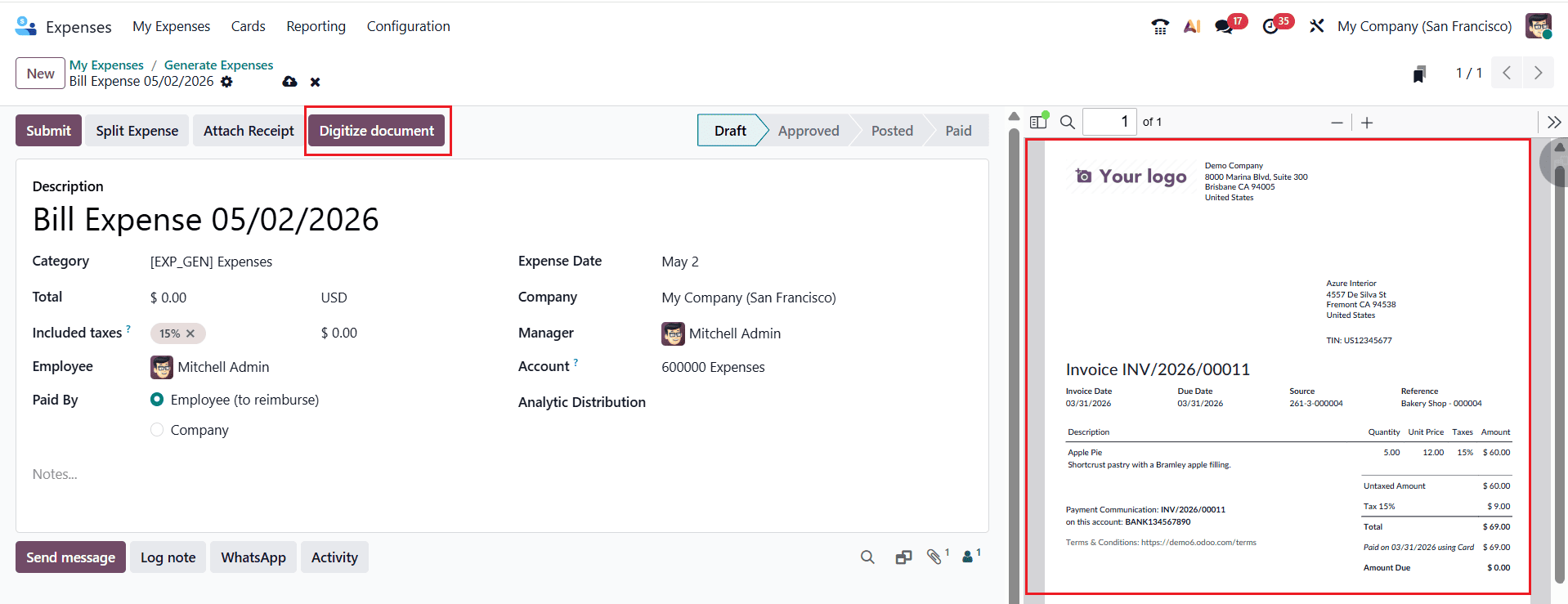
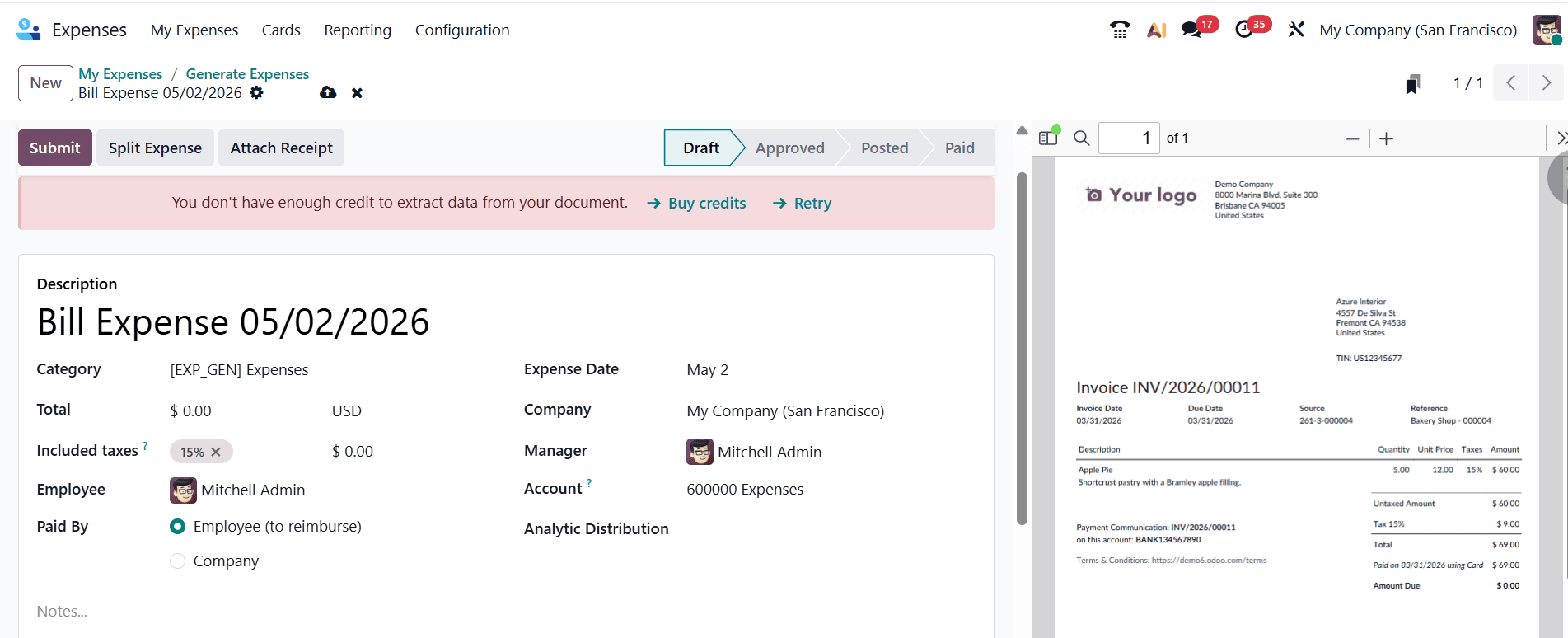
Here, the right side of the screen displays the selected invoice file. Click on the Digitize document button to add the invoice to your system.
In the Total field, the bill data is extracted and digitized by entering it into the system, as illustrated in the image below:
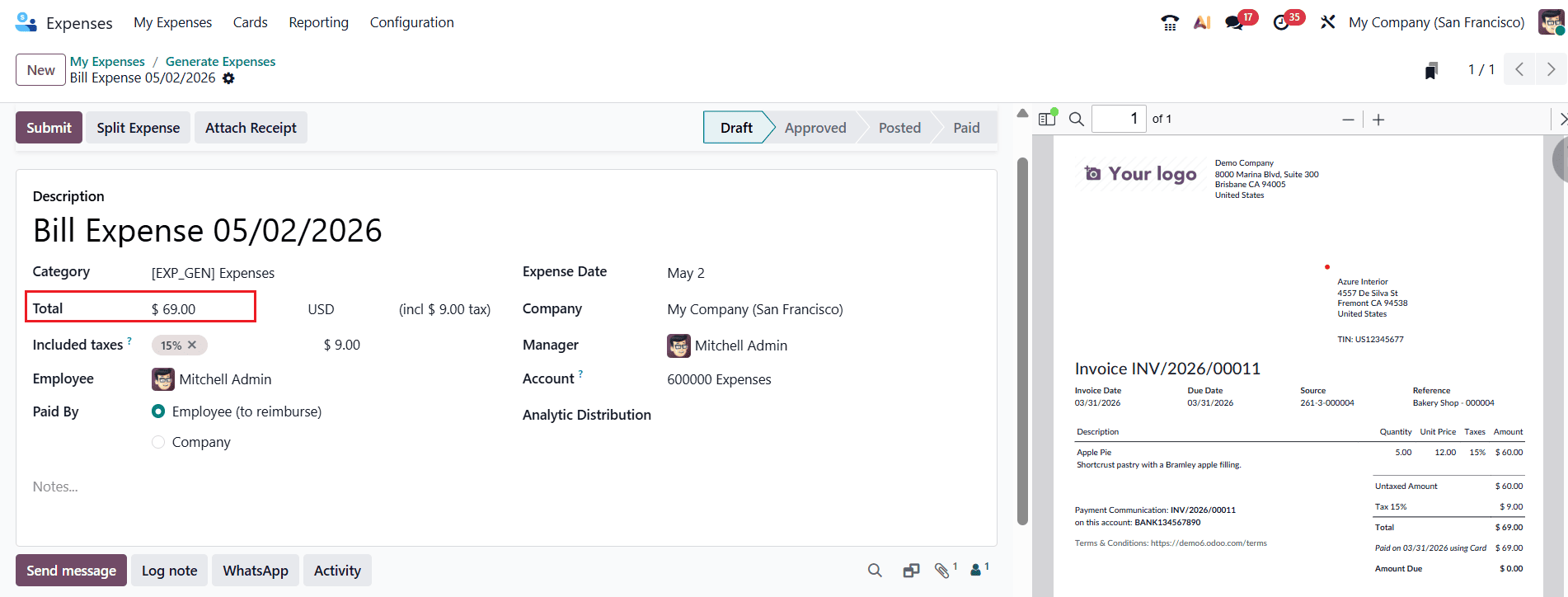
Once the system extracts the details from the PDF or scanned document, you can review and edit the information as needed. Please note that credits must be purchased to extract invoice data. After verification, confirm the invoice to finalize the process.
Digitize Automatically:
This option automatically scans and digitizes uploaded receipts without manual intervention. The system extracts expense details such as date, amount, and vendor information instantly. By reducing manual data entry, it streamlines and speeds up expense submission and approval processes. Businesses benefit from improved accuracy, faster reimbursements, and streamlined expense tracking. This method is ideal for organizations handling a large number of employee expenses regularly.
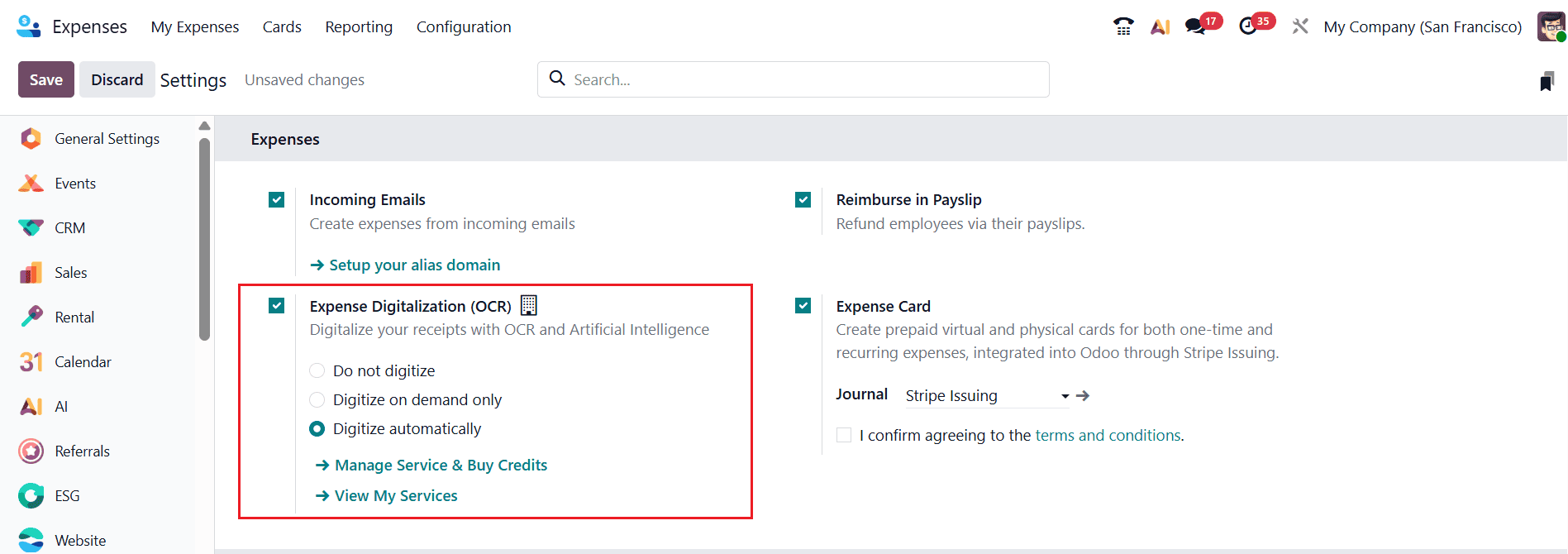
In the Expense module, navigate to the Configuration > Settings. Enable Expense Digitalization (OCR) and choose Digitize automatically as shown below:
Start by going to the My Expense menu and selecting the Upload button to add a customer invoice for automatic digitization. Once you click the upload icon, a pop-up window will open, allowing you to choose the required file, as shown below:
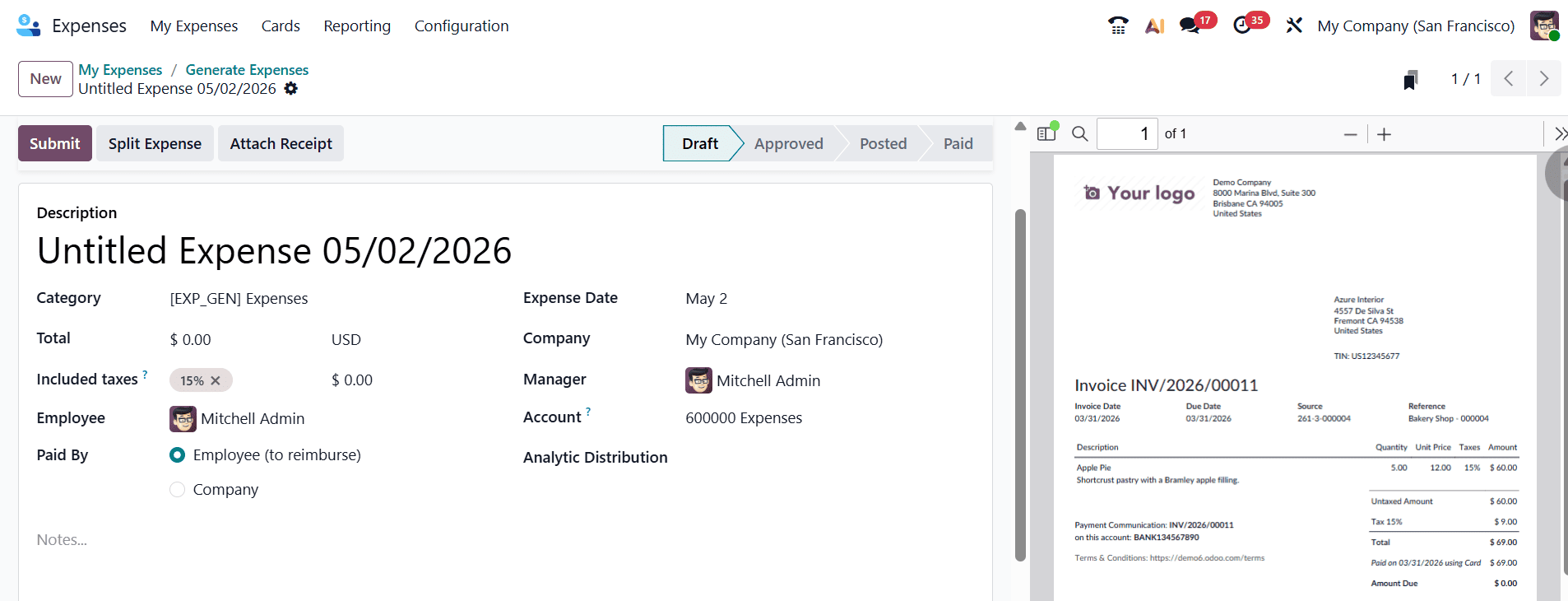
The information from the uploaded attachment will be filled in automatically here.
The system will then automatically extract the relevant details and create a new expense record. In this process, the Digitize Document icon is not displayed, since the document is digitized automatically.
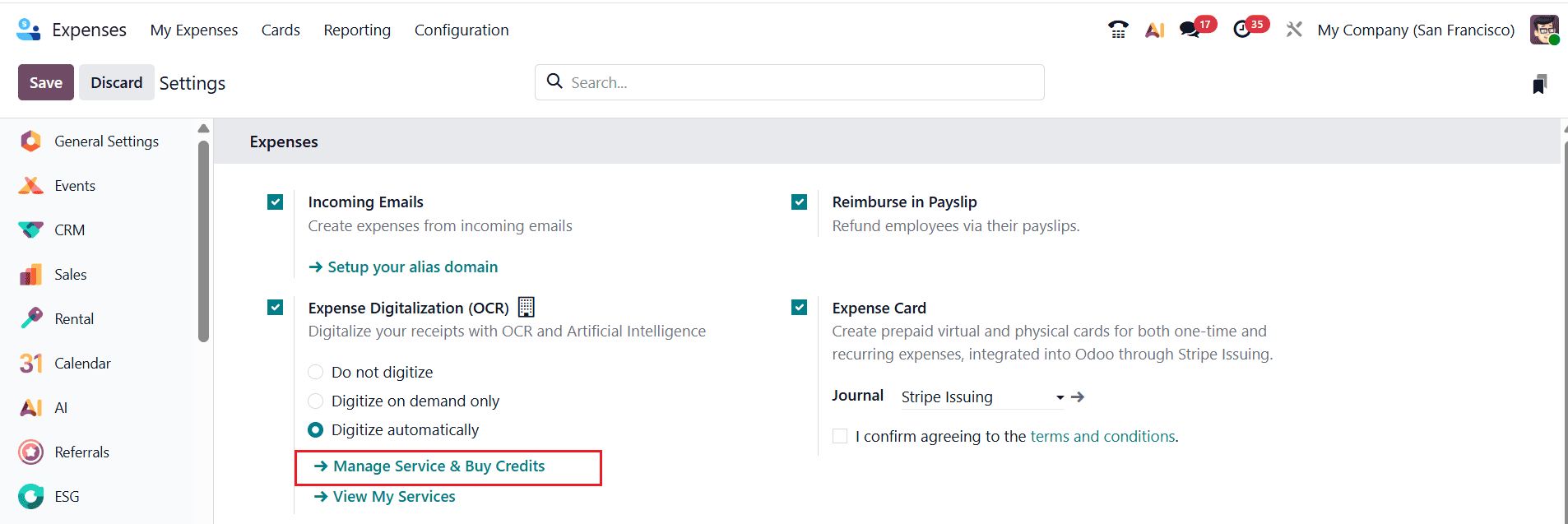
Each digitized document uses one credit. You can purchase credits either from the Expenses settings page or by navigating to Settings > Odoo IAP > Manage Services and selecting Buy Credits.
Digitizing expenses with the Odoo 19 Expense Module helps businesses simplify financial management and eliminate inefficient manual processes. By automating expense submissions, approvals, receipt management, and accounting integration, organizations can significantly improve operational efficiency and financial accuracy. Employees receive faster expense settlements and easy mobile access, while managers can monitor company spending in real time through dashboards and reports. The centralized system also strengthens compliance by maintaining digital records and standardized approval workflows. Businesses of all sizes can use Odoo 19 to reduce paperwork, minimize errors, and enhance transparency across departments. Its seamless integration with accounting and payroll ensures smooth financial operations without duplicate data entry. As companies continue adopting digital transformation strategies, implementing the Odoo 19 Expense Module becomes an effective step toward smarter expense management, improved productivity, and better financial control. This modern approach supports long-term business growth and operational excellence successfully.
To read more about Overview of Expense Digitization in Odoo 18 Expense, refer to our blog Overview of Expense Digitization in Odoo 18 Expense.