Odoo 19 provides a powerful subscription management system that enables businesses to create, automate, and manage recurring billing plans with ease. With its integrated ERP environment, organizations can define pricing models, billing intervals, and product-based subscriptions while ensuring seamless invoicing and payment tracking. Administrators can also configure automated renewals, trial periods, and customer portals to enhance user experience and reduce manual effort in subscription handling. This helps companies maintain predictable revenue streams while improving customer retention and operational efficiency across departments. Businesses can integrate payment gateways, manage subscription upgrades or downgrades, and generate real-time reports for better decision-making and financial control. Overall, Odoo 19 simplifies subscription lifecycle management from creation to renewal, offering scalability and flexibility for growing enterprises. Proper configuration ensures accurate billing cycles, reduced errors, and improved customer satisfaction through automated workflows and centralized control, making subscription management efficient for modern digital businesses worldwide at enterprise scale. This blog provides an overview of recurring subscription plans in Odoo 19.
Firstly, open the Subscription module from the Odoo 19 dashboard.
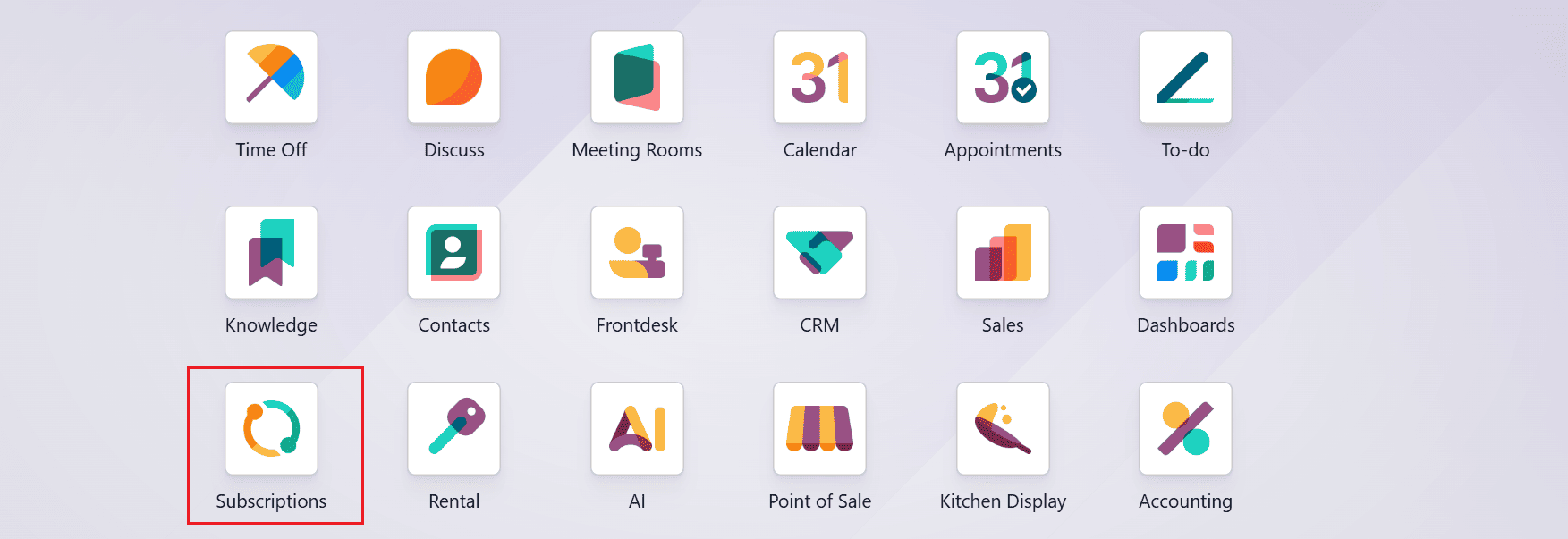
Create a New Recurring Subscription Plan:
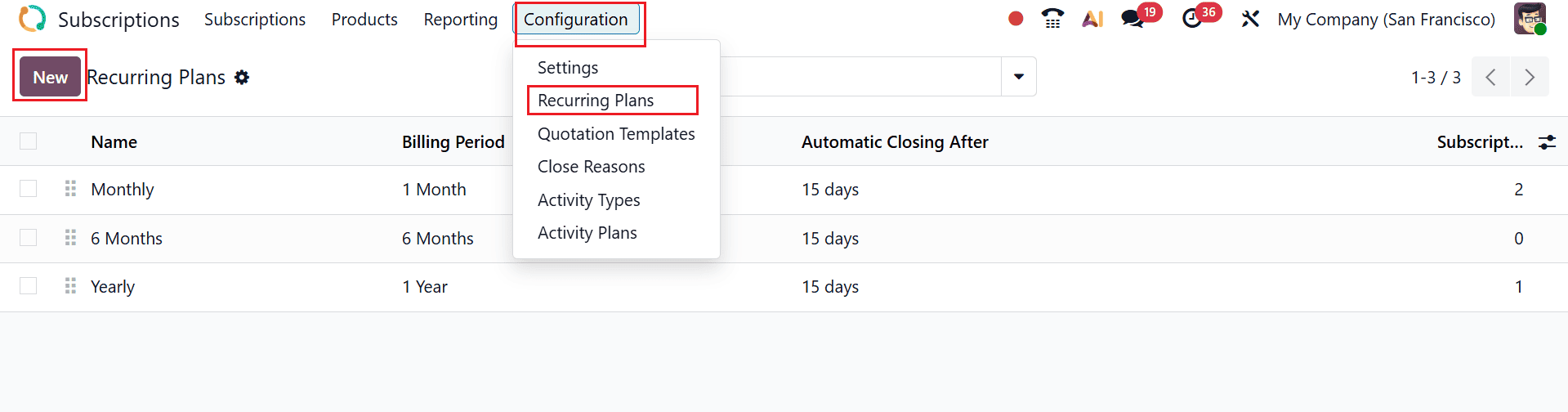
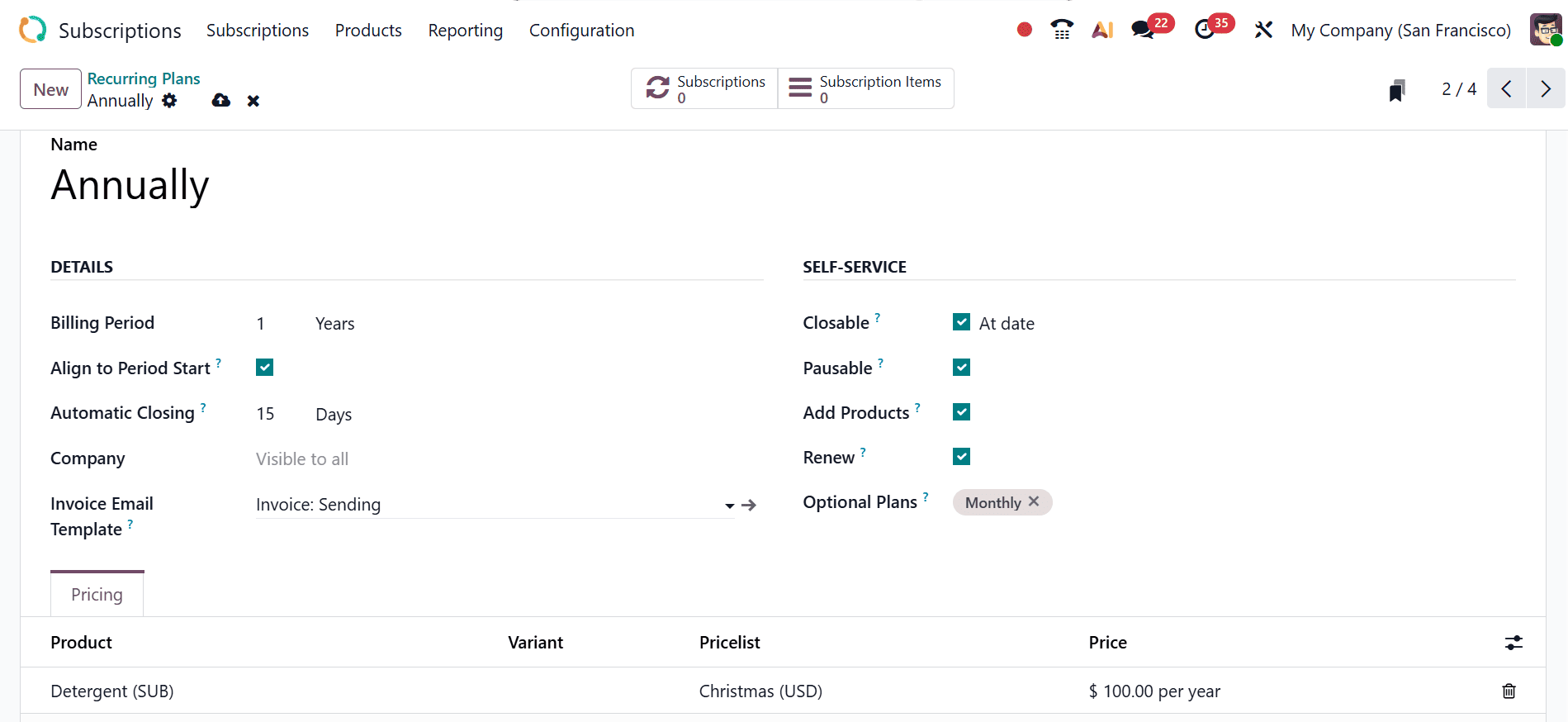
To set up a new recurring subscription plan, navigate to Configuration > Recurring Plan, where you’ll find a list of existing plans along with details like Name, Billing Period, Automatic Closing After, and Subscriptions. Click the New button to create a new recurring plan.
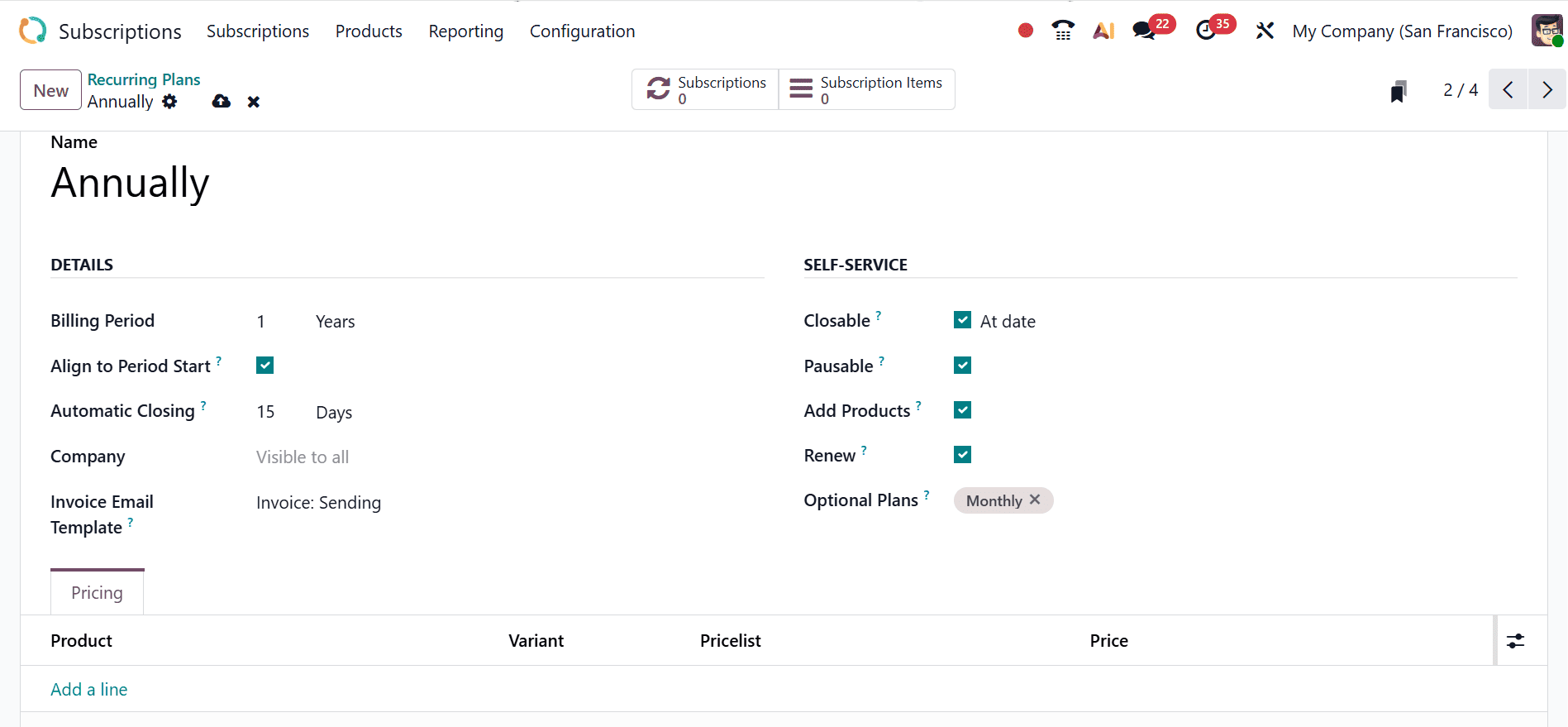
Under the Name option, add a name for your new recurring plan. Under the Details tab, select a billing period such as Weekly, Monthly, or Yearly. You may also specify a company and configure an invoice email template. Enable the Align to Period Start setting to ensure subscription invoices are created on the first day of every billing cycle. Then, in the Automatic Closing field, define how many days after expiration the subscription should be closed automatically.
Under Self-Service, enable options like Closable, Add Products, Pausable, and Renew to give users more control over their subscriptions. Finally, in the Optional Plans section, you can include additional plans such as Weekly, Monthly, or Yearly, or create a custom plan that fits your requirements.
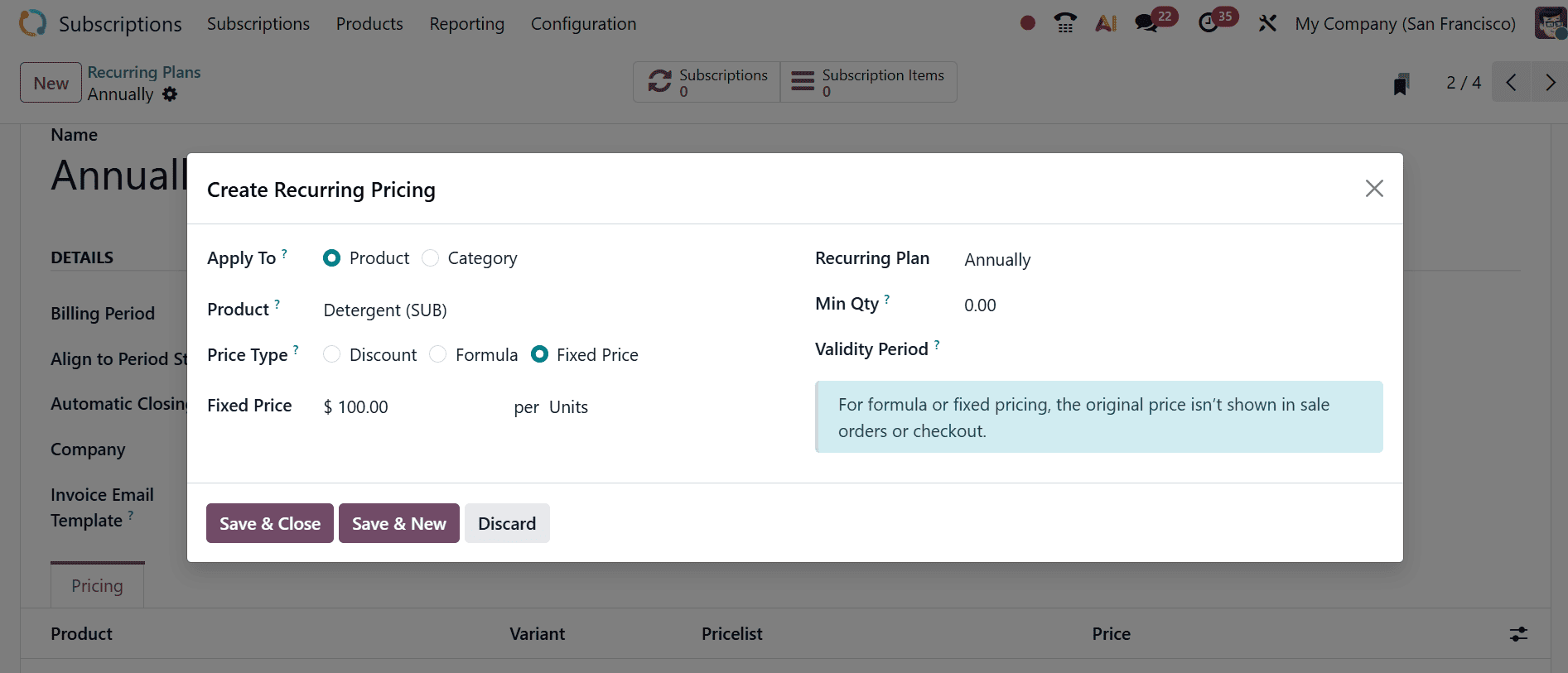
In the Pricing tab, use the Add a line option under Products to add items to the recurring plan. This will open a pop-up window where you can define the recurring pricing details. In the Apply To field, select either Product or Category to add a pricelist. In the Products field, you can either select a specific product or keep the field empty. Select the Price Type option as Discount, Formula, or Fixed Price. Select a recurring plan and add the details such as Fixed Price, Min Qty, and Validity Period. Then, save it.
Finally, save the newly created recurring plan to apply and store your settings.
Manage the Recurring Plan in a Subscription:
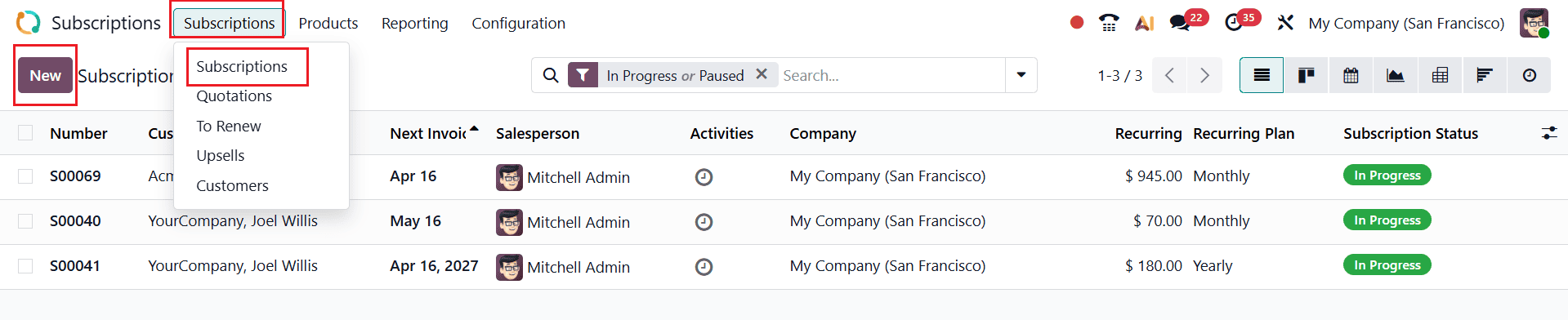
To create a new subscription, open Subscriptions > Subscriptions, where you’ll find a list of all subscriptions along with details such as Number, Customer, Next Invoice, Salesperson, Activities, Company, Recurring Amount, Recurring Plan, and Status. From there, click New to continue.
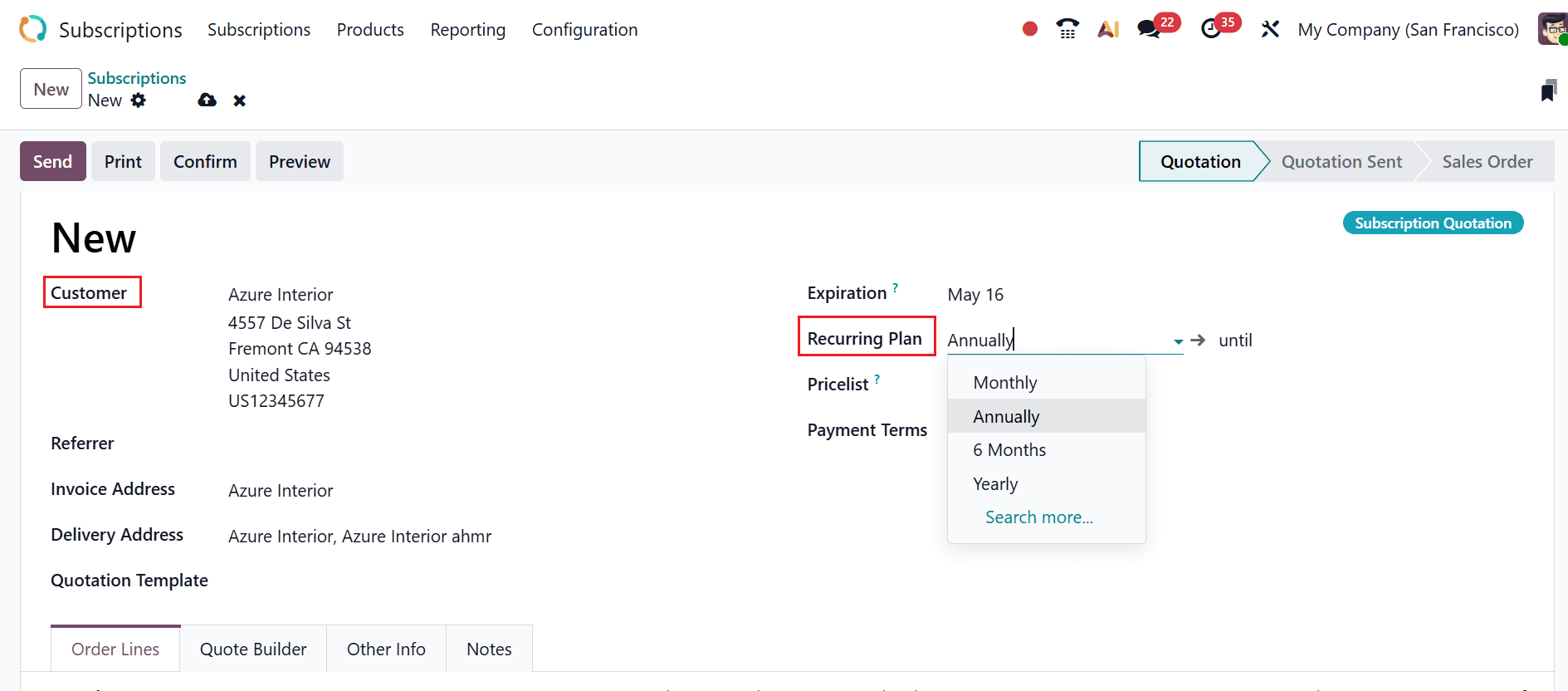
In the Customer field, choose a customer from the list, and their details will populate automatically. Next, in the Recurring Plan section, select the newly created plan from the list, as illustrated below.
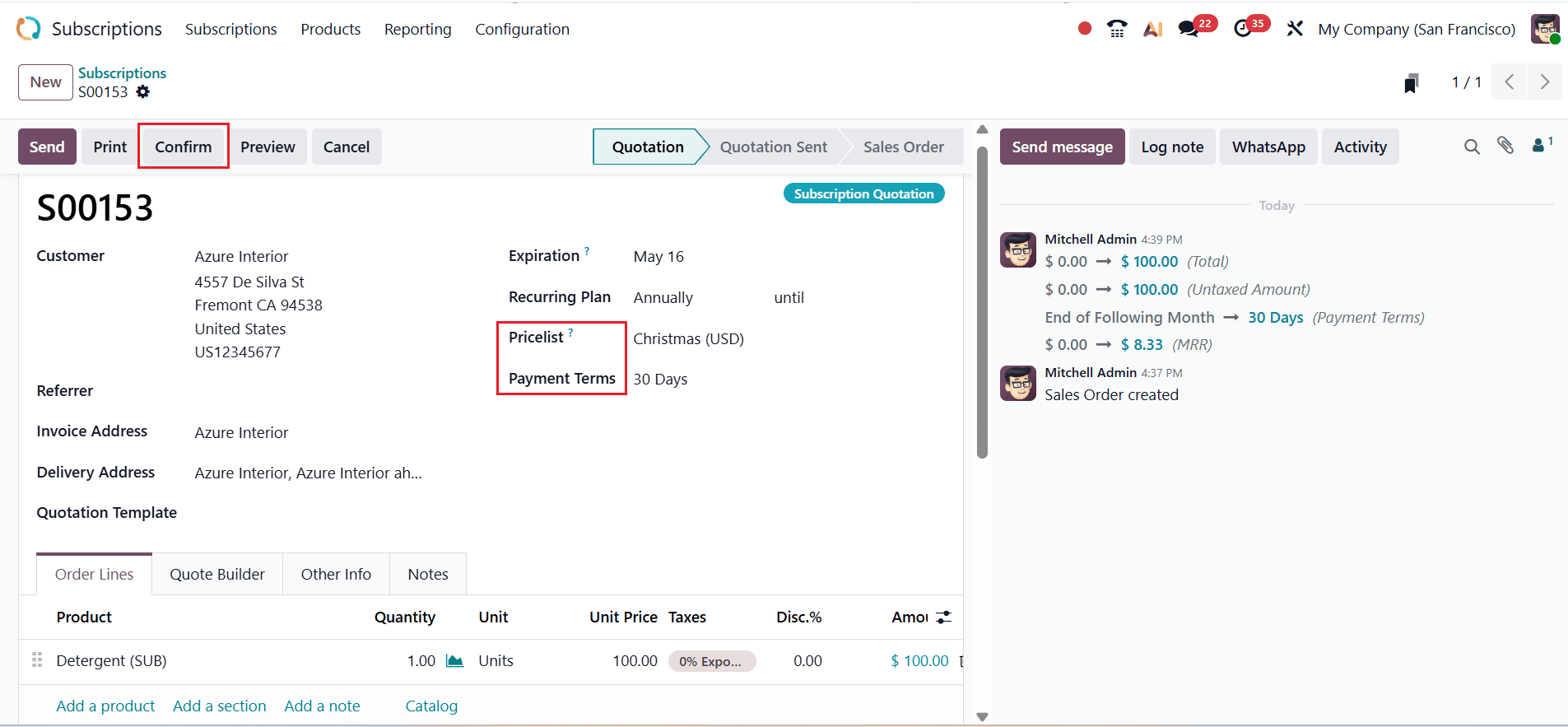
Once the recurring plan is selected, navigate to the Order Lines tab and click Add a Product to include the required product. Next, choose a suitable option in the Pricelist field and set the appropriate payment terms. Click the Confirm button as shown below:
Then, select an end date using the Until option to define when the recurring plan will end.
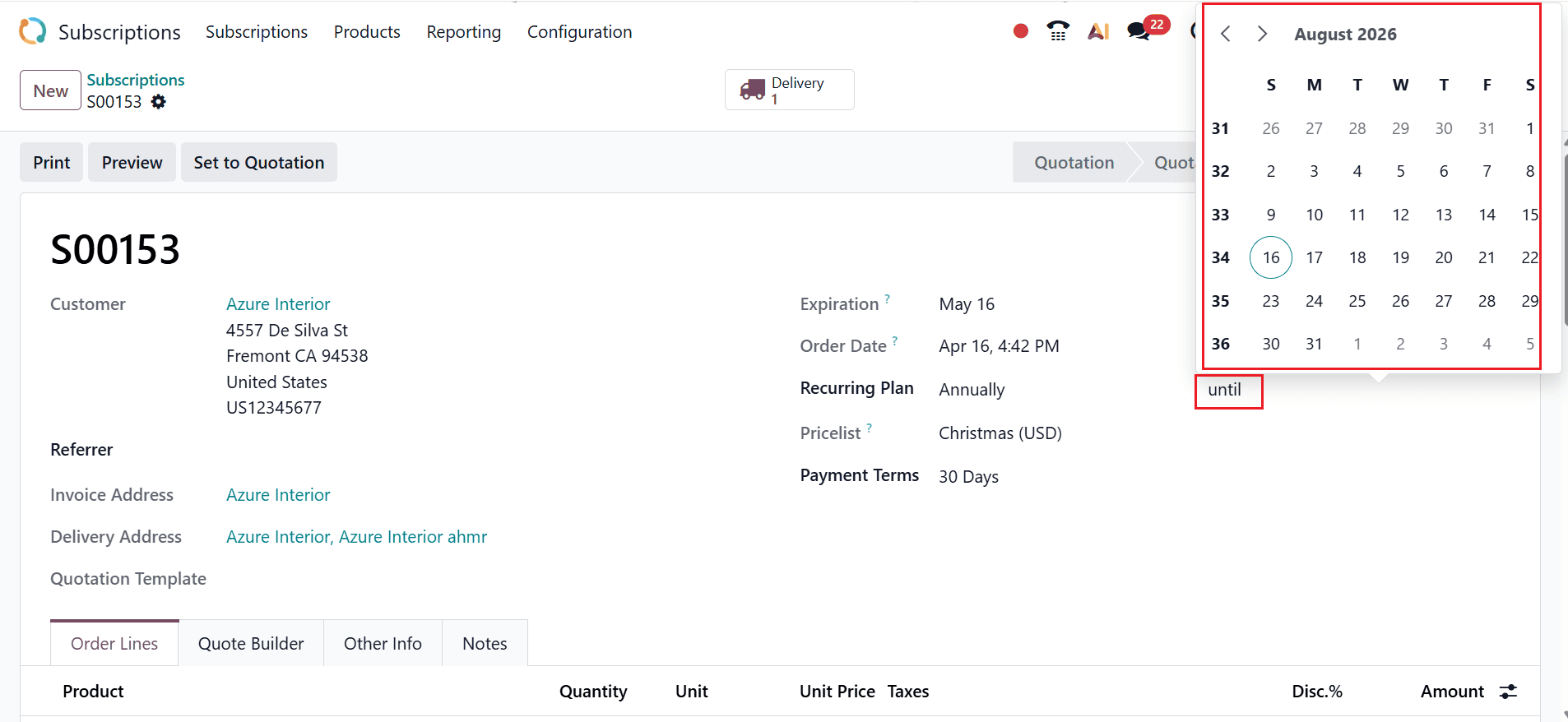
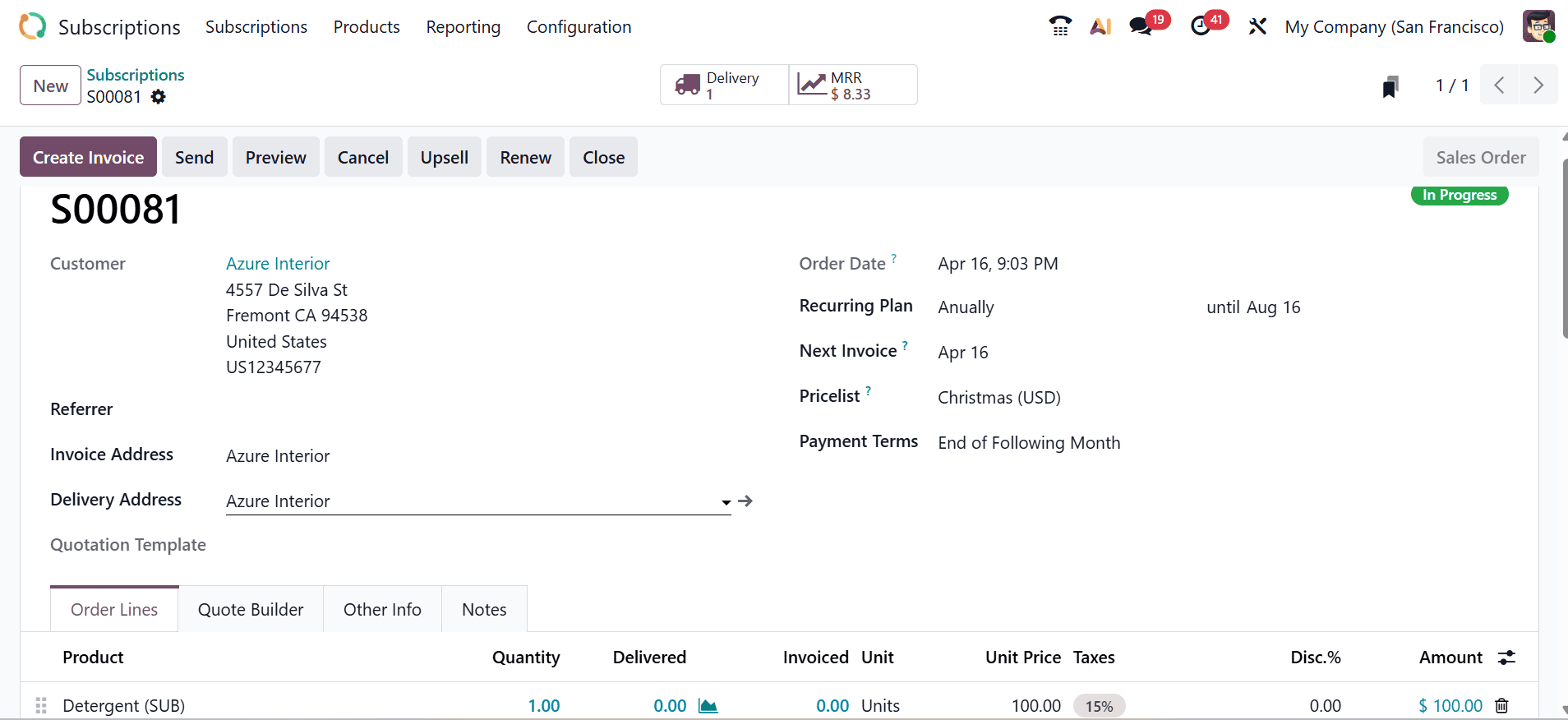
Finally, save the newly created subscription.
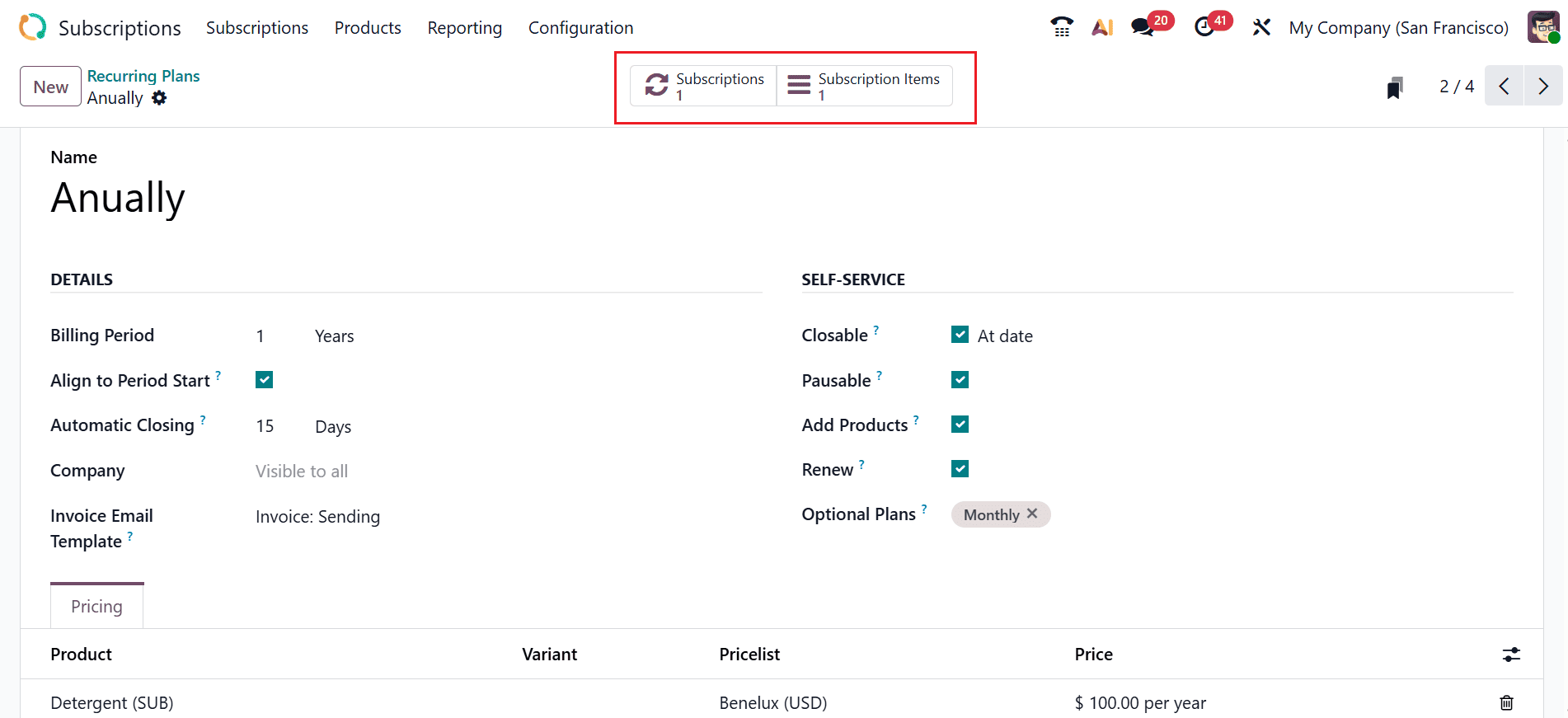
Next, go back to Recurring Plans, where you will find two smart tabs: Subscriptions and Subscription Items.
When you open the Subscriptions tab, the subscription linked to the newly created recurring plan will be displayed.
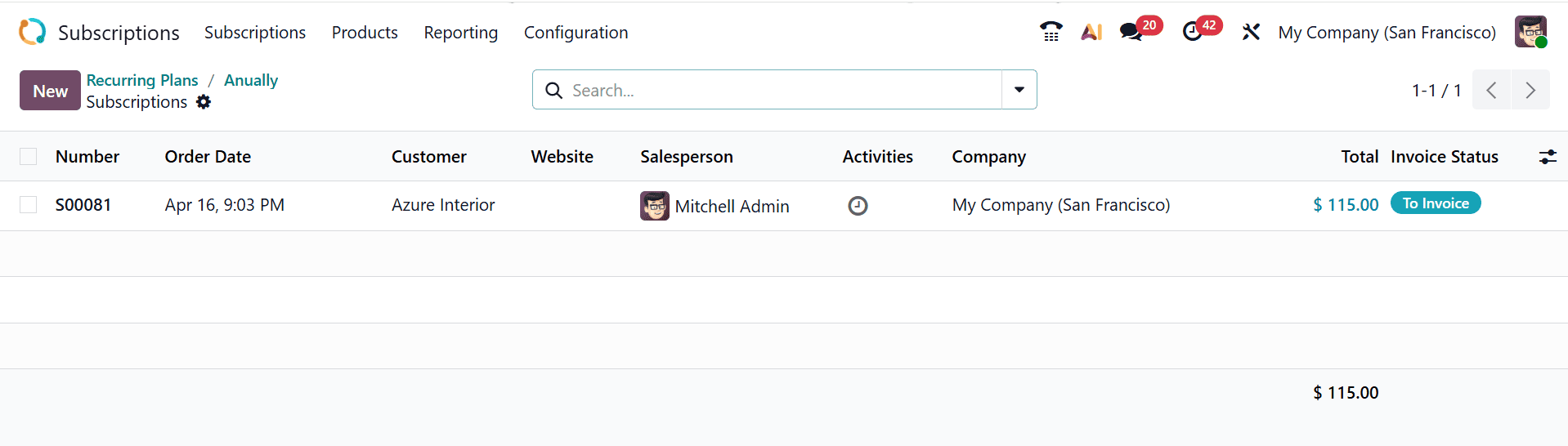
When you open the Subscription Items tab, you will see the product included in the new subscription along with the associated recurring plan.

Managing recurring subscription plans in Odoo 19 allows businesses to streamline billing operations, improve cash flow predictability, and enhance customer relationships through automated processes. The platform's flexibility supports various pricing models, contract terms, and billing cycles, making it suitable for diverse industries and business sizes. By leveraging automation, companies reduce manual workload, minimize errors, and ensure timely invoice generation and payment collection. Advanced reporting tools help track subscription performance, churn rates, and revenue growth for informed decision-making. Proper setup and configuration are essential for maintaining accurate billing and delivering a seamless customer experience. Businesses can scale subscription services easily by integrating Odoo modules, payment gateways, and CRM tools. This ensures long-term sustainability and stronger customer engagement across digital service offerings. Ultimately, Odoo 19 empowers organizations to manage subscriptions efficiently while supporting business growth and operational excellence, ensuring reliable revenue streams and improved customer satisfaction over time consistently at scale, effectively.
To read more about How to Manage Recurring plans for Odoo 18 Subscription, refer to our blog How to Manage Recurring plans for Odoo 18 Subscription.