Businesses that sell regularly, whether it's a monthly cleaning service, a yearly software license, or a car leasing plan, need a way to manage renewals, upsells, and cancellations without recreating an order every billing cycle. The Subscriptions module in Odoo 19 handles recurring billing, tracks revenue over time, and automates most of the subscription lifecycle. This blog gives a general walkthrough of how the module is structured and what you can do with it.
Opening the Subscriptions app shows the main Subscriptions list. It displays active subscriptions with columns for Number, Customer, Next Invoice date, Salesperson, Company, Recurring amount, Recurring Plan, and Subscription Status. Active ones show as In Progress. A default filter keeps the list showing subscriptions that are In Progress or Paused, so closed or cancelled ones don't clutter the view.
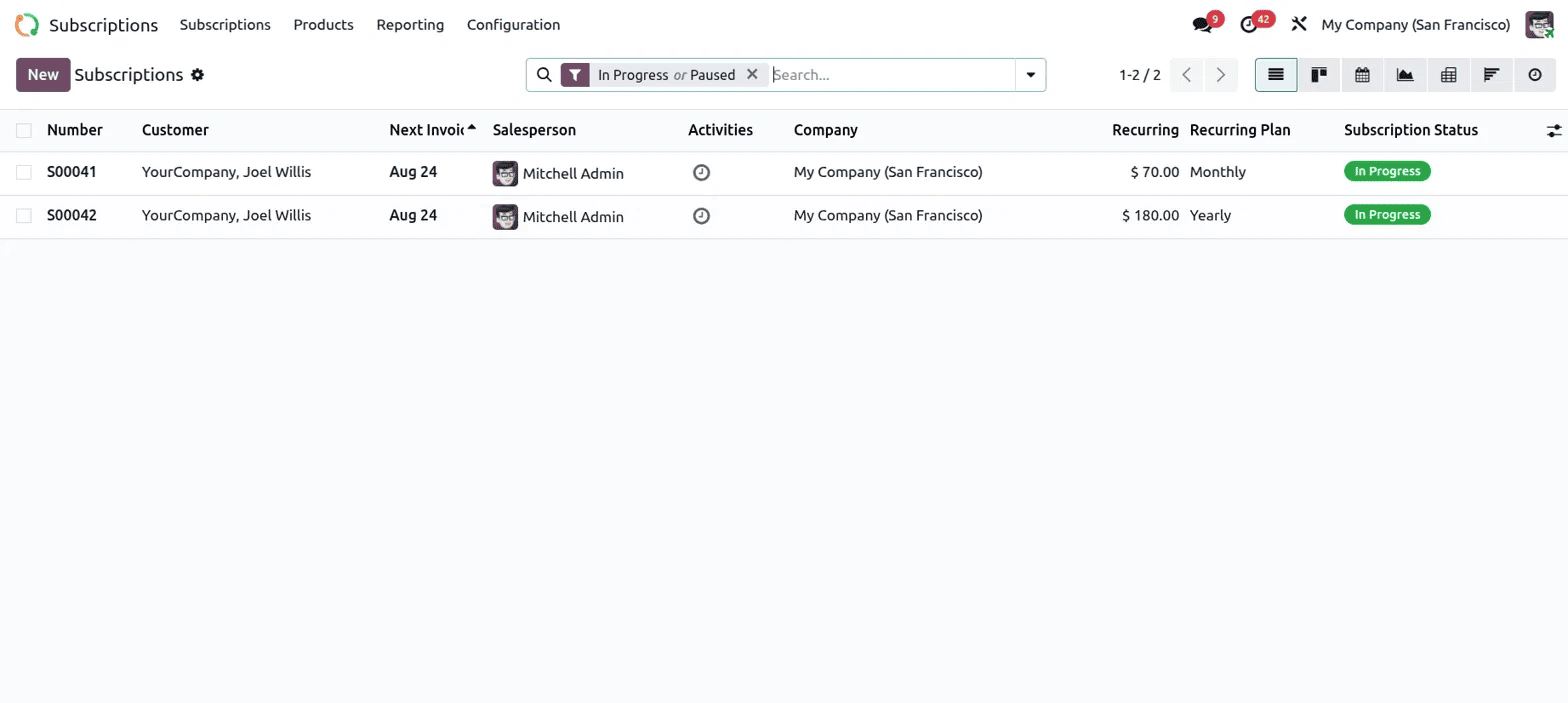
The Subscriptions menu at the top has a dropdown with more views. There's Quotations for subscriptions still being negotiated. To Renew shows subscriptions coming up for renewal. Upsells lists orders where an existing customer's plan is being expanded. Customers gives a contact-based view of who's subscribed to what.
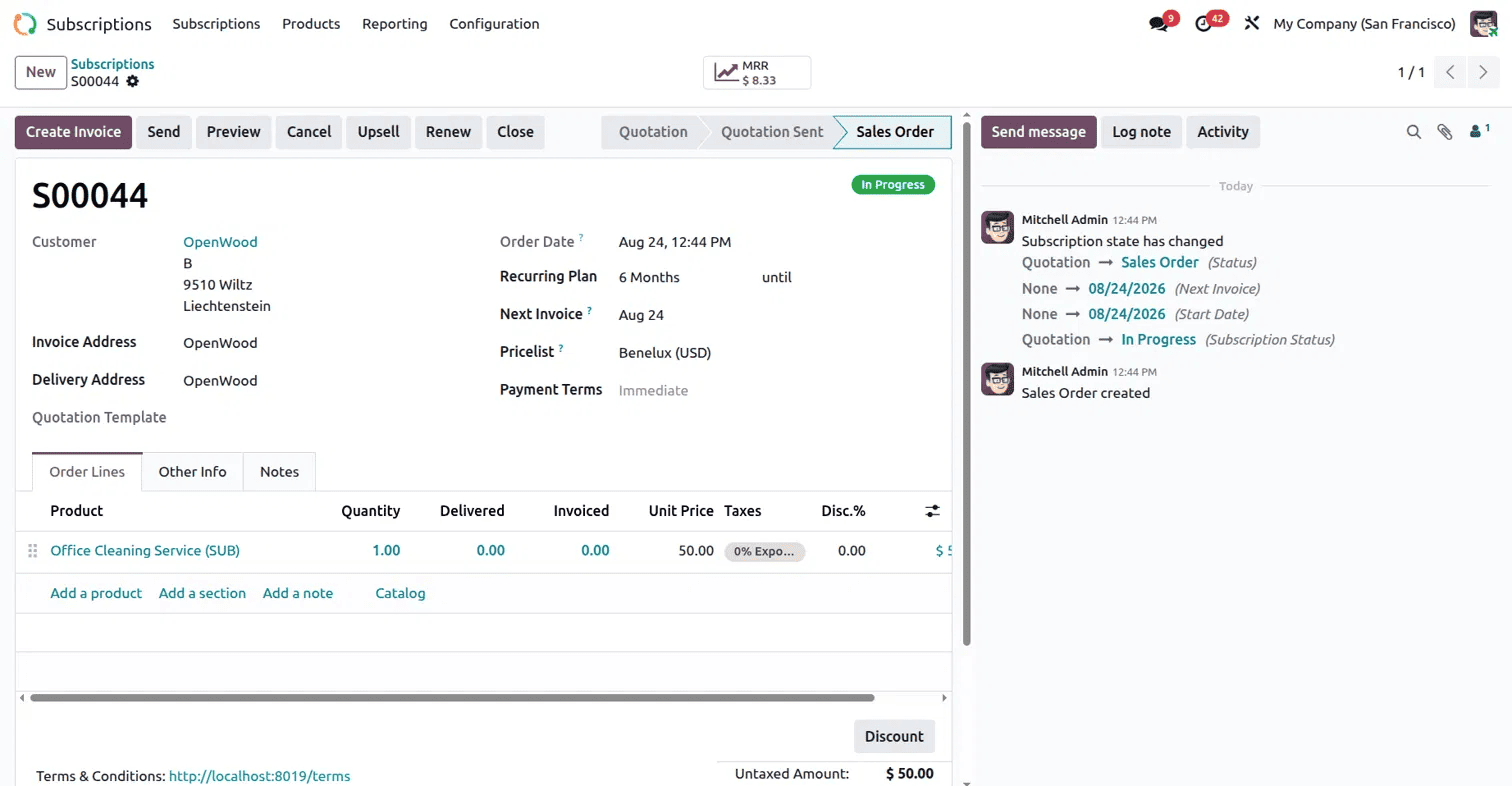
Clicking into an individual subscription, such as S00044, opens its full record. At the top, action buttons let you Create Invoice, Send the subscription to the customer, Preview it, Cancel, Upsell, Renew, or Close it. A status bar tracks it moving from Quotation to Quotation Sent to Sales Order, and once confirmed, it shows as In Progress. A small MRR figure in the top bar stands for Monthly Recurring Revenue and shows how much this subscription brings in per month. Below that, the form holds the usual sales details: Customer, Order Date, Pricelist, and Payment Terms, along with subscription-specific fields like Recurring Plan, set to 6 Months here, and Next Invoice, showing when the customer will be billed again. The Order Lines tab lists the product being subscribed to, in this case an Office Cleaning Service, with its quantity, delivered amount, invoiced amount, and price. On the right, the chatter log records everything that's happened to the subscription, including the exact moment its status changed from Quotation to Sales Order and its subscription status changed to In Progress.
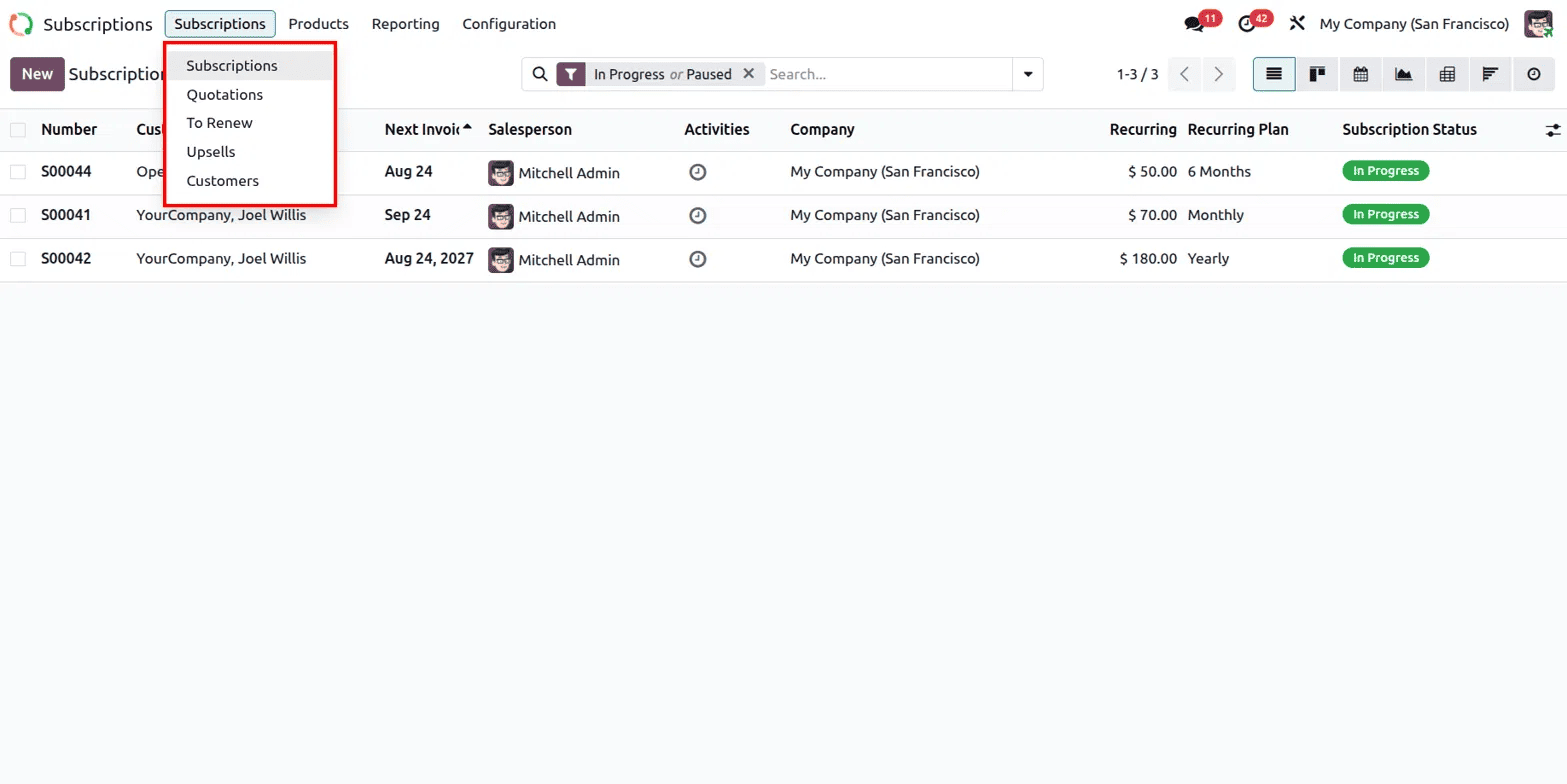
Renewals are handled through the Renew button on the subscription form. Clicking it extends the subscription for another cycle while keeping the existing customer and product details in place. Subscriptions approaching their end date show up under the To Renew view, so you can easily spot which ones need attention soon.
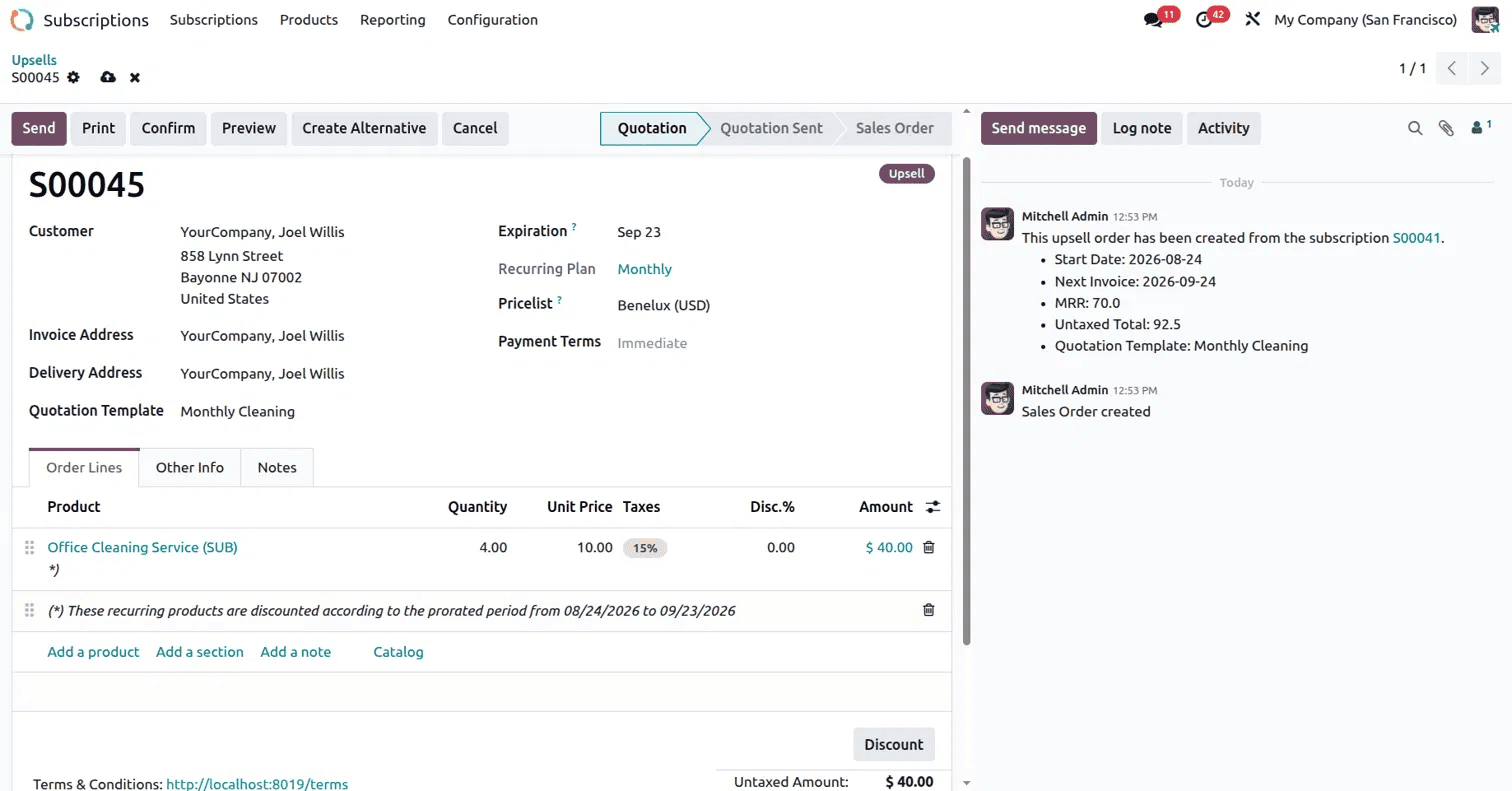
Upsells work differently; they grow an existing subscription instead of extending it. In this example, an upsell order S00045 was created from subscription S00041. The chatter shows this link clearly, along with a summary of the new Start Date, Next Invoice, MRR, and Untaxed Total. The order shows an increased quantity, four units of the Office Cleaning Service instead of one, with a note explaining that the recurring products are discounted for the prorated period. This means the customer is only charged fairly for the partial period before their next full billing cycle starts, and Odoo calculates this automatically.
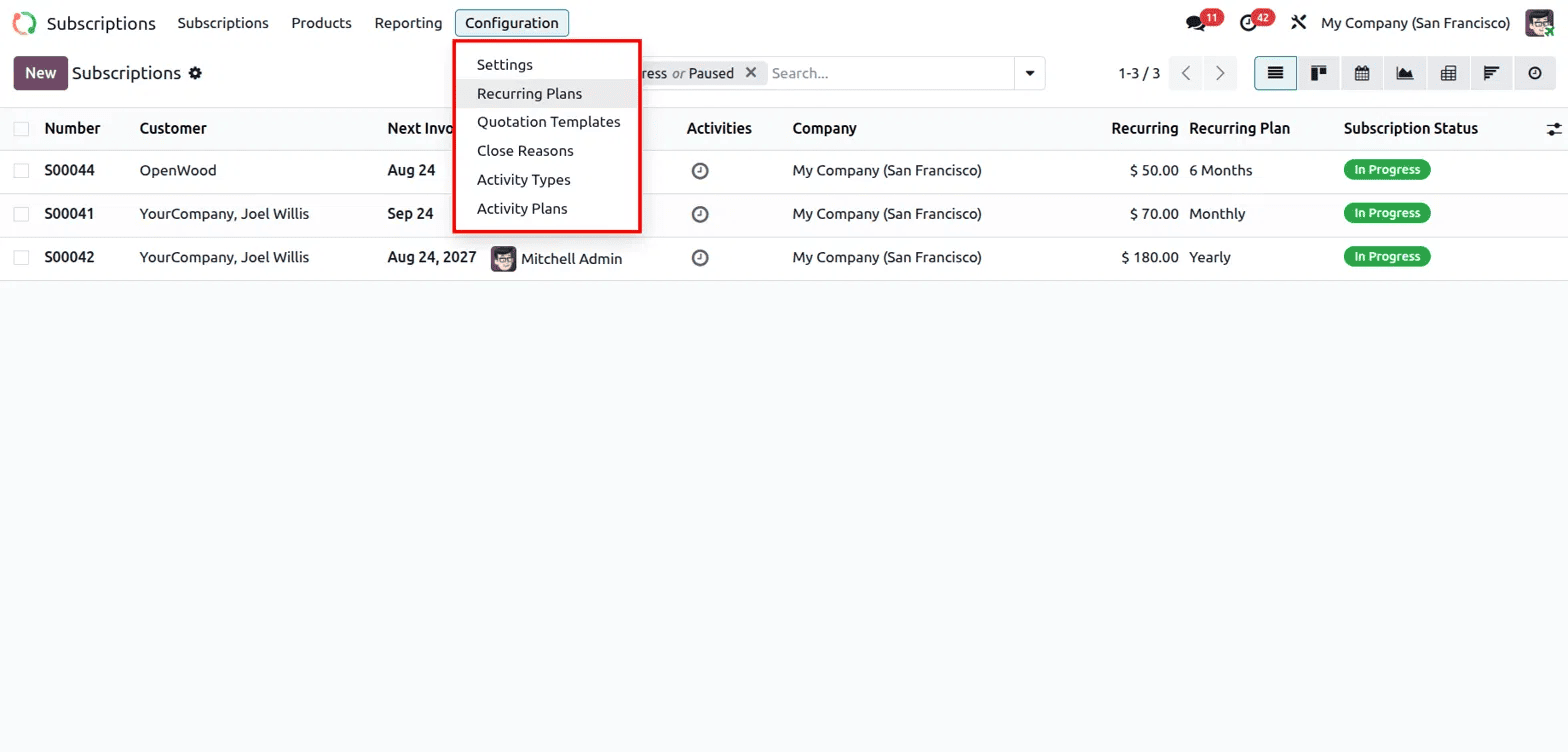
Most of the setup for how subscriptions behave happens under Configuration. This menu holds Settings, Recurring Plans, Quotation Templates, Close Reasons, Activity Types, and Activity Plans.
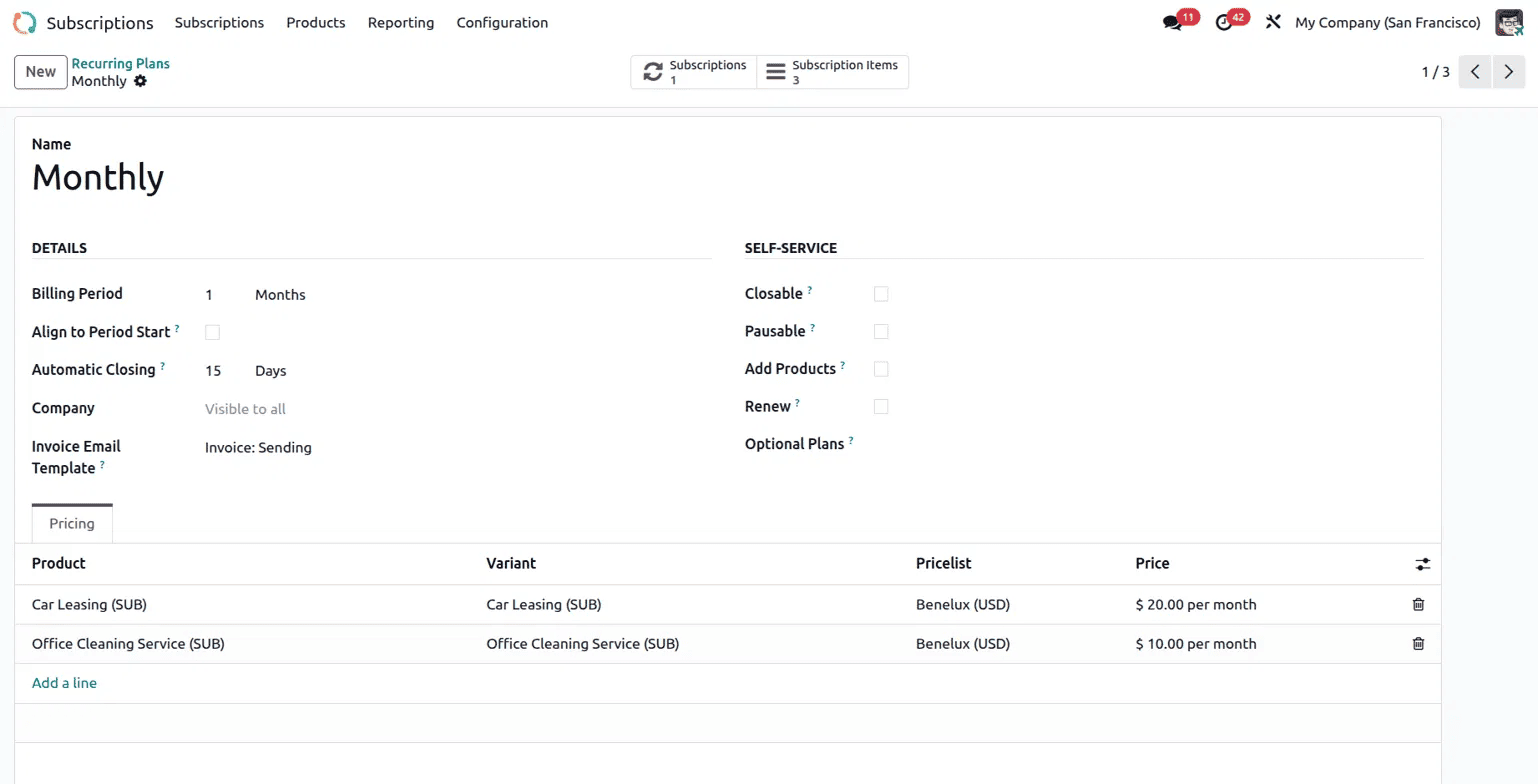
Recurring Plans define the billing rhythm. Opening the Monthly plan shows its Billing Period set to 1 Month, and an Automatic Closing set as 15 Days, which controls how long an unpaid subscription stays open before it closes automatically. The Self-Service section controls what the customer can do on their own, whether the plan is Closable, Pausable, allows adding products, or permits self-service renewal. Below this, a Pricing tab lists the products tied to this plan and their monthly rate. Here, it shows Car Leasing and Office Cleaning Service, both priced per month. This is where you set the terms every subscription on this plan will follow.
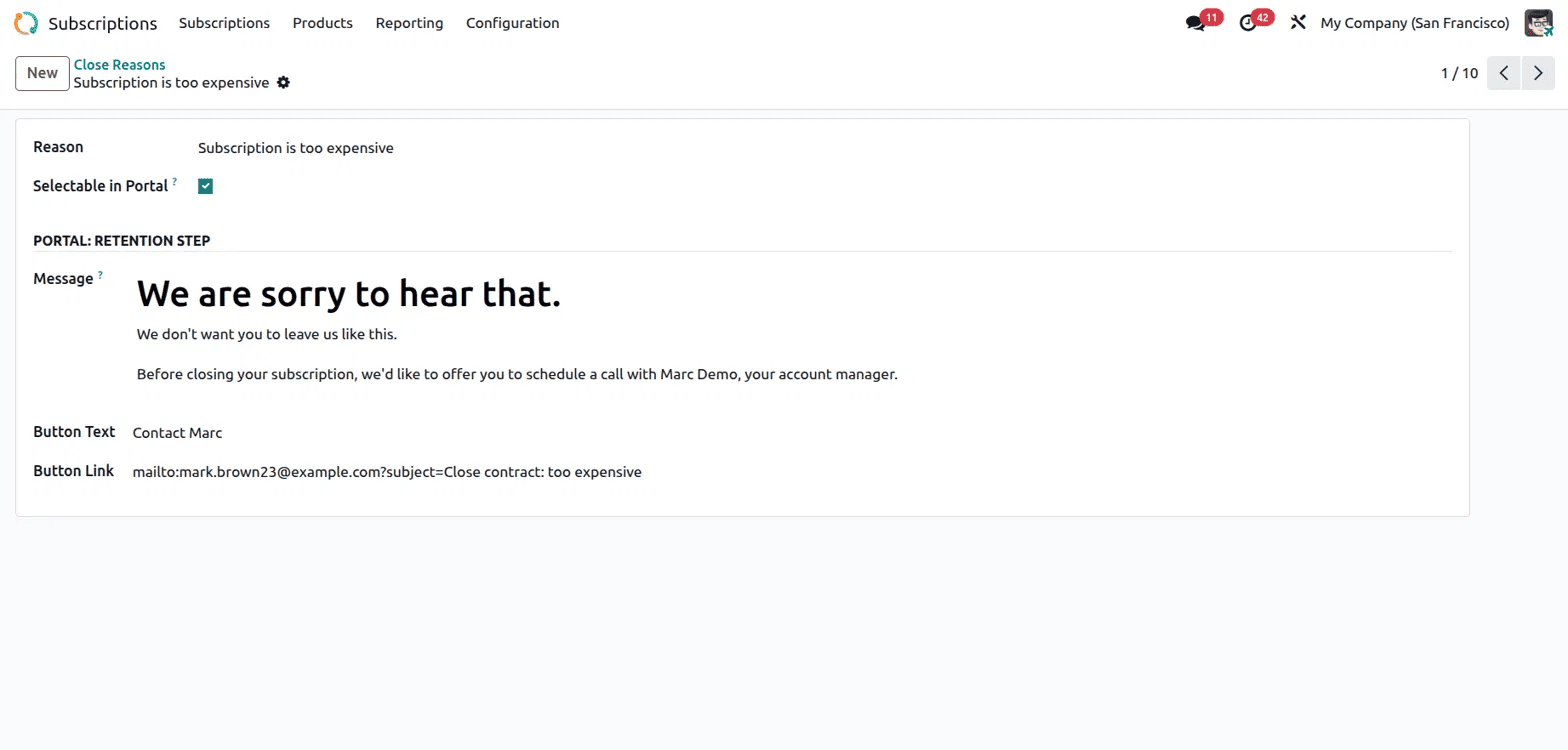
Close Reasons matter because customers don't always cancel quietly. Each close reason, such as Subscription is too expensive, can include a Portal Retention Step. This is a message shown to the customer when they try to cancel, along with a Button Text and Button Link that can direct them to contact an account manager first. This turns a simple cancellation into a chance to retain the customer instead of losing them without any conversation.
The Reporting menu covers Subscriptions, Retention, MRR Breakdown, and MRR Timeline. These reports show recurring revenue trends over time, highlight where customers are being lost, and break down monthly recurring revenue in different ways, giving a clearer financial picture than tracking things manually from individual records.

Together, the Subscriptions module covers the full lifecycle of a recurring customer, from the initial quotation, through renewals and upsells, to cancellation and retention. The configuration options around recurring plans and close reasons let you shape the system to match how your business actually wants to bill and retain customers. The reporting views give ongoing visibility into recurring revenue without extra manual tracking. For any business moving toward a subscription-based model, this module removes a lot of repetitive admin work and replaces it with a workflow that runs mostly on its own.
To read more about Overview of the Odoo 18 Subscription Module, refer to our blog Overview of the Odoo 18 Subscription Module.