Any e-commerce business wants to boost sales, and Odoo's Website module offers powerful options for doing so through cross-selling and upselling strategies. By recommending complementary or more expensive products to clients while they browse, businesses can increase the average order value and enhance the overall customer experience. Odoo makes it easy to use these tactics with its intelligent automation, dynamic filtering, and customisable product recommendations, all of which are effortlessly integrated into the online store.
Effective cross-selling and upselling strategies are crucial for boosting revenue and raising customer satisfaction. Strong features for efficiently handling upselling and cross-selling on your website are provided by Odoo 19, a full suite of company management software. In this piece, we will examine the subtleties of utilising supplemental, optional, and alternative products to increase sales and enhance your customers' overall shopping experiences.
Cross-selling involves recommending related or complementary items to the one the consumer is already considering, and upselling involves persuading them to purchase a more costly or upgraded version of the product they intend to purchase. Both strategies aim to increase average order value and foster customer loyalty by offering customised recommendations.
Odoo 19's product creation form makes it simple to configure accessories, alternatives, and optional products. The product page is also easily accessible through the Odoo 19 website module's eCommerce tab.
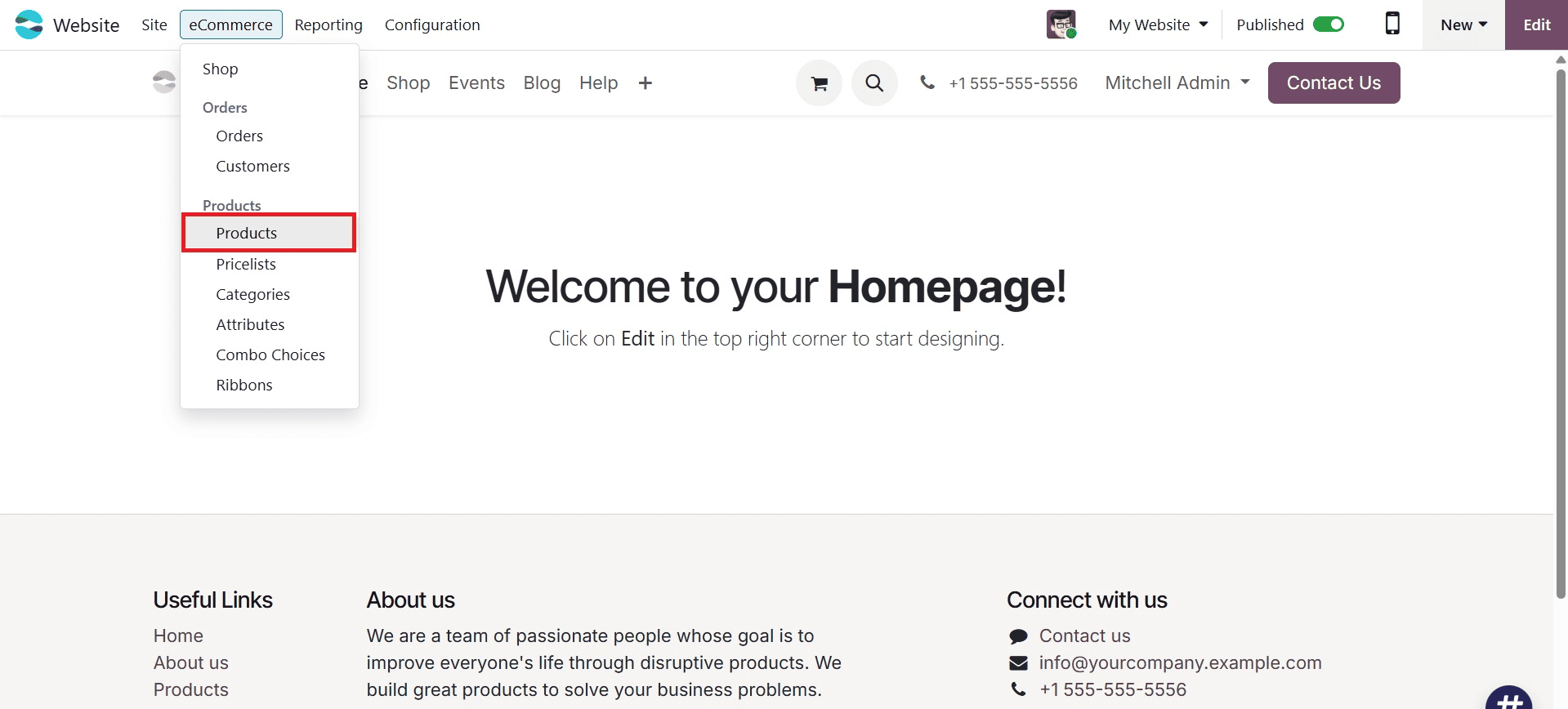
To add a new product and choose accessory, alternative, and optional products, navigate to the Sales tab in the product form.
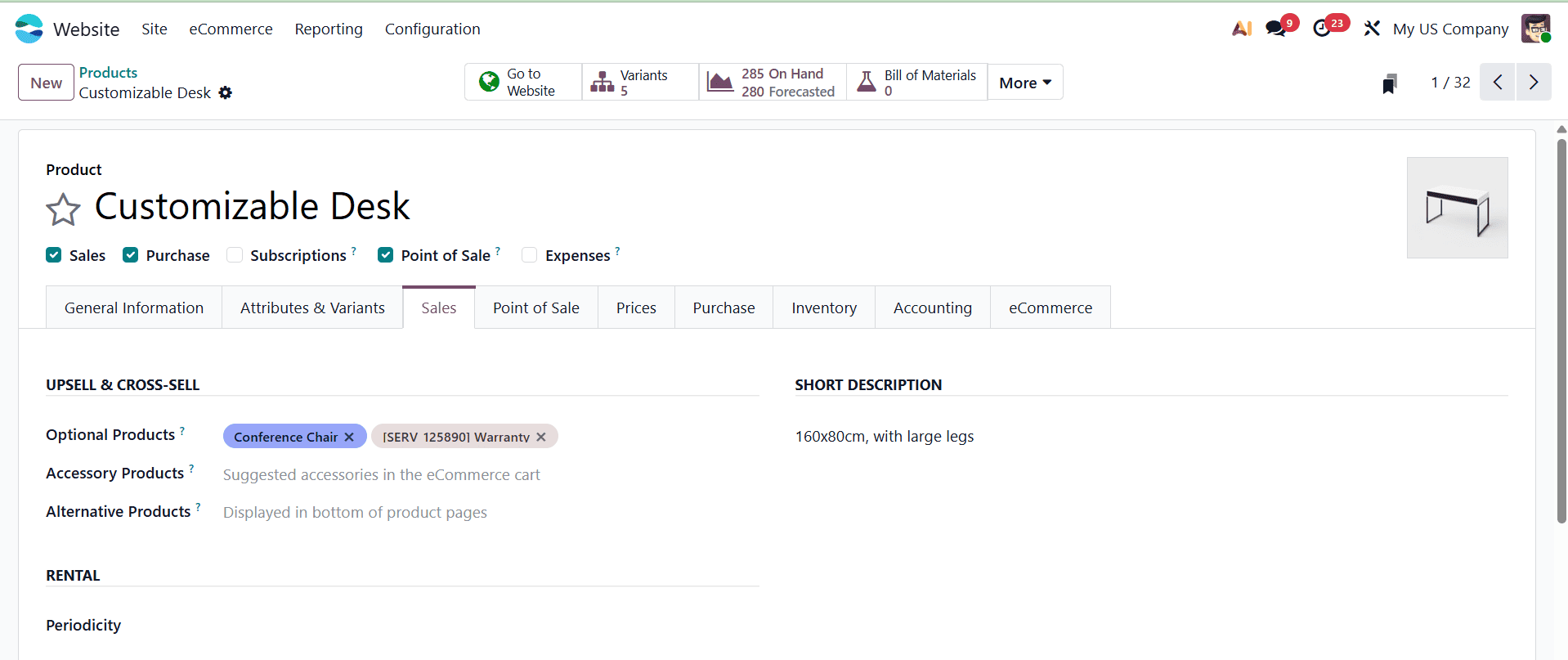
The sales page has options for upselling and cross-selling, two tried-and-true sales techniques designed to boost revenue.
Optional Products
Products that allow customers to customise their purchases to fit their preferences are referred to as optional products.
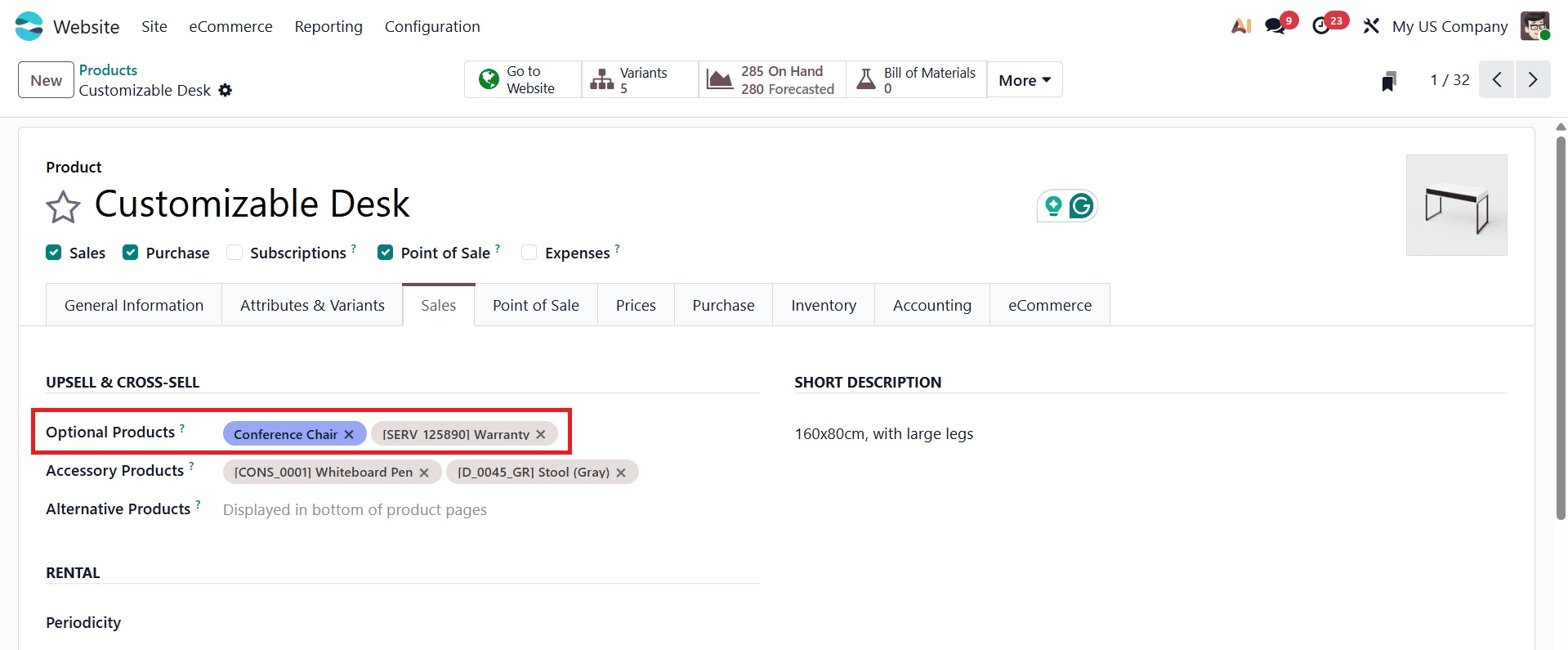
Because these products come in a wide range of varieties, including size, colour, material, and other features, customers may tailor their purchases to suit their needs.
By setting up optional items inside the product management system, businesses can specify product variations and customisable options in Odoo 19.
Users can interact with product configurators while browsing the website to select their preferred options and customise their purchase in real-time, which enhances the buying experience and increases engagement.
For instance, you might recommend an extended warranty to a customer buying a laptop. These suggestions appear each time a customer clicks the "add to cart" button for the primary product on the website.
Accessory Products
Accessories are items that improve the usefulness, functionality, or visual appeal of the main product.
These goods, which could be supplements, add-ons, or accessories, are usually related to the primary product.
Odoo 19 enables supplemental items to be integrated with the primary product to create enticing offers and promotions.
Businesses can showcase accessories alongside the main products on their websites, allowing buyers to personalise their purchases and boosting sales.
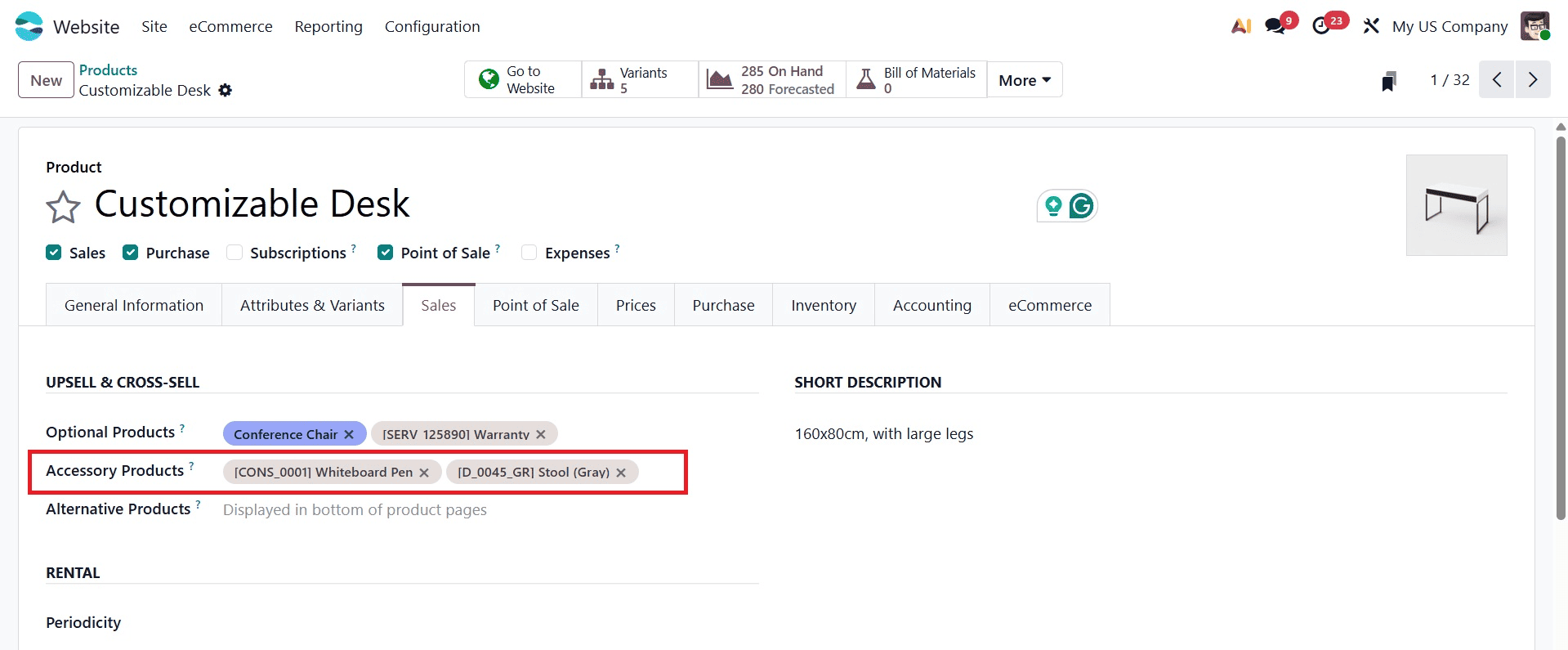
For instance, if a customer is buying a new laptop, you might recommend a printer, mouse, or keyboard as extras. Before completing the checkout process, the customer checks their cart and sees these recommendations.
Alternative Products
Alternative products are those that serve as substitutes or substitutes for the original product that a customer is considering.
Although the name, size, colour, and specifications of these devices may vary, their performance and features are similar.
By using the product management system in Odoo 19, businesses may configure and connect alternative products to the primary product.
By seeing substitute products next to the primary product on the website, customers may weigh their options and make informed purchasing decisions.
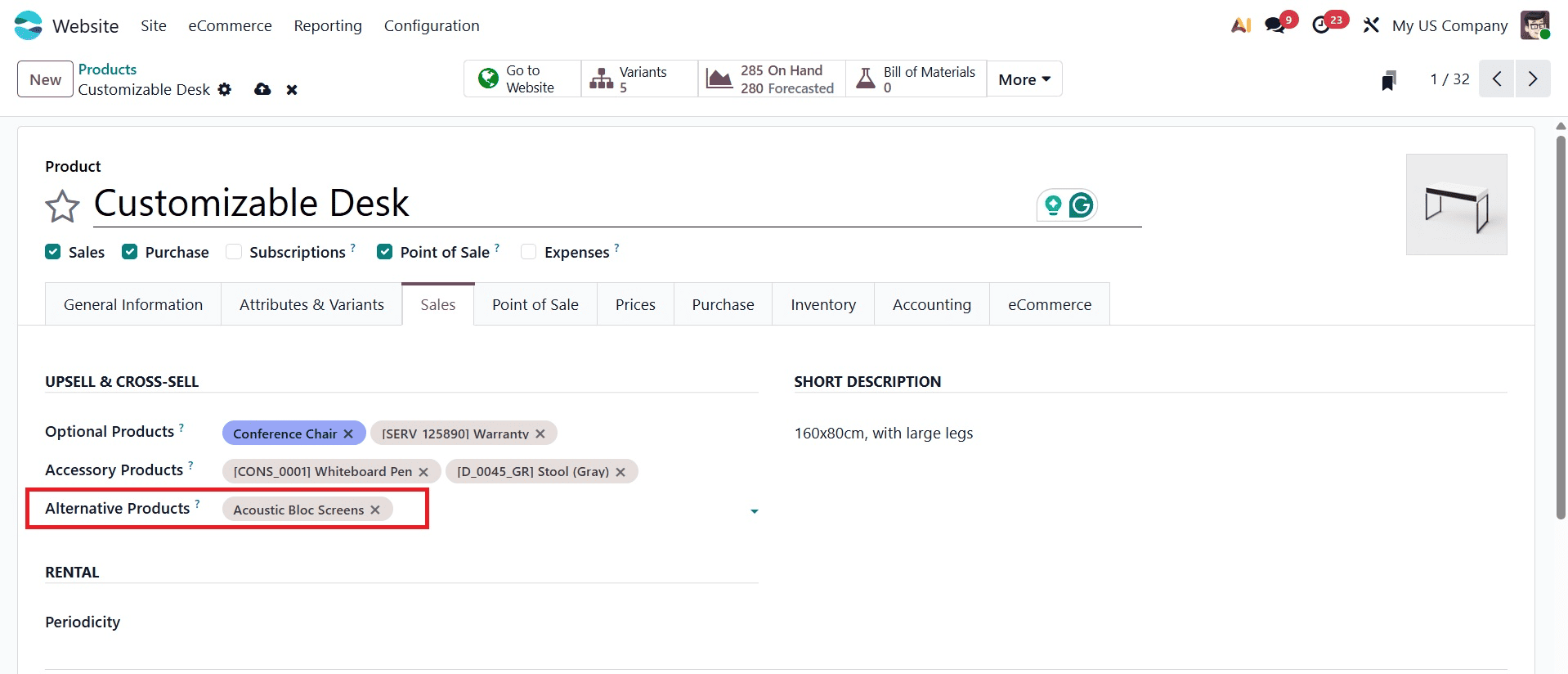
If a client is considering purchasing a laptop, for instance, you might recommend a different model with a larger screen or a more powerful processor.
Once these options are enabled, you may begin using the website to upsell and cross-sell your products. Remember to list the products on your website so that customers can buy them.
How to use Optional Products
Customers can customise their purchases to fit their preferences when they buy optional products. Giving customers the choice to personalise their shopping experiences increases consumer satisfaction and engagement. By utilising customer data and browsing history to recommend relevant optional items based on previous interactions and individual interests, you may increase the likelihood of upselling.
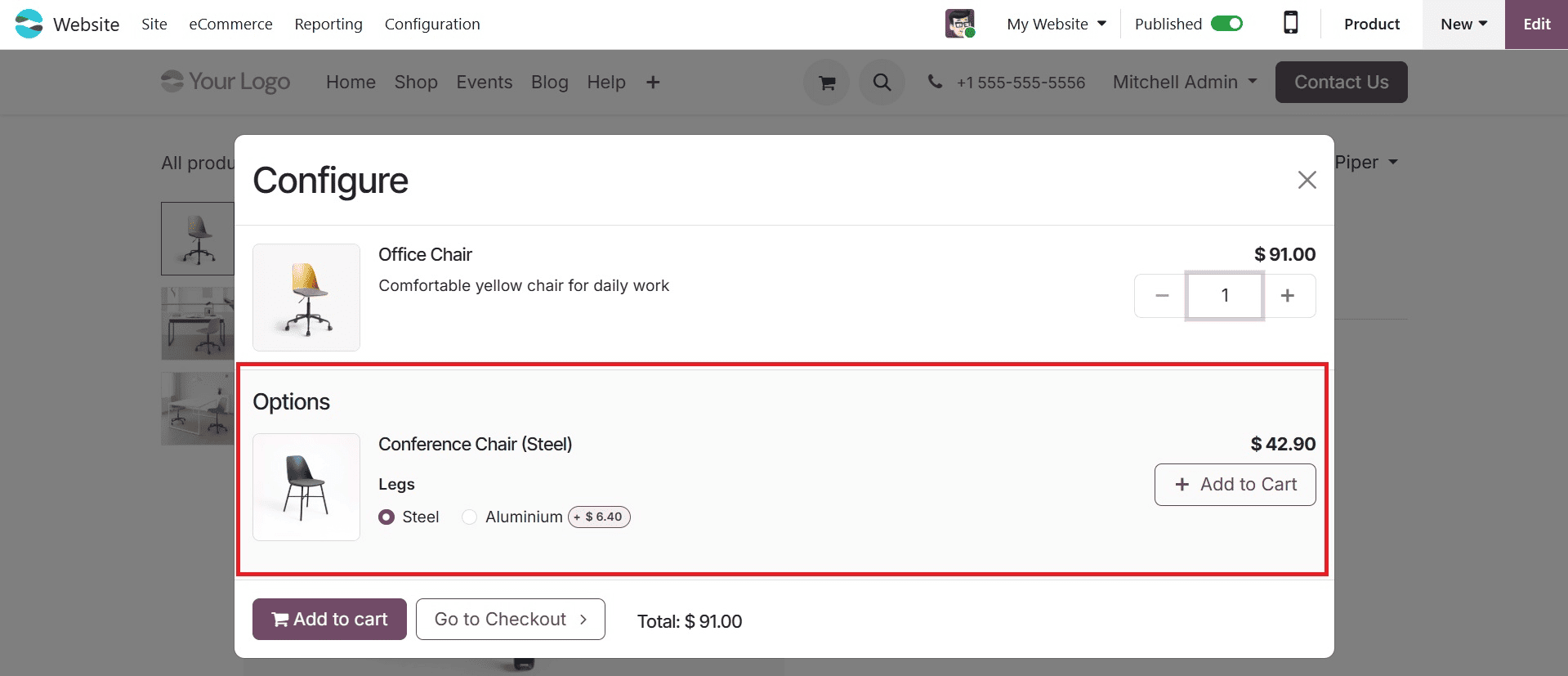
After clicking the "Add to cart" button, a list of optional products will appear in the product form. By adding these optional items to their cart without ever leaving the product page, customers can save time and effort. This quick process makes it easier to make educated purchasing decisions. Offering consumers more options raises the possibility of a sale. This tactic gives customers the idea that they are getting a better deal while also assisting them in choosing the product that best satisfies their needs.
Usage of Alternative Products
Alternative products are comparable items that can be substituted for the original product. In Odoo 19, alternative items can be carefully presented to customers so they have options that suit their needs and tastes.
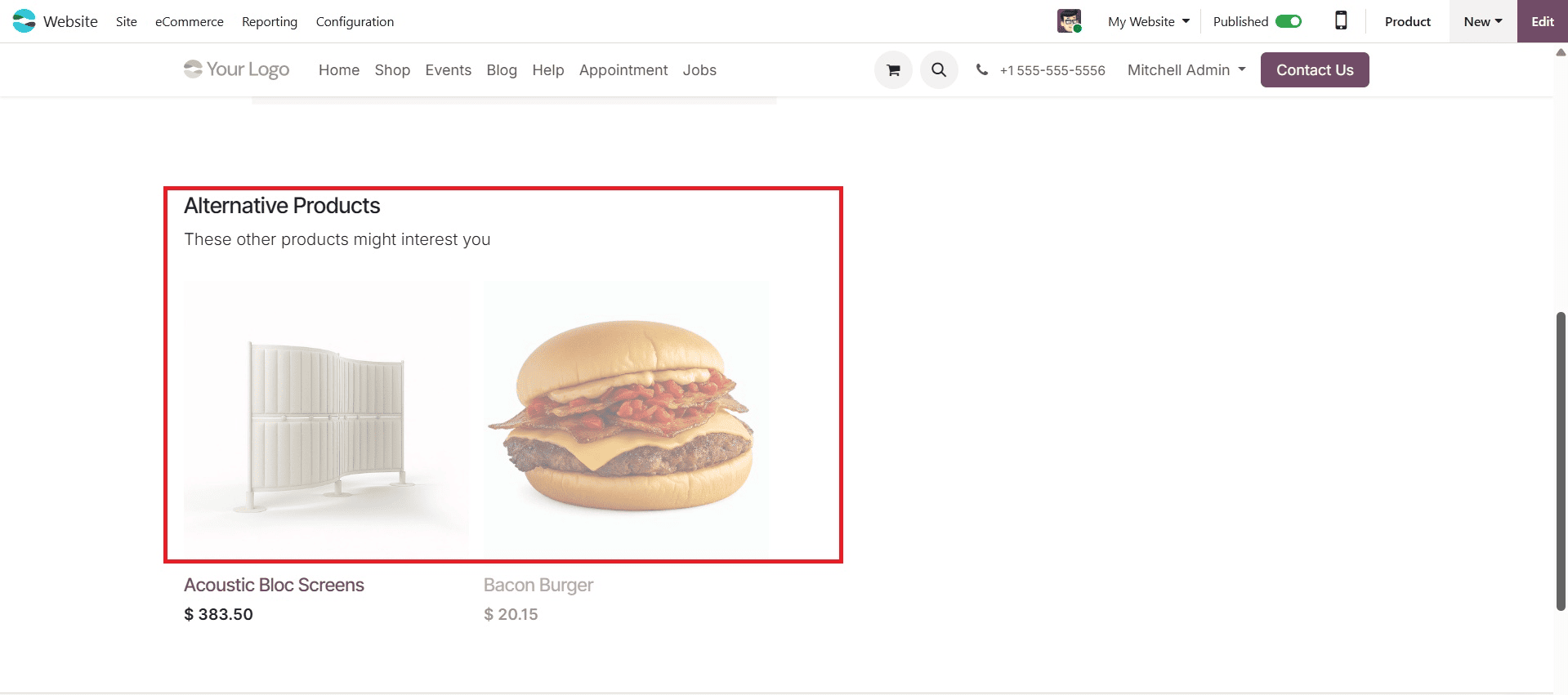
Your product form has a range of alternative items that you have supplied. Giving customers a variety of choices allows them to fully comprehend their options and assists them in choosing the finest product. You can take advantage of this to improve upselling chances and steer customers toward higher-margin or more expensive products or services than they had previously thought about.
Use of Accessory Products
Accessories are added to the main product to make it more beautiful or functional. Companion product integration can significantly improve the shopping experience and increase sales on your website.
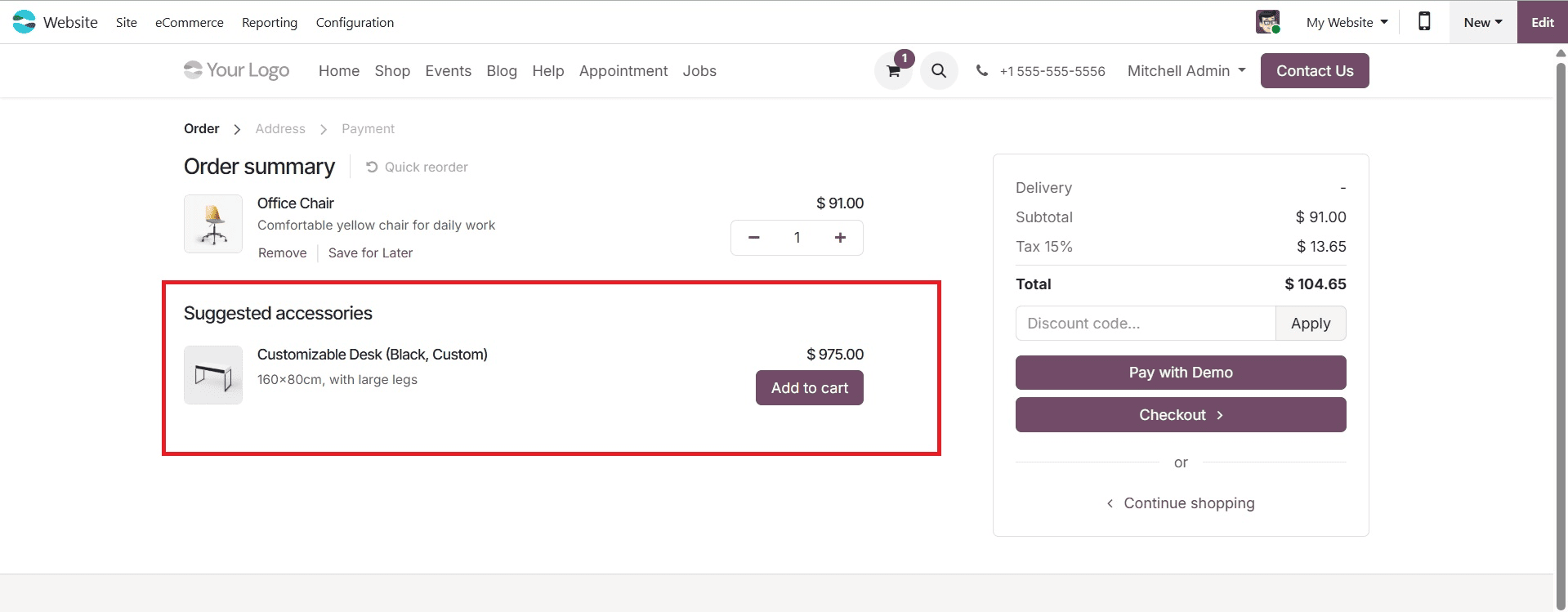
After adding things to their cart, customers can check their orders at the checkout. The cross-sell and upsell parts of the product form will now display suggestions for further items. Selecting these extras makes their purchases more valuable. Encouraging clients to add additional things to their cart is another way to boost your sales potential.
You must incorporate cross-selling and upselling strategies into your e-commerce operations in order to boost revenue and create long-lasting relationships with clients. By employing Odoo 19's vast feature set for handling alternative, accessory, and optional products, you can optimise your website's sales potential and give your consumers exceptional shopping experiences. You may stand out in the congested e-commerce industry and create new revenue-generating opportunities with interactive shopping features, customized promotions, and dynamic product recommendations.
All things considered, the alternative, accessory, and optional items on the Odoo 19 website provide businesses with adaptable tools to employ effective cross-selling and upselling strategies, meet customer preferences, and increase sales. By proactively managing different product kinds, businesses may enhance the shopping experience, increase average order value, and foster customer loyalty.
To read more about how to boost sales with cross-selling and upselling in the Odoo 18 website, refer to our blog How to Boost Sales with Cross-Selling and Upselling in Odoo 18 Website.