Odoo 19 Knowledge Module is a platform where businesses can manage information about their operations simply. Some of the features of the software include collaboration, documentation, and accessing information whenever it is needed. Some of the functionalities in the Odoo 19 Knowledge Module include the Template option, whereby users are able to write structured articles without starting from scratch. The Browse Templates option provides templates for users to use depending on the business requirements. There are various types of templates, like Productivity templates, Sales templates, Marketing templates, Company Organization templates, and Product Management templates.
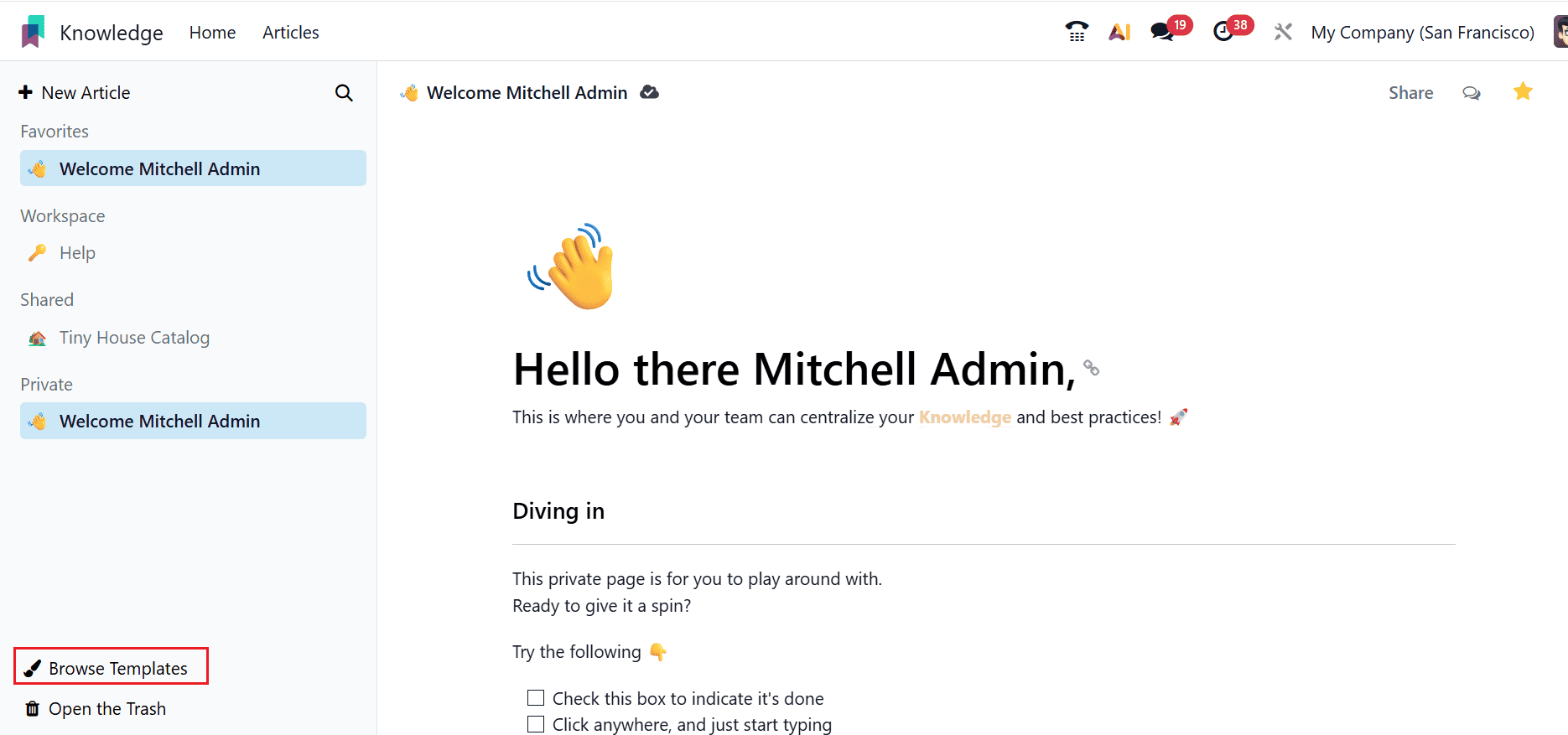
Open the Knowledge module in Odoo 19. On the main dashboard, you will come across the Browse Templates option that appears in the bottom left-hand corner of the dashboard. Click on this option to browse through the templates.
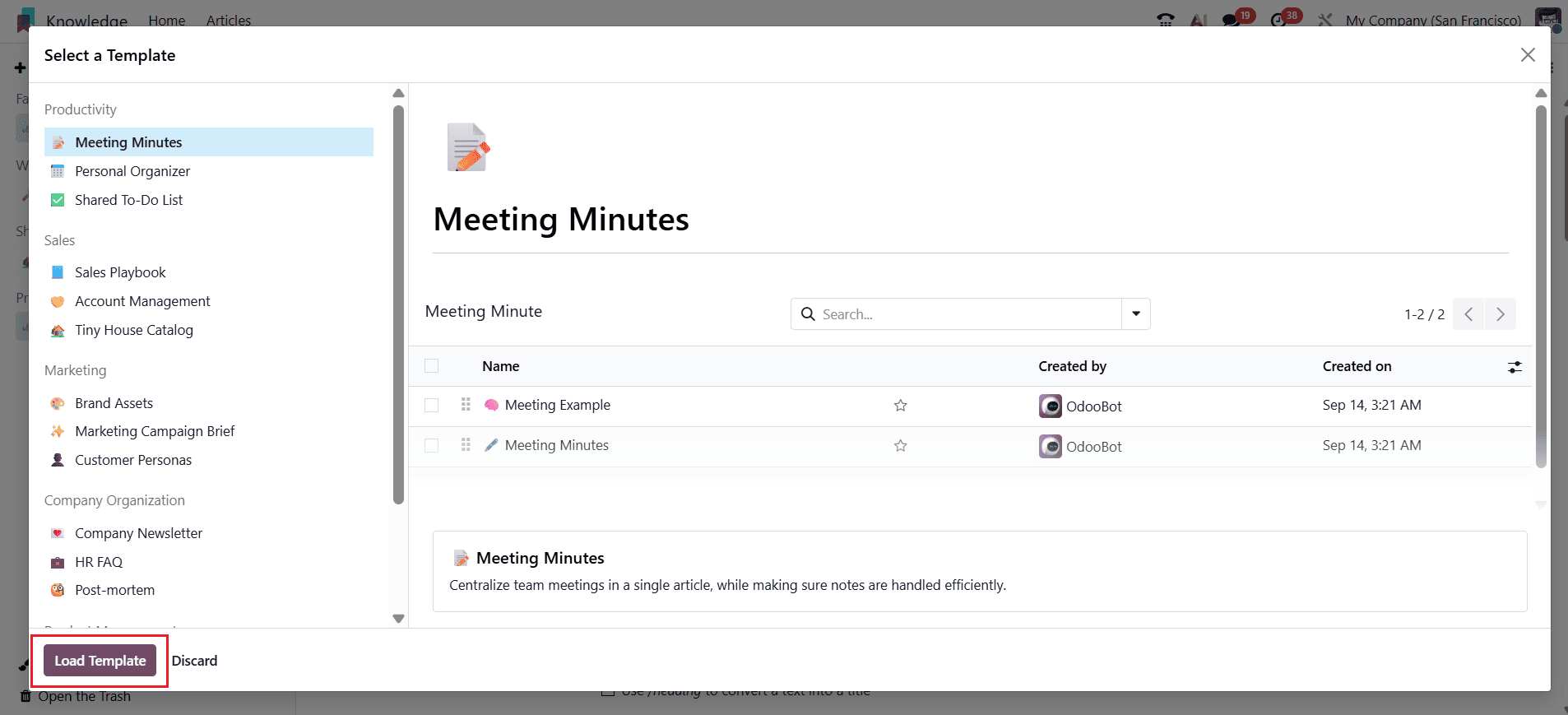
This will open up a new pop-up window where you can choose the template from any one of the business-oriented categories such as Productivity, Sales, Marketing, Company Organization, and Product Management. This helps you select the suitable template that meets your requirements. Once you have selected the required template, click on the Load Template button in order to load the template into your Knowledge dashboard. The loaded template will have a pre-defined format that can be customized according to your business requirements.
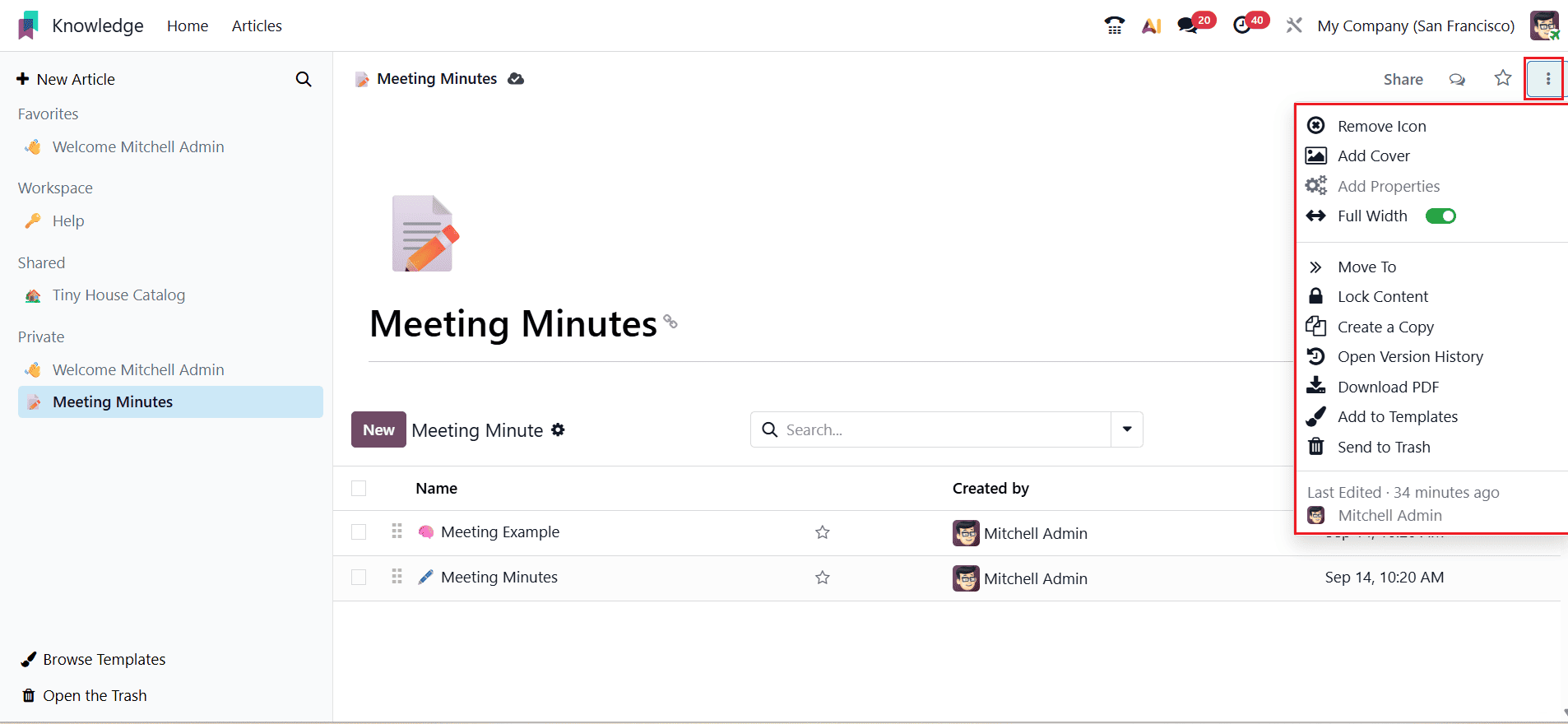
After loading the template, you will be able to edit this template directly from the Knowledge module itself. You can edit the existing content in the template or add new content to it according to your requirements. Moreover, you can even improve the look of the article by adding cover images, background images, etc., from the menu provided on the top right-hand side of the dashboard.
Using the Templates feature within the Odoo 19 Knowledge module makes it more convenient for the user to handle the documentation of their business process. The user can browse through different templates, select one among those already present, and then import it within the Knowledge module. Once it is imported, the user can edit the template according to their needs by editing the content and formatting the template. Moreover, there is also the additional benefit of decorating the article with visuals like a cover image and background image.
To read more about How to Browse and Load Templates in Odoo 18 Knowledge Module, refer to our blog, How to Browse and Load Templates in Odoo 18 Knowledge Module.