In a business workflow, purchase management does not conclude with product reception and bill payment. There are practical scenarios where goods must be returned to the vendor due to reasons such as damaged items, incorrect delivery, or quality discrepancies. In such situations, processing vendor refunds accurately is essential to maintain proper accounting records and vendor
The Odoo 19 Accounting module provides a fully integrated workflow to manage vendor refunds efficiently. By connecting the Purchase, Inventory, and Accounting applications, Odoo ensures that stock moves and journal entries are automatically synchronized. This integration reduces manual intervention and guarantees data consistency across all operations.
This blog explains the complete workflow of managing vendor refunds in Odoo 19, including purchase confirmation, receipt validation, vendor bill processing, product return, and vendor credit note management.
RFQ to Purchase Order Confirmation
The workflow begins with the creation of a Request for Quotation (RFQ) in the Purchase module. Users can navigate to the RFQ menu and create a new record by selecting the vendor and adding product lines with quantities, unit prices, and applicable taxes.
Once the RFQ is reviewed, it can be confirmed to generate a purchase order. This confirmation validates the procurement agreement and triggers the creation of incoming shipments (receipts) in the Inventory module.
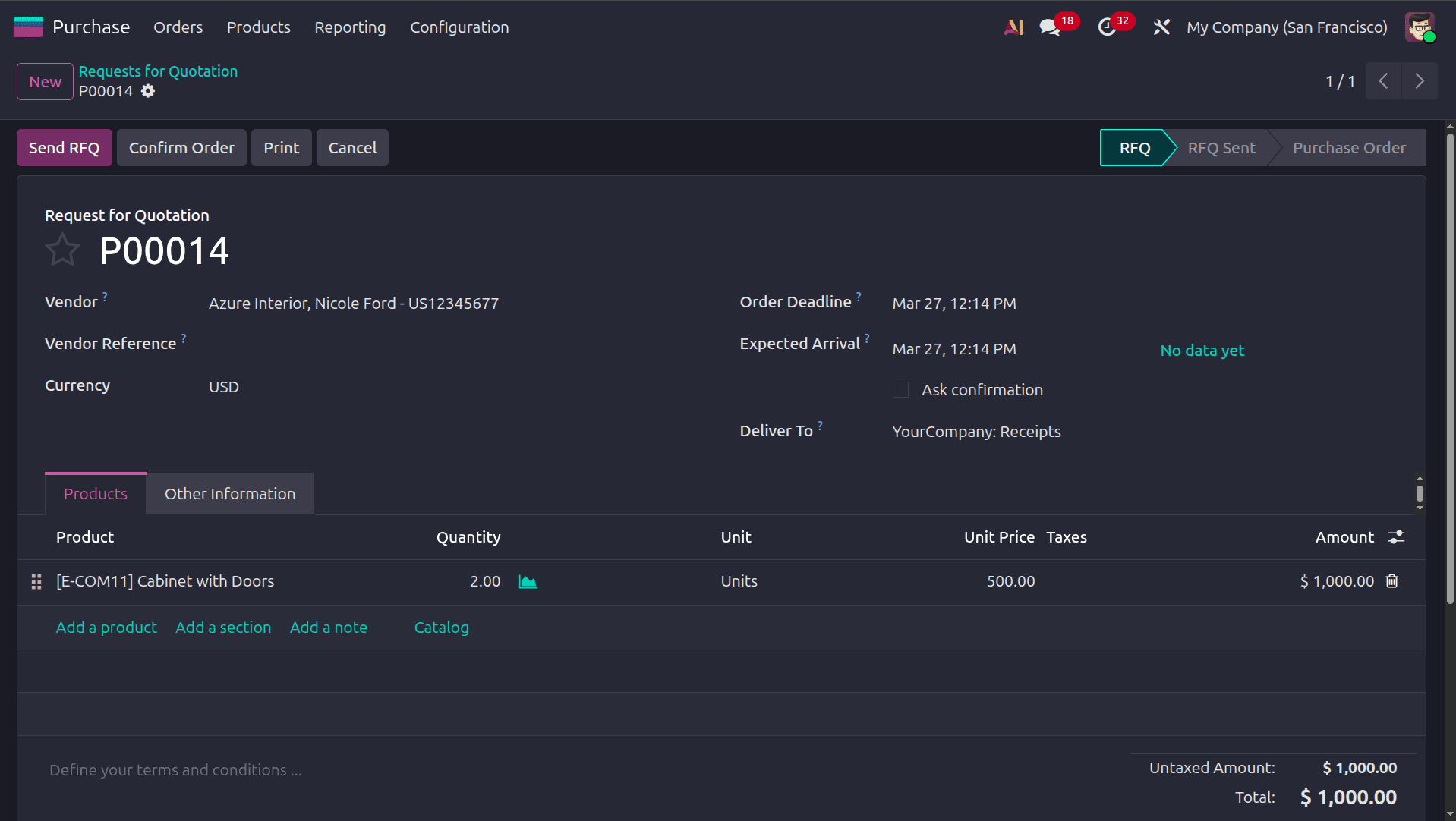
Once the purchase order is created, we can send the quotation to the vendor by clicking the send RFQ button, and the RFQ will move to the RFQ Send state. When the vendor accepts the RFQ, click the Confirm order button to confirm it, and the order will move to the Purchase order state.
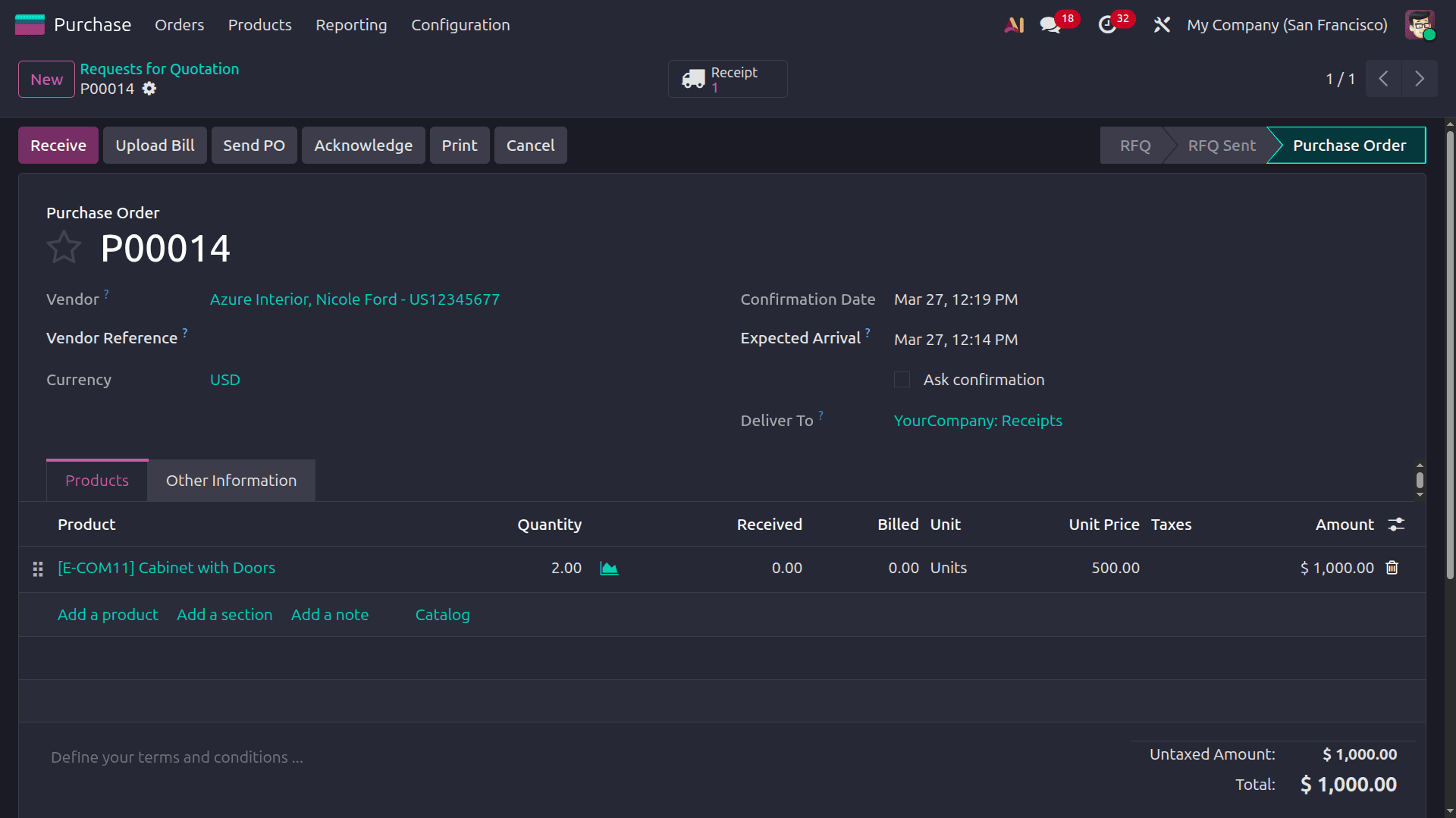
At this stage, Odoo records the purchase transaction and prepares the system for stock reception and vendor billing.
After confirming the Purchase Order, Odoo automatically generates a receipt operation under the Inventory module. This receipt represents the incoming shipment of products from the vendor. Users can access the receipt and validate it after verifying the received quantities.
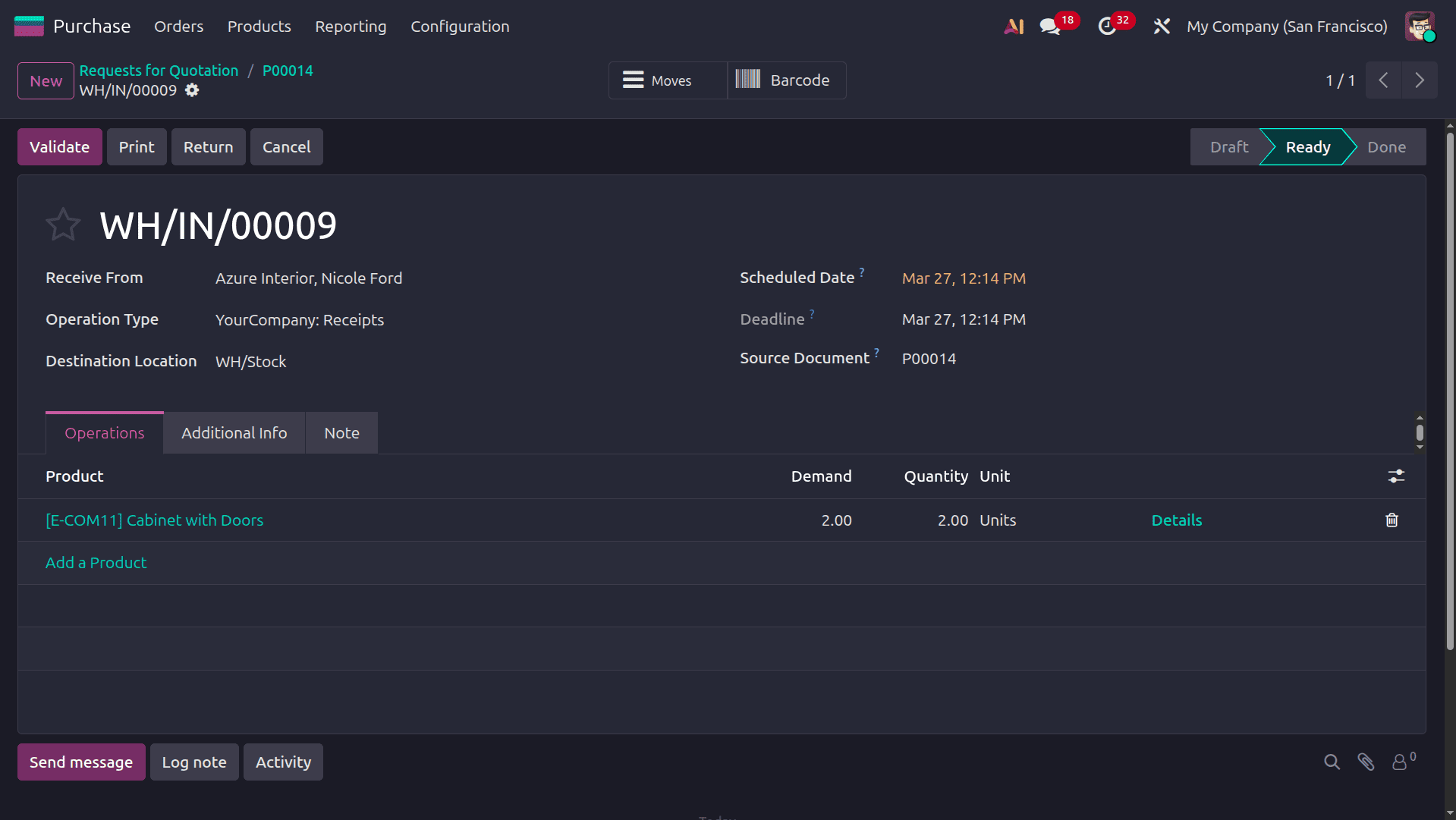
Upon validation, stock moves are completed, on-hand quantities are updated, and inventory valuation entries are generated, ensuring that inventory records accurately reflect the physical stock in the warehouse.
Once the receipt is validated, the next step is to create the vendor bill from the Accounting module by selecting the corresponding purchase reference, which automatically populates the bill with product details based on the purchase order or received quantities.
The receipt is validated, and the next step is to create the vendor bill. Odoo allows users to generate the bill directly from the Purchase Order using the Create Bill option, which automatically populates the bill with product details based on the purchase order or received quantities.
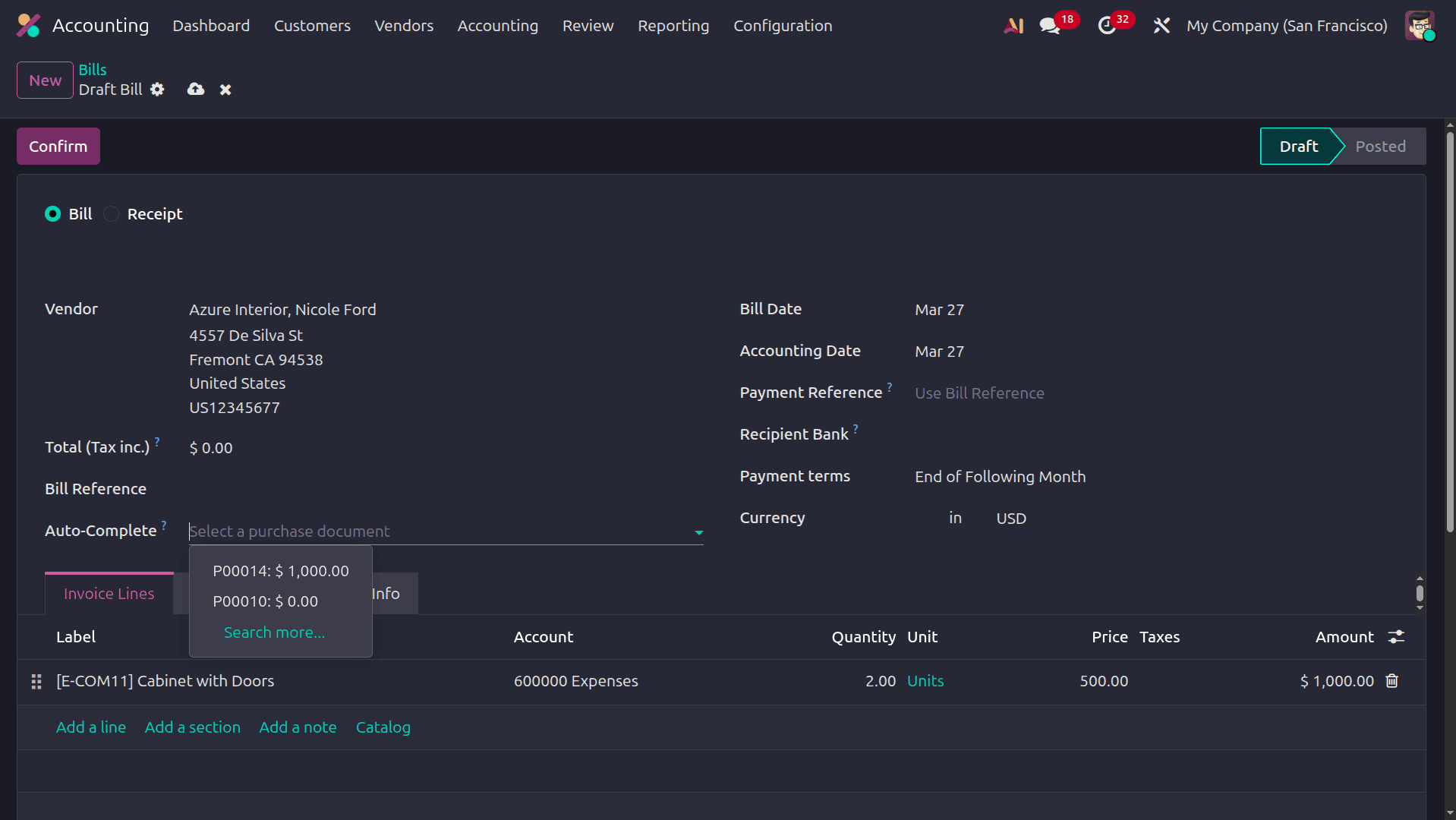
Before posting the bill, users should verify quantities, unit prices, tax configuration, and vendor reference. The bill can be posted, automatically generating the corresponding journal entry in the selected purchase journal and recording the payable amount in the Accounts Payable account linked to the vendor.
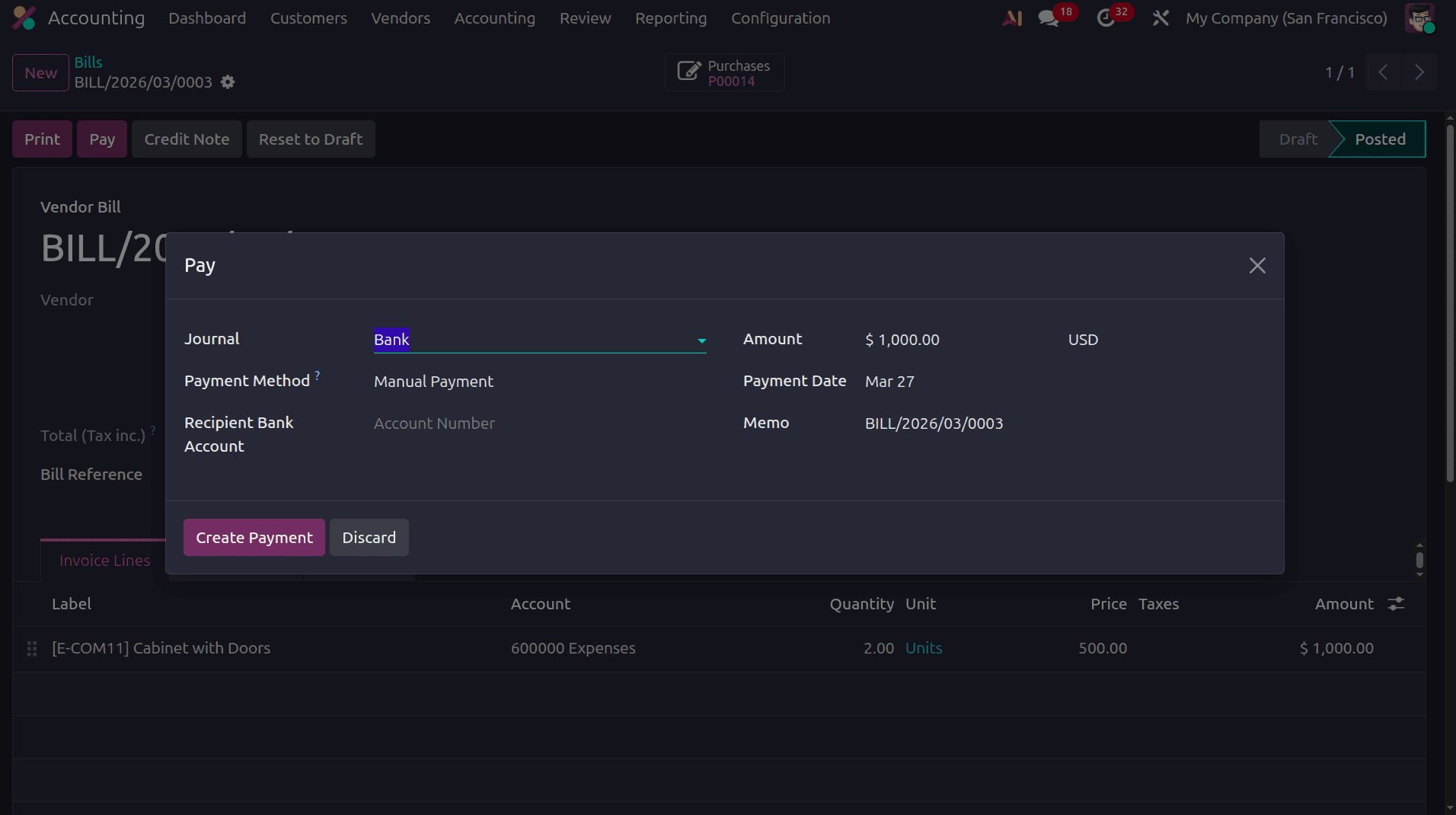
After posting the vendor bill, the payment can be registered using the Pay button. Users can select the appropriate payment journal, payment method, and transaction details.
Return Transfers
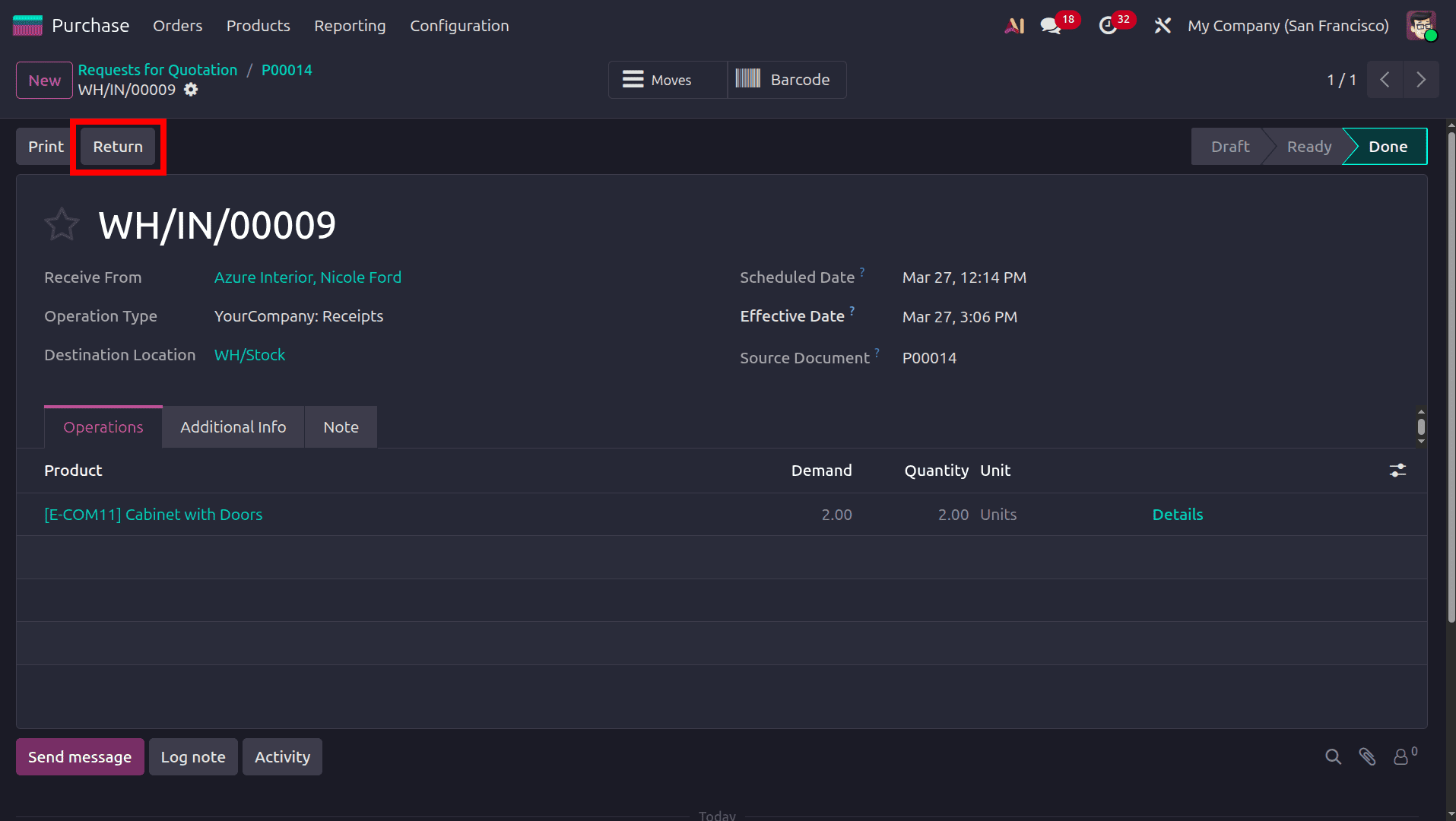
If any discrepancies are identified in the received products, a return operation can be initiated directly from the validated receipt. Odoo provides a Return option that allows users to create a reverse transfer.
In the return wizard, users can specify whether the process involves returning a specific quantity in the order, returning the entire quantity, or returning a product for exchange.
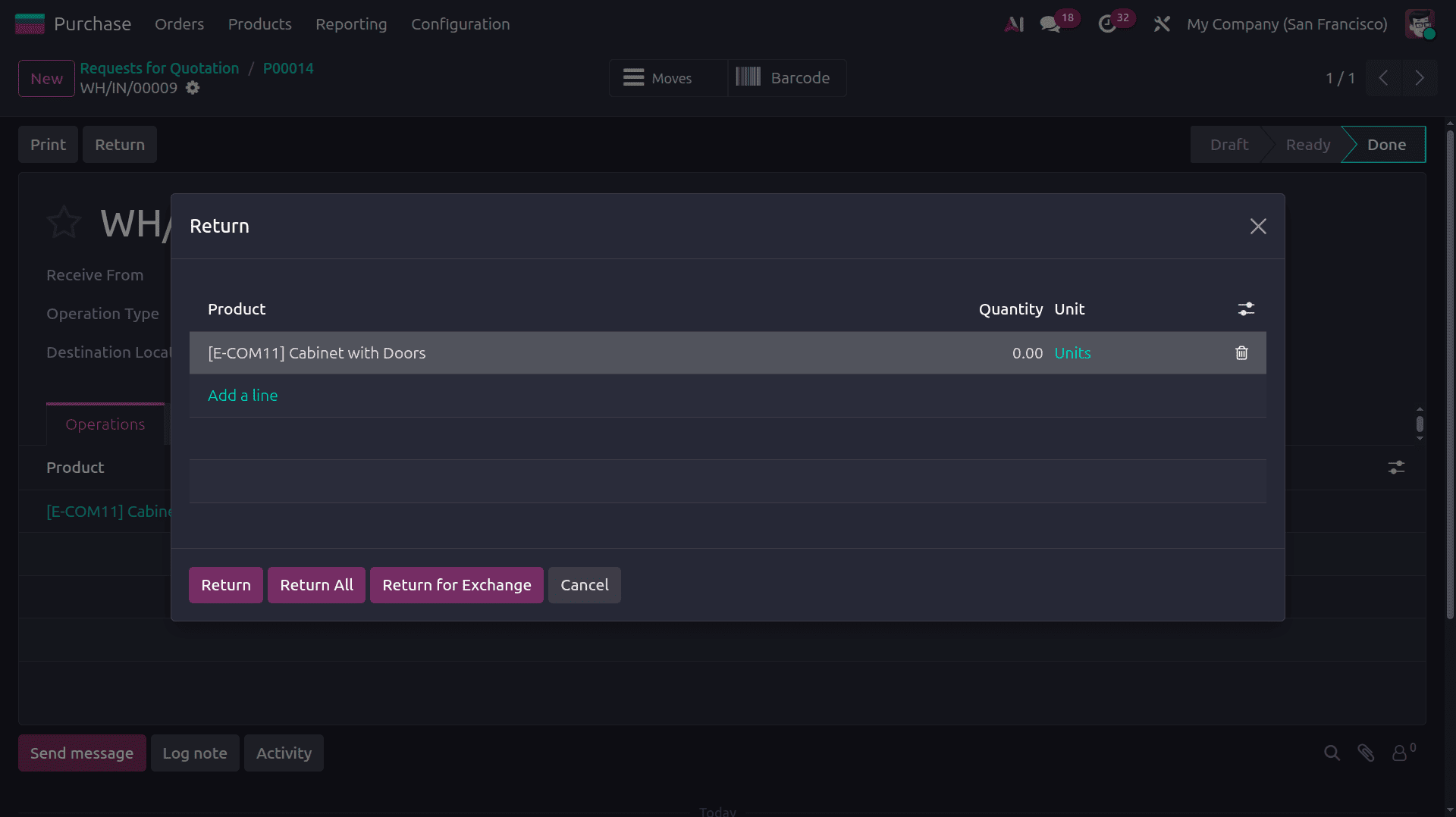
Choose the return quantity, then click the return button. If you are returning the entire quantity in the order, click the Return all button.
After confirming and validating the return transfer, stock moves are reversed, products are transferred from the internal location to the vendor location, and on-hand quantities are updated to ensure accurate inventory tracking.
Creating the Vendor Credit Note
Once the return is completed, the financial adjustment must be recorded. This is done by creating a vendor credit note from the original vendor bill using the Credit Note option.
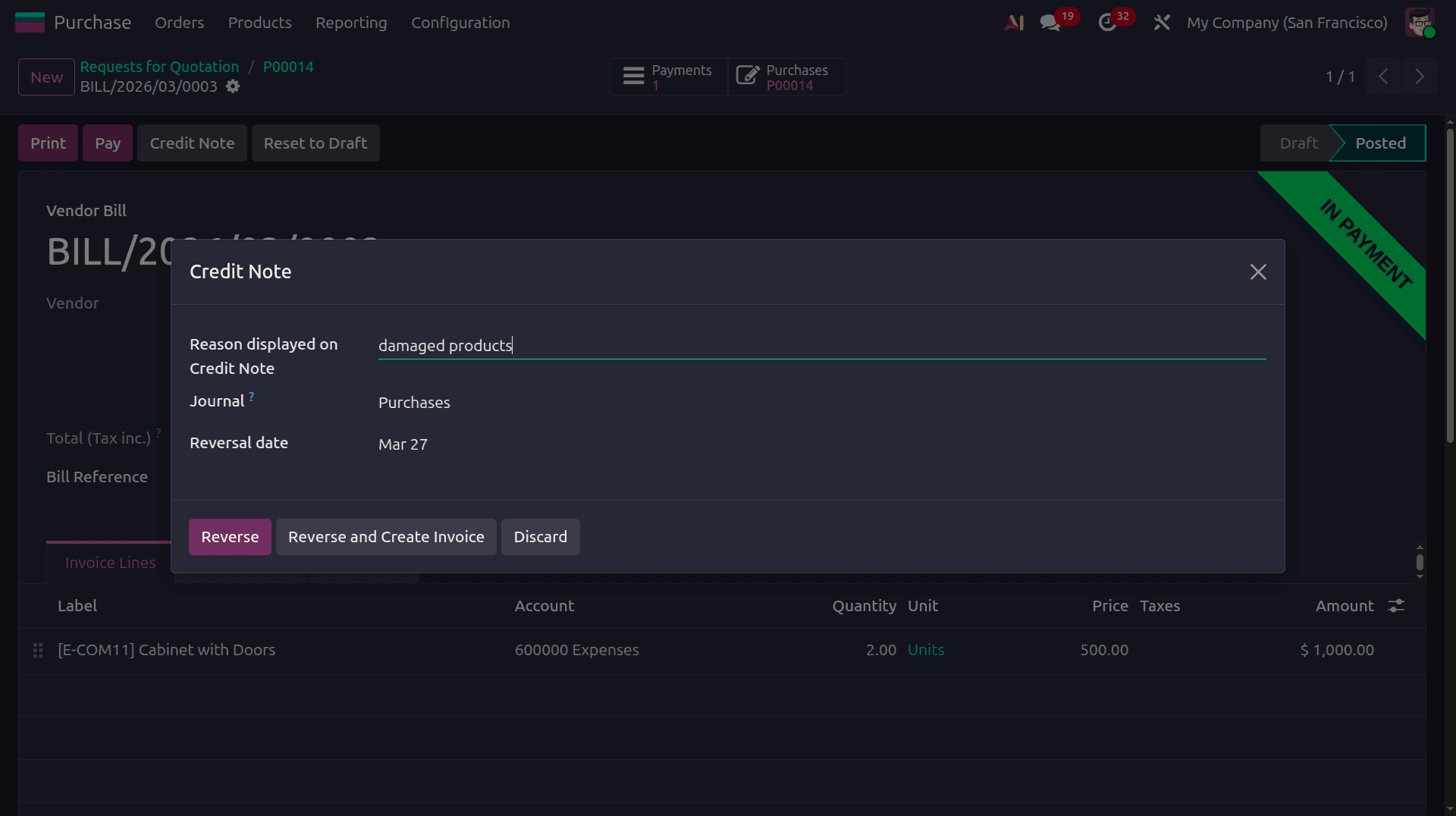
In the reverse entry wizard, users must configure the Reversal date, Journal, and reason for reversal, then Odoo provides buttons such as Reverse to create a credit note and Reverse and Create Invoice to generate a draft replacement bill. On clicking the Reverse button, a reverse bill will be generated.
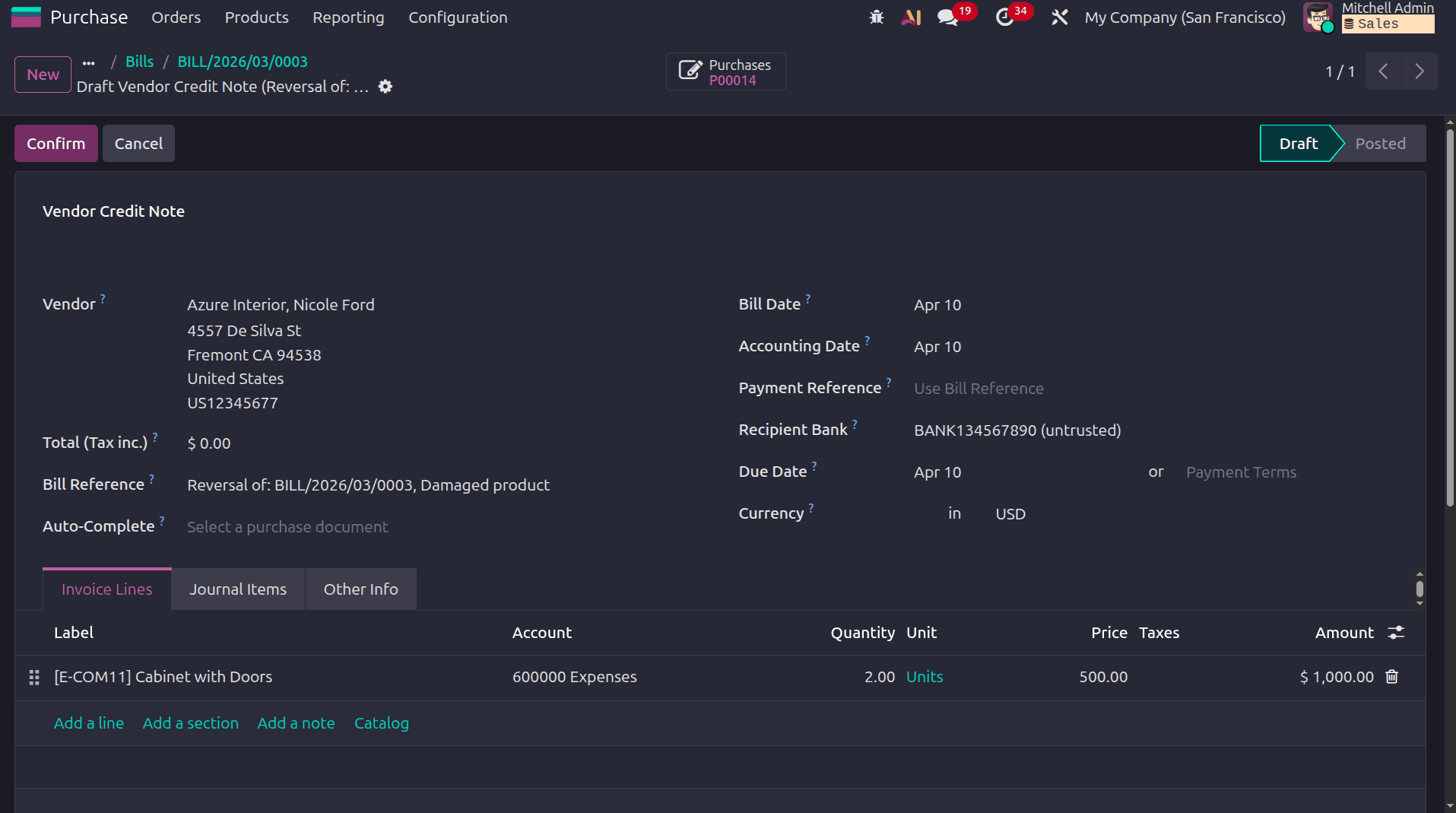
Click the confirm button to confirm the bill. In the bill, we can see the bill reference in which the reversal reason and the original bill corresponding to this reverse bill's ID will be shown. Confirm the bill and pay the bill to complete the process.
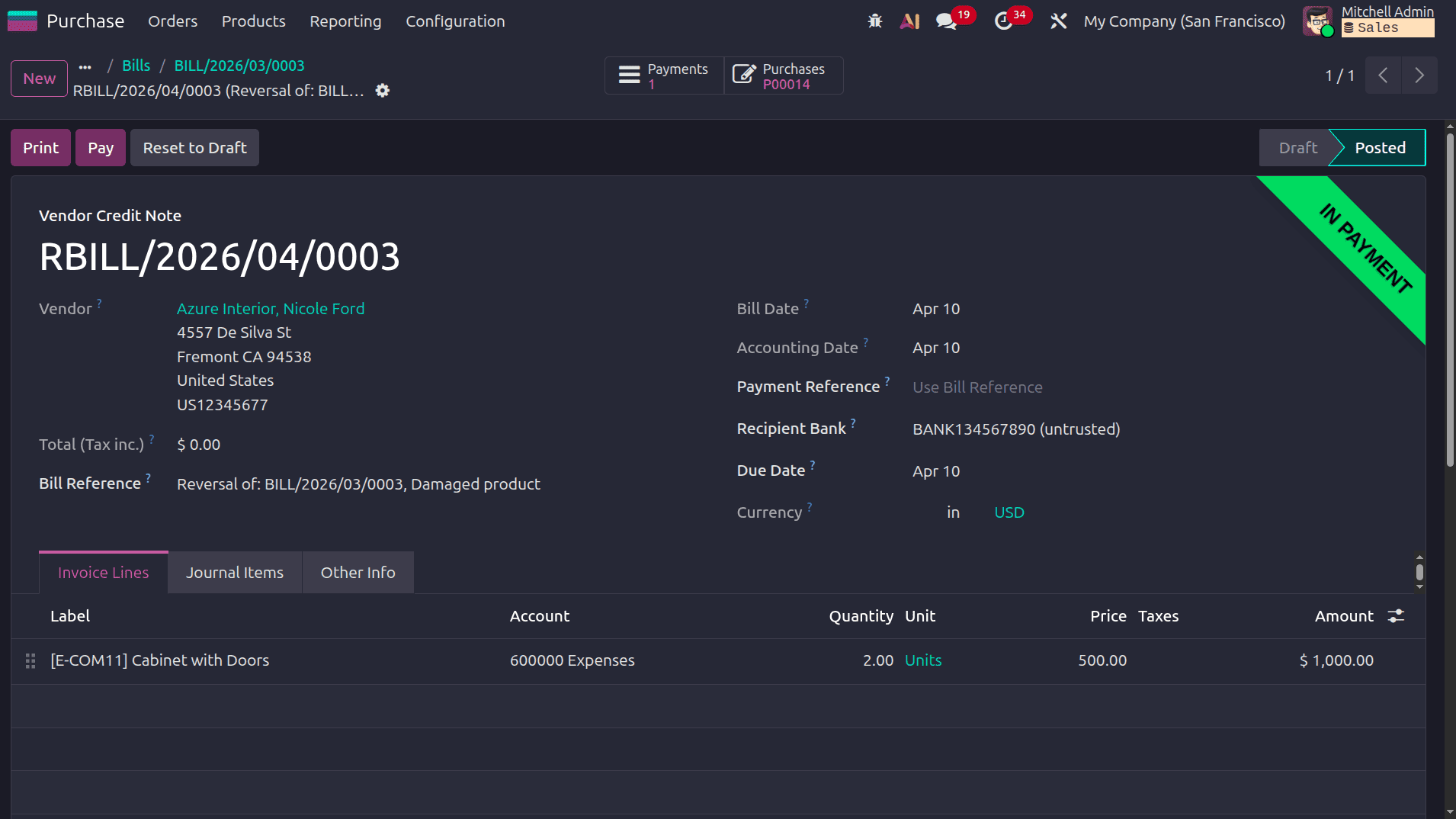
Then the bill will be in the In payment state, and then we can reconcile the bank statement with the corresponding payment.
The vendor refund workflow in Odoo 19 Accounting offers a streamlined and integrated approach to managing product returns and financial corrections. By linking the Purchase, Inventory, and Accounting modules, the system reduces manual intervention, ensures accurate stock and financial data, and enhances overall efficiency. When each stage from purchase confirmation to credit note reconciliation is executed correctly, businesses can maintain compliance with accounting standards while fostering clear, reliable, and professional relationships with their vendors.
To read more about How to Manage Vendor Refunds in Odoo 18 Accounting, refer to our blog How to Manage Vendor Refunds in Odoo 18 Accounting.