Odoo 20 was released officially on September 24, 2026, and with this new release comes a change that will have implications for user licensing. Most importantly, there is a license called Light User that forms part of the new Odoo releases. This post will discuss the features of the Light User license as well as pricing information.
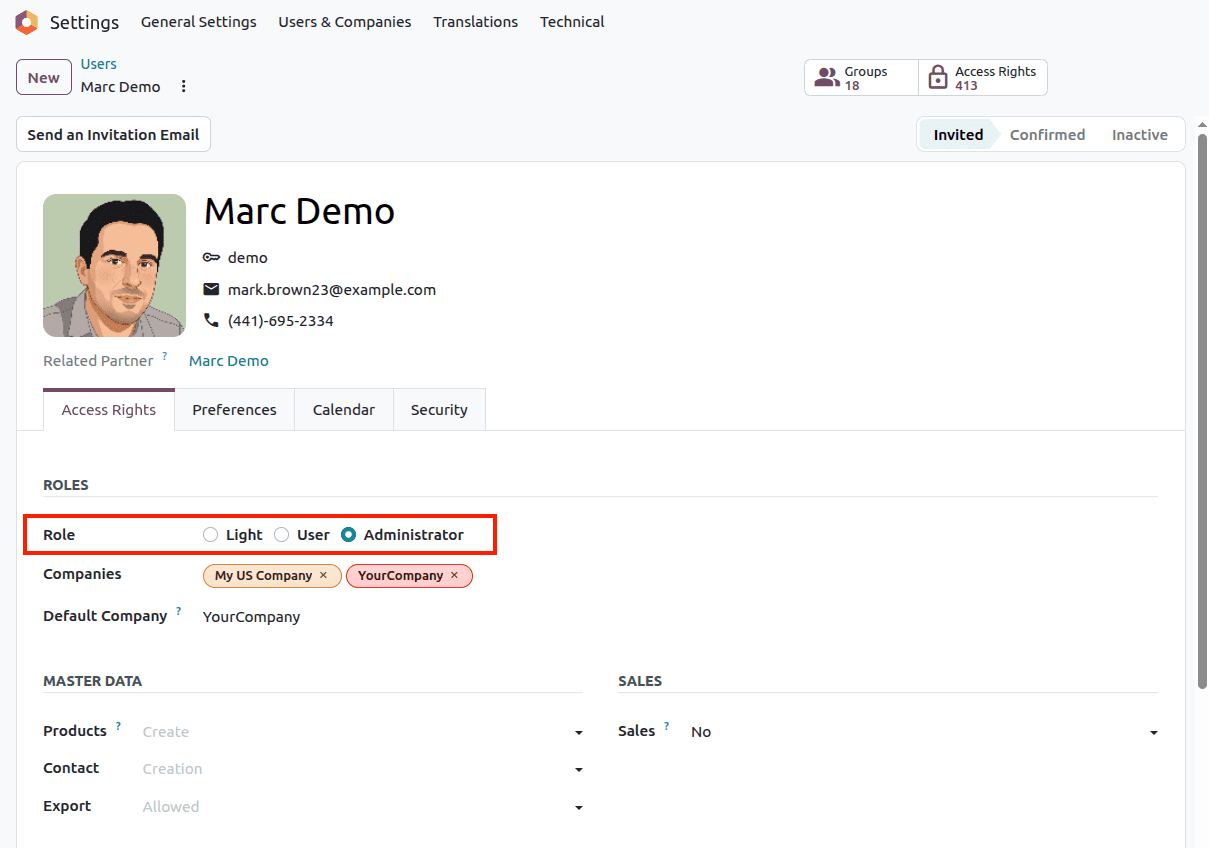
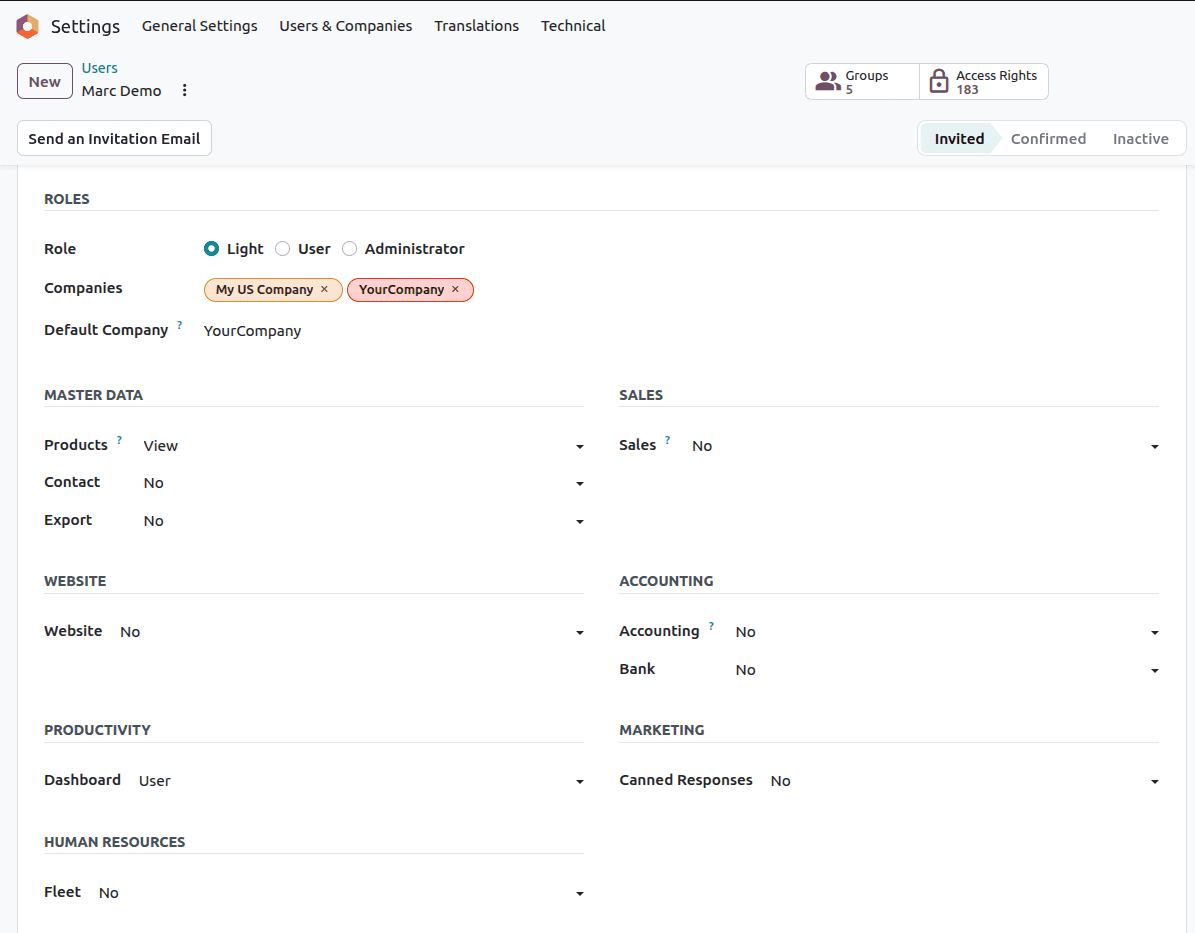
What exactly is a Light User?
Light User is an affordable license for individuals who interact with Odoo for the first time, now that you understand what this type of licence is, its cost, and how it affects your existing Odoo licenses. For example, think about the shop floor worker logging in to work, the salesperson submitting an expense report, or the cashier handling orders. They do not need access to the entire system; therefore, they do not require the full license.
In Odoo 20, this becomes a licence type in its own right. It's not a discount on top of a full user anymore.
The two ways someone becomes a Light User
There are two ways to add a Light User to your database:
- As a user: The person logs in, but only to get to a short, static list of self-service and operational apps.
- As an employee: The person is an employee record and uses specific employee-facing tools such as payslips, the Point of Sale, or the Manufacturing Shop Floor.
The second way is the one that is most important for billing. In Odoo 20, just creating an employee record automatically makes that person a Light User, and your commercial terms and invoice are adjusted accordingly.
Why Odoo introduced this license
These organizations normally have two categories of employees. The first category works on business processes throughout the day. The second category makes use of the application to do some routine jobs. It would not be justifiable for the two categories to pay the same price. With a Light User license, you will pay the full price wherever full access is required.
It is especially useful for:
- Companies with large, distributed workforces
- Businesses with large numbers of frontline staff such as warehouse, retail or field teams
- HR departments that want to have every employee in the system but don’t want every employee to cost a full seat
What a Light User can access
Light Users have fixed Access:
| Area | What is included |
| Time off | My Time Off |
| Expenses | Expenses |
| Performance | My Appraisals |
| Attendance | My Attendances |
| Hiring | My Referrals |
| Scheduling | My Planning |
| Operations | Field Service, Inventory Barcode Operator |
| Documentation | Read-only access to Knowledge |
| As an employee | Payslips, Point of Sale, Manufacturing Shop Floor |
To summarize, a Light User can enter his own HR requests, view his schedule, scan items in a warehouse, work a job in the field, operate a till, work on the shop floor, and read company documentation but not edit it.
What a Light User cannot do
Access is fixed and non-negotiable; anything other than the ones mentioned above is not covered by the Light User License. Such activities include construction quotes, purchase management, accounting, and system configurations. If that is the case, then that person must hold a complete user license.
Prior to reclassification, check whether the activities of the users fall within the activities mentioned above. If a person requires any application other than the ones mentioned above, then the Light User License will not apply to that person.
Light User pricing in Odoo 20
The price will be a flat fee of $5.90 per user/month. Check the currency and region-specific prices on the official pricing page.
A few rules apply to everyone:
- One rate: The Light User fee is mandatory on Standard and Custom subscriptions where it applies.
- No first-year promotion: First-year promotions will not apply for Light Users.
- No more percentage discount: The Light User Discount is no longer available. Light Users are billed as a separate and less expensive product.
- Fixed permissions: The access level cannot be adjusted.
What happens with existing discounts?
In case your subscription is currently applying the outdated Light User discount, there’s no need to worry about losing it right away. Once you upgrade to Odoo 20, Light Users will be automatically identified by the system, and existing discounts will be considered upon renewal.
Comparison: Light User vs. Full User
| Factor | Light User | Full user |
| Typical person | Frontline workers, field teams, general employees | Managers and specialists running business processes |
| Main purpose | Self-service and a few operational tasks | Working across the apps their role requires |
| Access scope | Fixed list: My Time Off, Expenses, Appraisals, Attendances, Referrals, Planning, Field Service, Barcode Operator | Determining factors based on the plan and rights assigned |
| Employee tools | Payslips, Point of Sale, Manufacturing Shop Floor | Available as the role requires |
| Knowledge app | | Read-only |
| Is based on the right assigned |
| Customization of access | Not possible | Possible within your plan |
| Pricing model | Standalone license at a flat US$5.90/user/month | Priced by your Standard or Custom plan |
| First-year discount | | Does not apply |
| Follows your plan terms |
| Best use | To reduce expenses for many people with basic requirements | Teams that depend on Odoo to do their core work |
| How it is created | Automatically when an employee record is created | Intentionally added as a user |
Limitations of a Light User
- Fixed access: Permissions are set by Odoo and cannot be changed or customized per person.
- Limited app list: Only the self-service, operational, and employee tools listed above are covered.
- Read-only Knowledge: A Light User can only read articles and cannot create or edit them.
- No first-year discount: There is no promotional pricing for first-year licenses.
- No percentage discount: There are no discounts for light users now; therefore, the flat rate is the price.
- Automatic classification: Every employee account will automatically be a Light User regardless of your plan.
- Mandatory pricing: The Light User pricing is used on both the Standard and Custom plans where applicable.
- No access to core business apps: Work such as quotations, purchasing, accounting, or system configuration needs a full user license.
- Role changes need a review: When someone takes on new duties, their license must be reassessed.
Who benefits most from Light Users?
- Manufacturers: Shop floor personnel and warehouse workers who scan, pick, and record on the line.
- Retail and hospitality: Workers and floor workers at the Point of Sale.
- Field service teams: Field workers logging their work in the field.
- Large organizations: Businesses want all their employees to have Odoo for pay slips, leaves, and expenses but retain complete seats for the teams managing the organization.
Don't forget the Odoo 17 support fee
Odoo 17 is now out of full support since the release of Odoo 20. From April 2027, all accounts using Odoo 17 and above will automatically be charged an Extra 25% Charge for Extended Support for the provision of performance, security, and maintenance services. There is an option to avoid this extra charge by upgrading to Odoo 20 before April 2027.
Read the Enterprise Subscription Agreement
Partners should read the latest Odoo Enterprise Subscription Agreement and brief their respective customer teams about:
- Subscription Requirements for User & Light User
- Pricing of additional users
- Subscription planning requirements
- Renewal pricing conditions
- Other provisions for Enterprise subscriptions
Light User Licensing identifies companies where their users match the job requirements. Determine what kind of users in your organization need the essential features in the software and plan for the automatic classification of the employee documents and when to upgrade before April 2027.
To read more about Odoo 20 Roadmap Explained: Key Updates and Future Expectations, refer to our blog Odoo 20 Roadmap Explained: Key Updates and Future Expectations.