Have you ever added something to your cart on a website, clicked checkout, and then been asked to create an account before you could pay? Most people simply close the tab and move on. In fact, it's one of the most common reasons customers leave without making a purchase. Odoo 19 has a simple setting that helps you avoid this problem on your own store. It lets you choose how you want your customers to check out as a guest, with an account, or either way.
Getting this right can significantly boost your sales. A fast, seamless experience keeps customers moving toward payment instead of leaving before they complete their purchase.
This blog explains what this setting does, how to find it in Odoo 19, and what your customers will actually see on the screen depending on which option you pick.
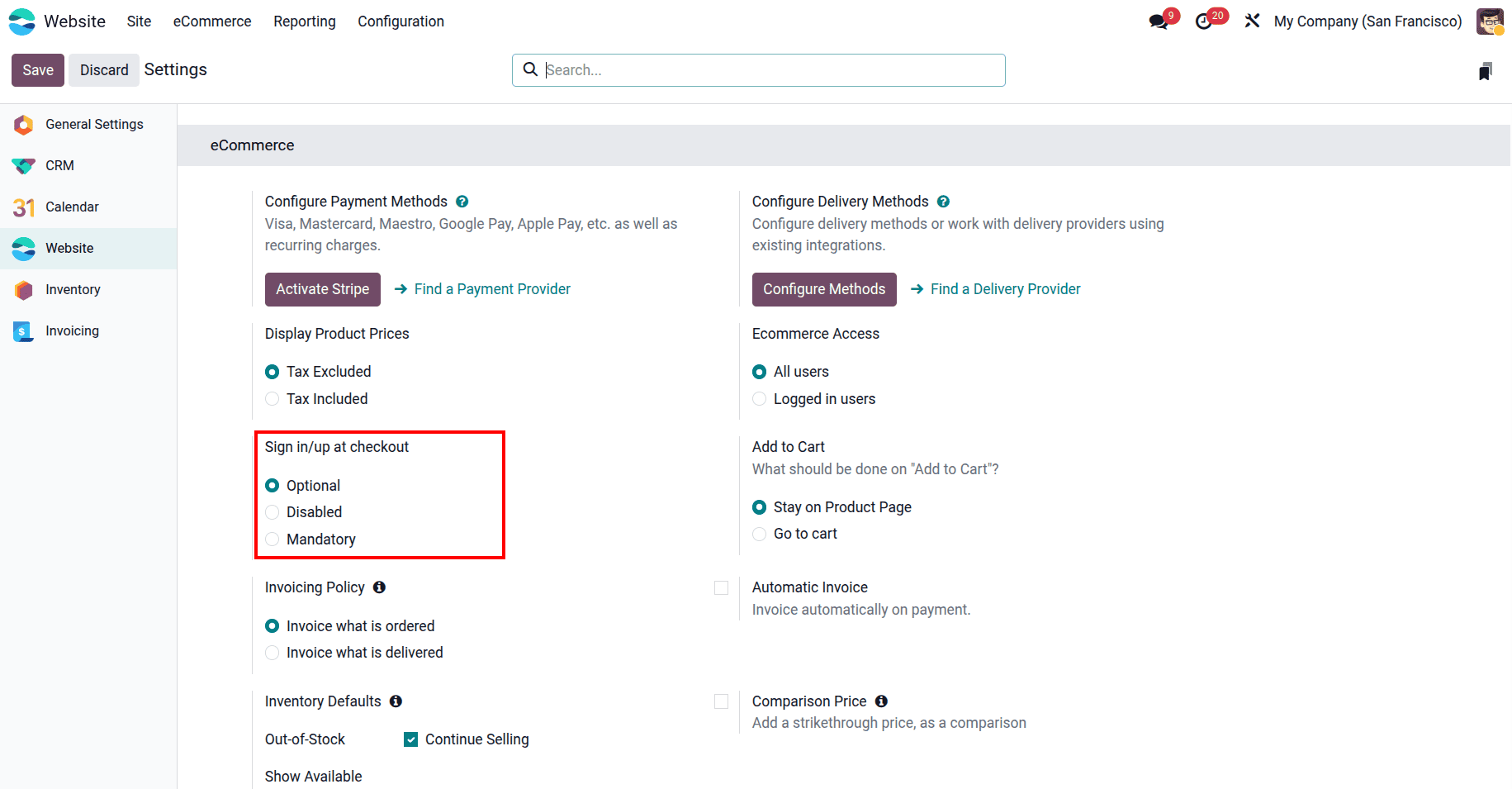
The setting is called "Sign in/up at checkout." It controls whether your customers need to log in or create an account when they are buying from your store. You have three checkout options to choose from:
- Optional - Customers can either log in to their account or just fill in their details and buy without an account. This is the most popular choice for most stores because it works well for both new and returning customers. New visitors can buy quickly without signing up, and returning customers can log in to use their saved address and order history.
- Disabled - There is no sign-in option at all on the checkout page. Every customer, whether they have an account or not, simply types in their details and places the order as a guest. This option is best suited for businesses that want to offer a fast, seamless purchasing experience.
- Mandatory - Customers cannot check out without logging in. Clicking the checkout button takes customers to a sign-in page, where they must log in or create an account before they can continue. This works well for businesses like B2B stores, subscription services, or loyalty programs, where knowing who your customer is really matters.
The best part is that switching between these three options is very simple and takes only a few seconds. No technical knowledge is required, and you won't need to install any additional apps or modules.
To access the feature, go to the Website app, click on Configuration in the top menu, and then click Settings.
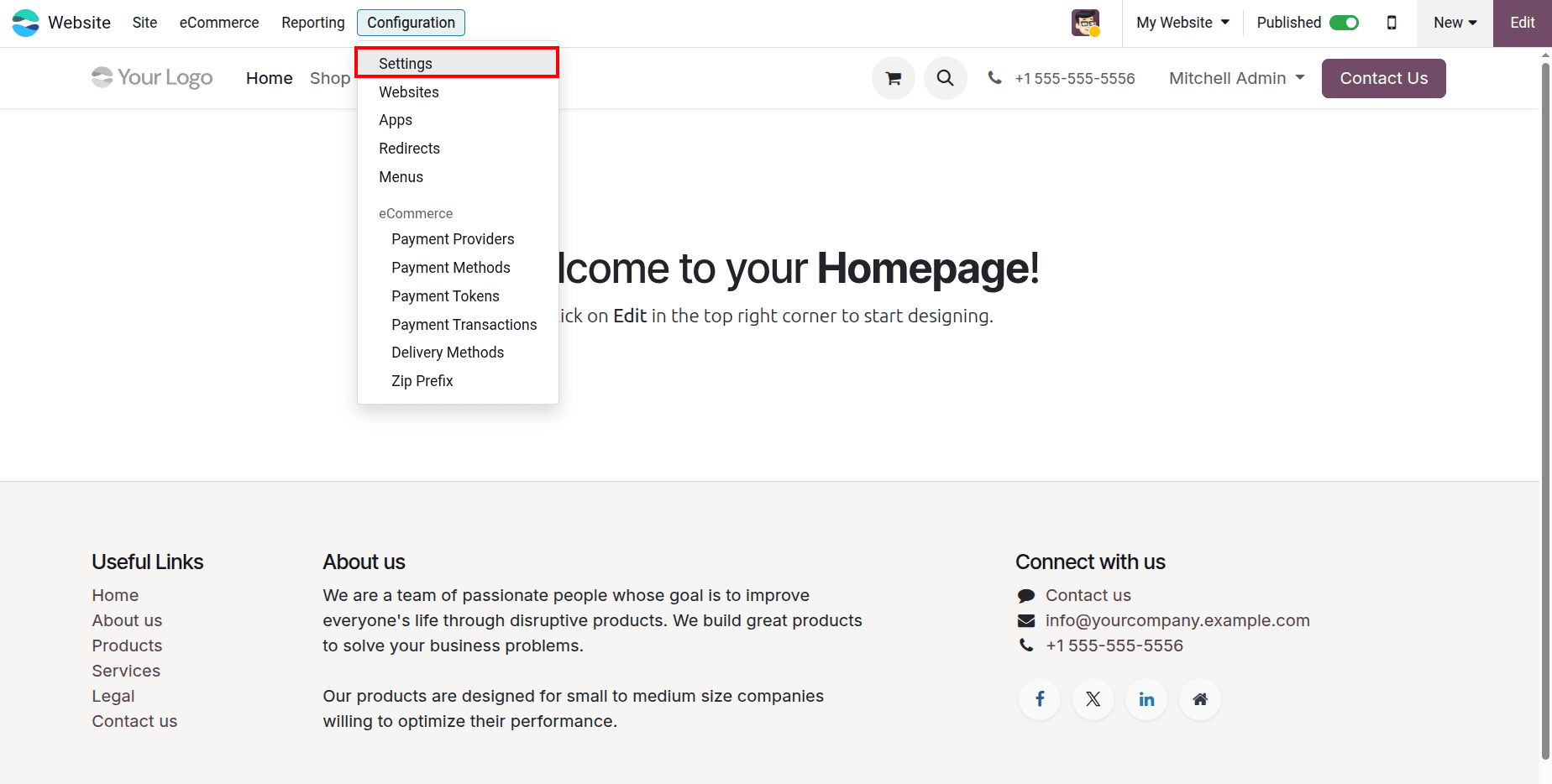
On the Settings page, look for the eCommerce section. There you will see the "Sign in/up at checkout" option with the three choices listed. Once you've selected your preferred option, click Save to confirm your changes. That's it, the change happens right away on your live store.
1. Optional mode
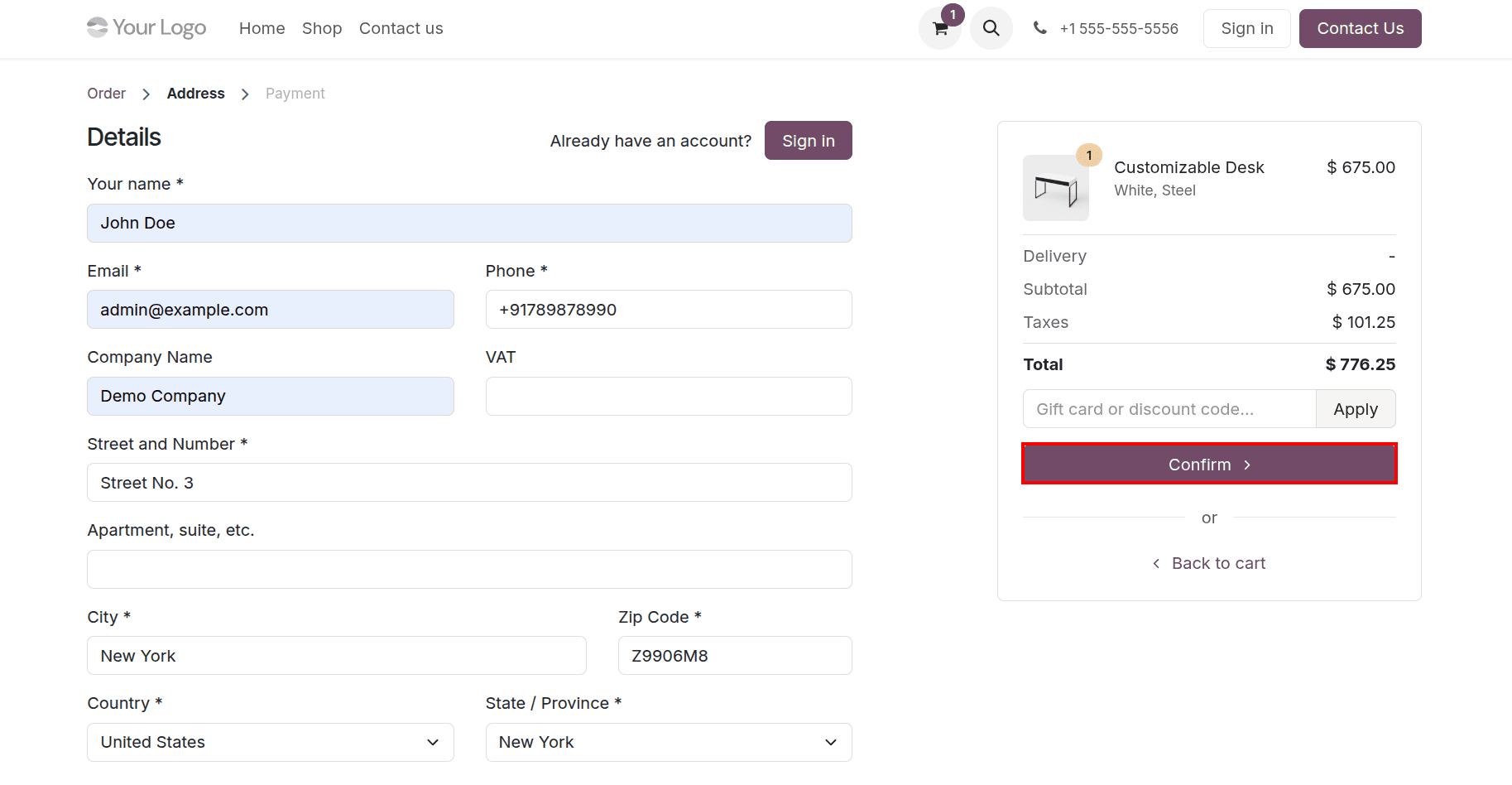
If Optional is enabled, customers can proceed to checkout after adding a product to their cart.
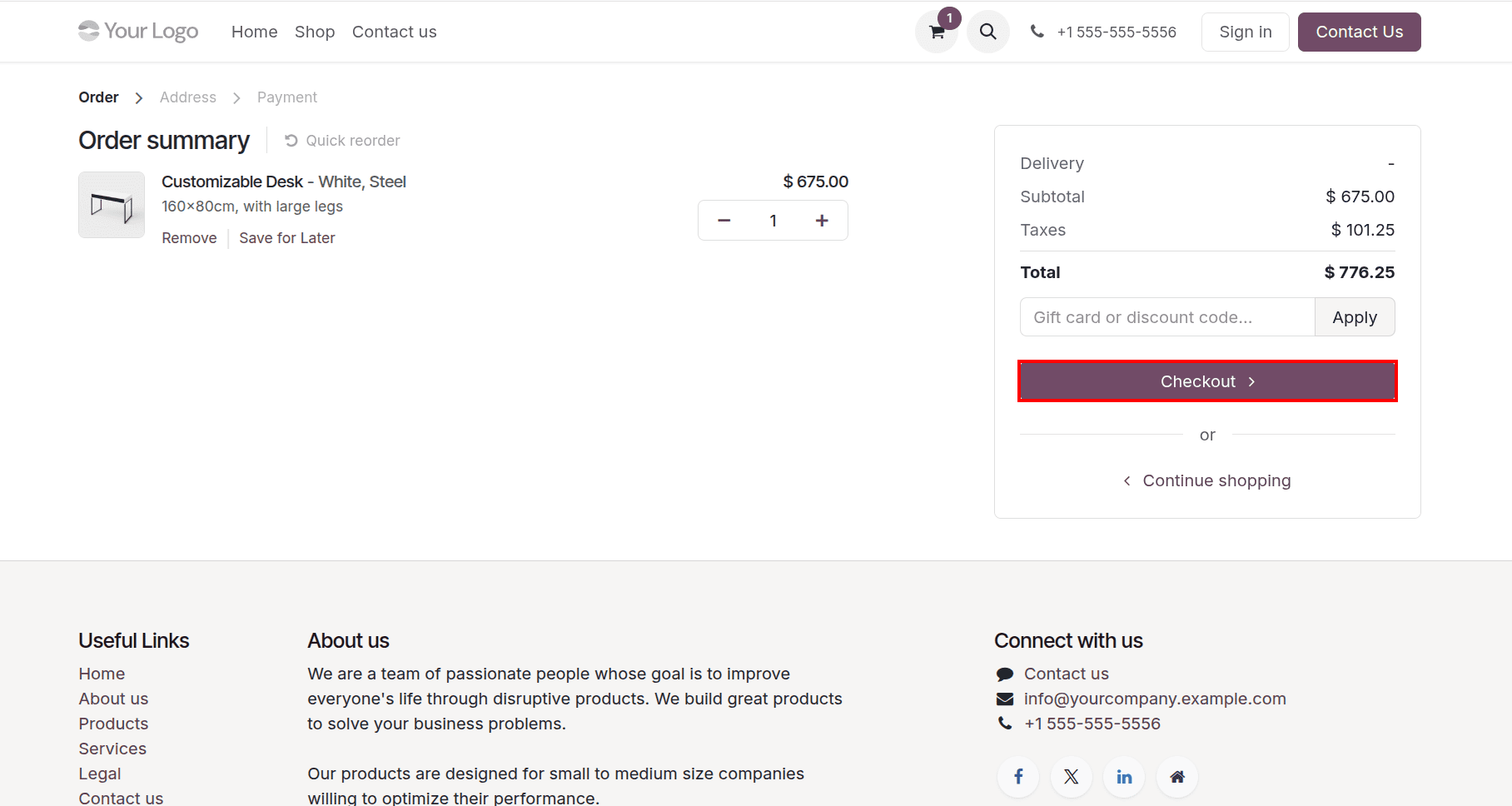
On the next page, they will see a Sign in button at the top, but the guest checkout form is also available on the same page. They can choose whichever option they prefer.
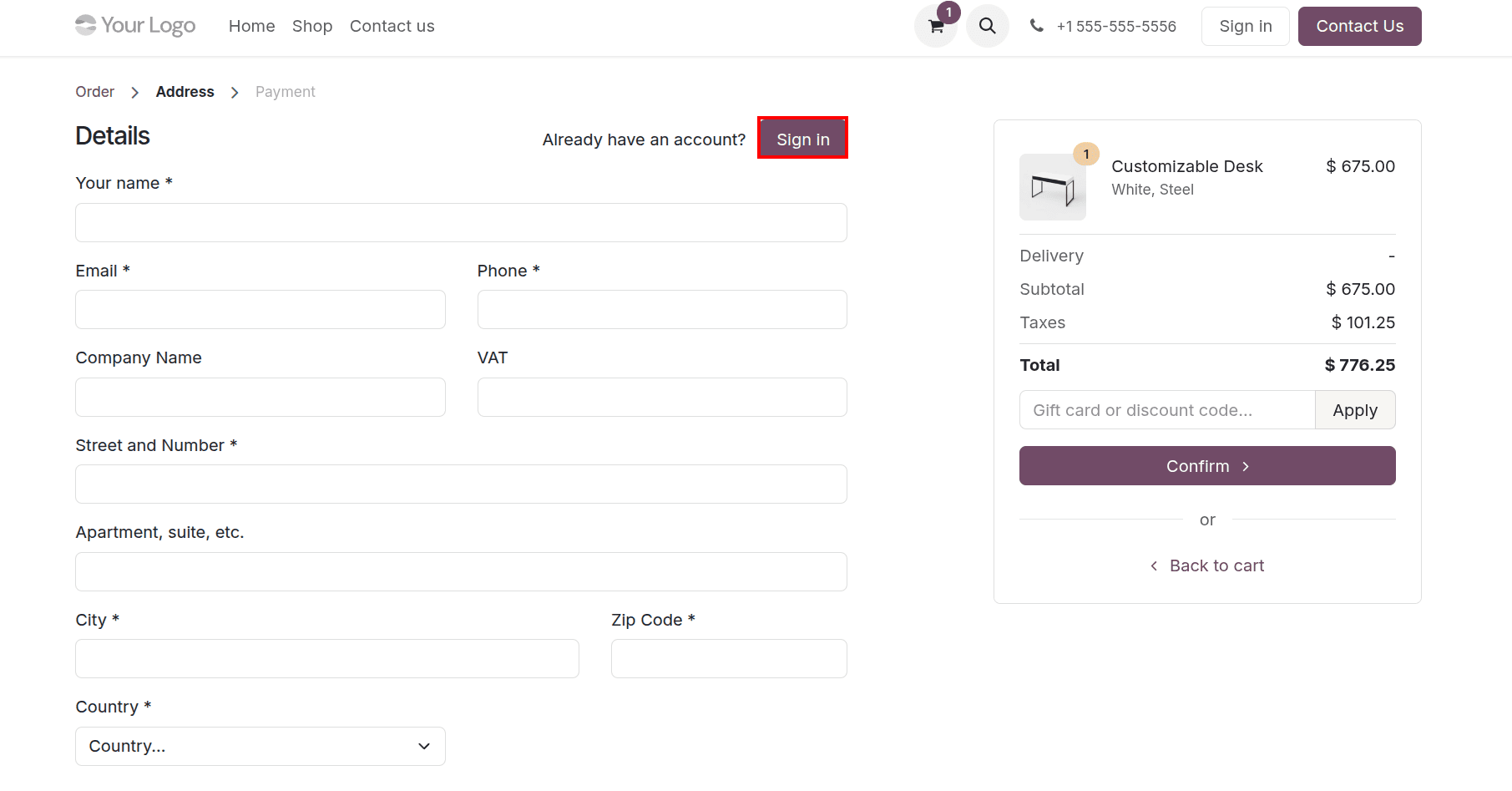
In this example, the customer chose to check out as a guest. They simply typed in their name, email, phone number, and address, then clicked the Confirm button, and no account was needed.
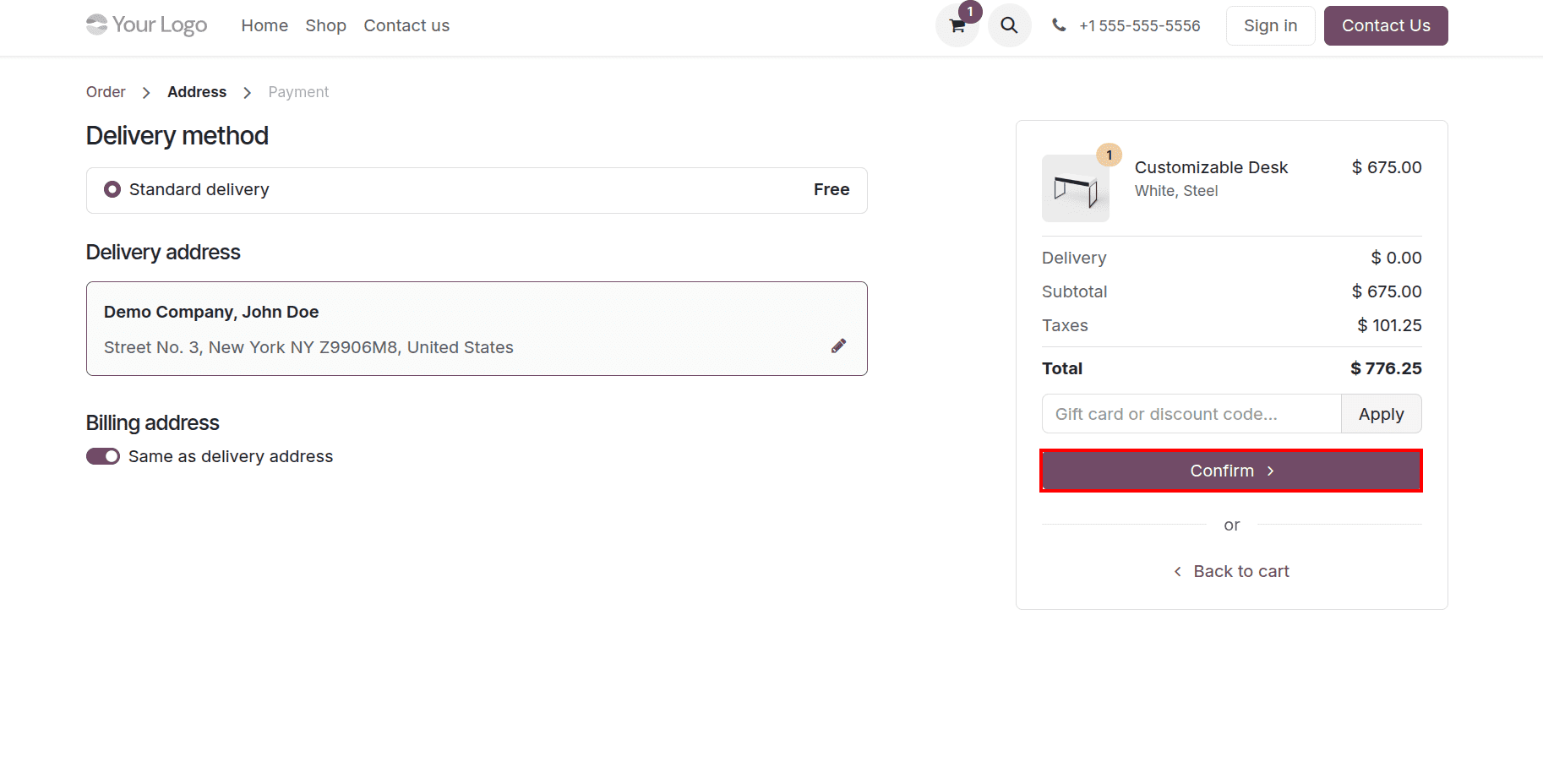
After that, the order moves on to the delivery step, just like it would for any customer with an account. There is no difference in how the order is handled on the backend.
2. Disabled mode
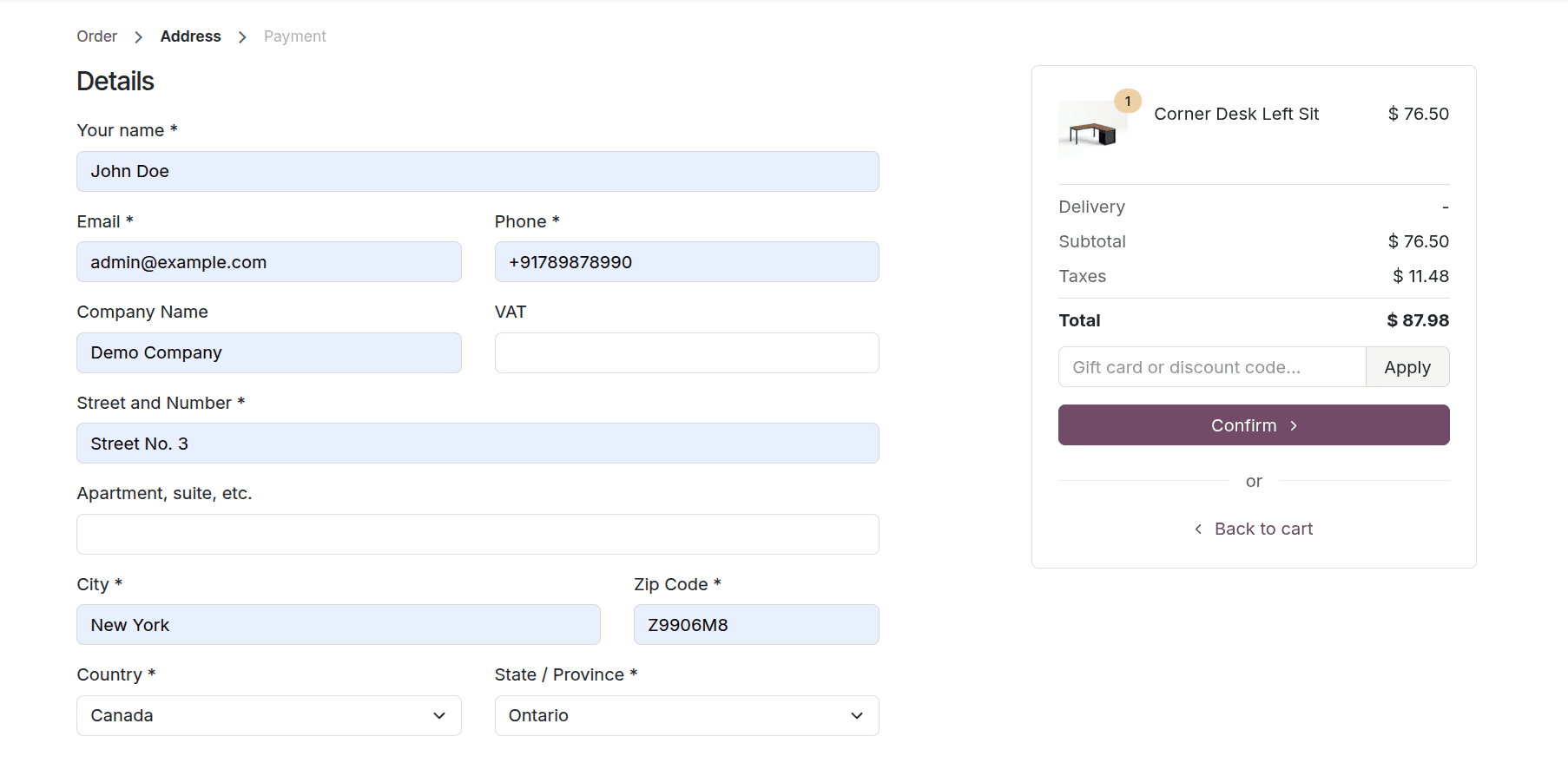
When Disabled is selected, the Sign in button is completely gone from the checkout page. There is no option to log in at all. Customers can complete their purchase by entering their details and checking out as guests. This keeps the checkout page clean and simple with no extra steps.
3. Mandatory mode
When Mandatory is turned on, customers cannot proceed beyond the cart page without logging in. The moment they click Checkout, they are taken straight to the sign-in page. They have to either log in or create a new account before they can enter any order details. There’s no option to skip this step.
This option makes the most sense for stores where having a customer account is important for the business, such as stores with special prices for registered customers, subscription plans, or repeat order tracking.
The "Sign in/up at checkout" setting in Odoo 19 is one of those small changes that can make a real difference to how many people actually complete a purchase on your store. If you want to make buying as easy as possible, go with Optional or Disabled. If your business depends on customers having accounts, go with Mandatory. All three options are built into Odoo with no extra setup required. You can switch between them anytime to find what works best for your customers.
No matter what kind of store you run, this setting gives you full control over the checkout experience without any complicated setup. It is one of the quickest ways to make your Odoo 19 store work better for your customers from day one.
To read more about Overview of the Guest Checkout Process in Odoo 18 Websites, refer to our blog Overview of the Guest Checkout Process in Odoo 18 Websites.