The Approvals module in Odoo 19 provides a centralized solution for managing approval requests and streamlining internal authorization processes. It enables organizations to create structured approval workflows, assign approvers, and track requests efficiently from a single platform. By replacing manual, paper-based approval processes with a digital workflow, Odoo 19 helps improve collaboration, transparency, and communication between employees and management.
Before creating approval requests, users must first configure the required Approval Types. This can be done from the Approval Types menu in the Approvals dashboard. Users can create and customize approval types based on their business requirements or use the available predefined options. Employees can submit approval requests according to the configured approval type. The dashboard for creating and managing approval requests is shown in the image below.
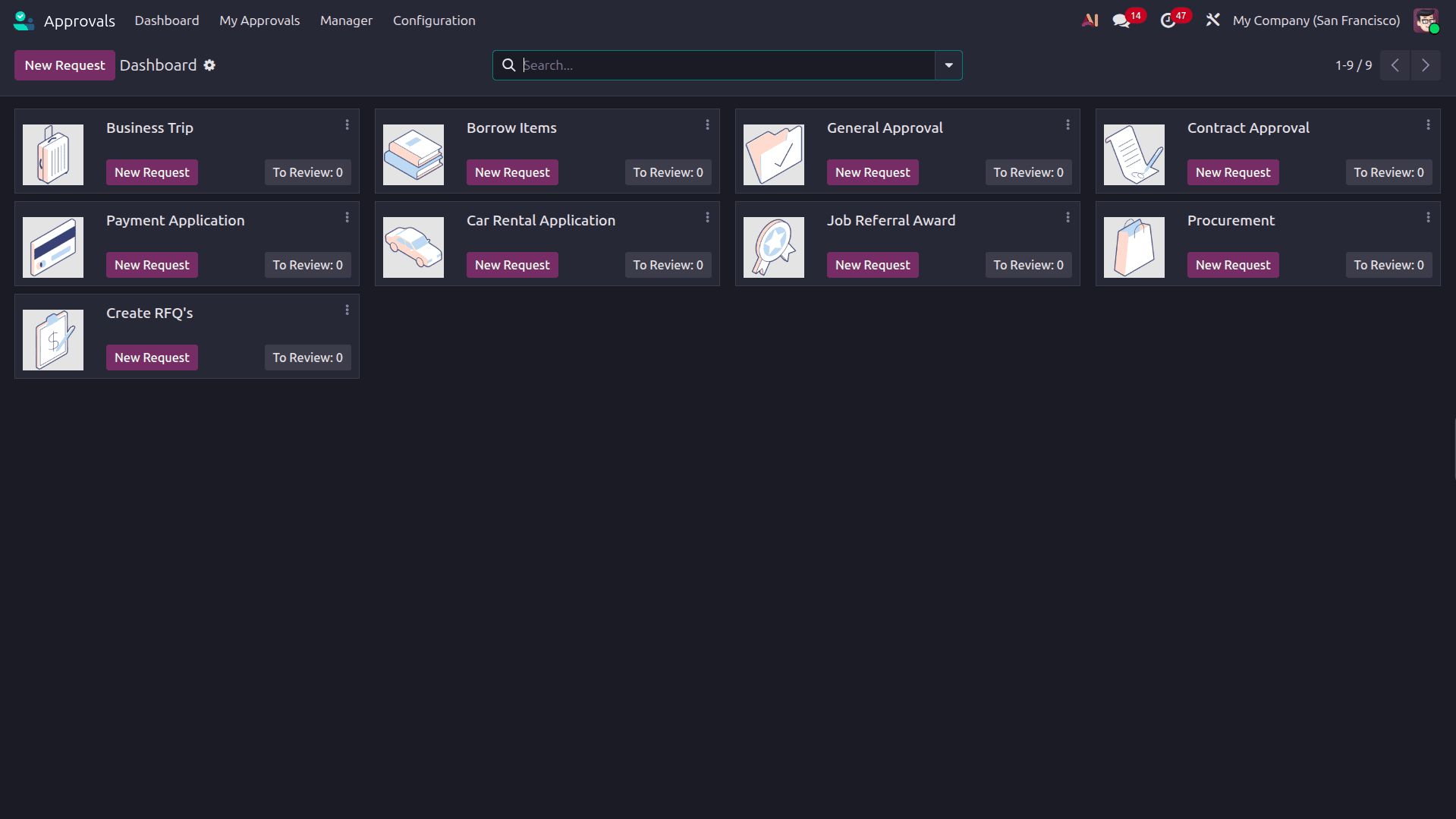
Approvals Categories
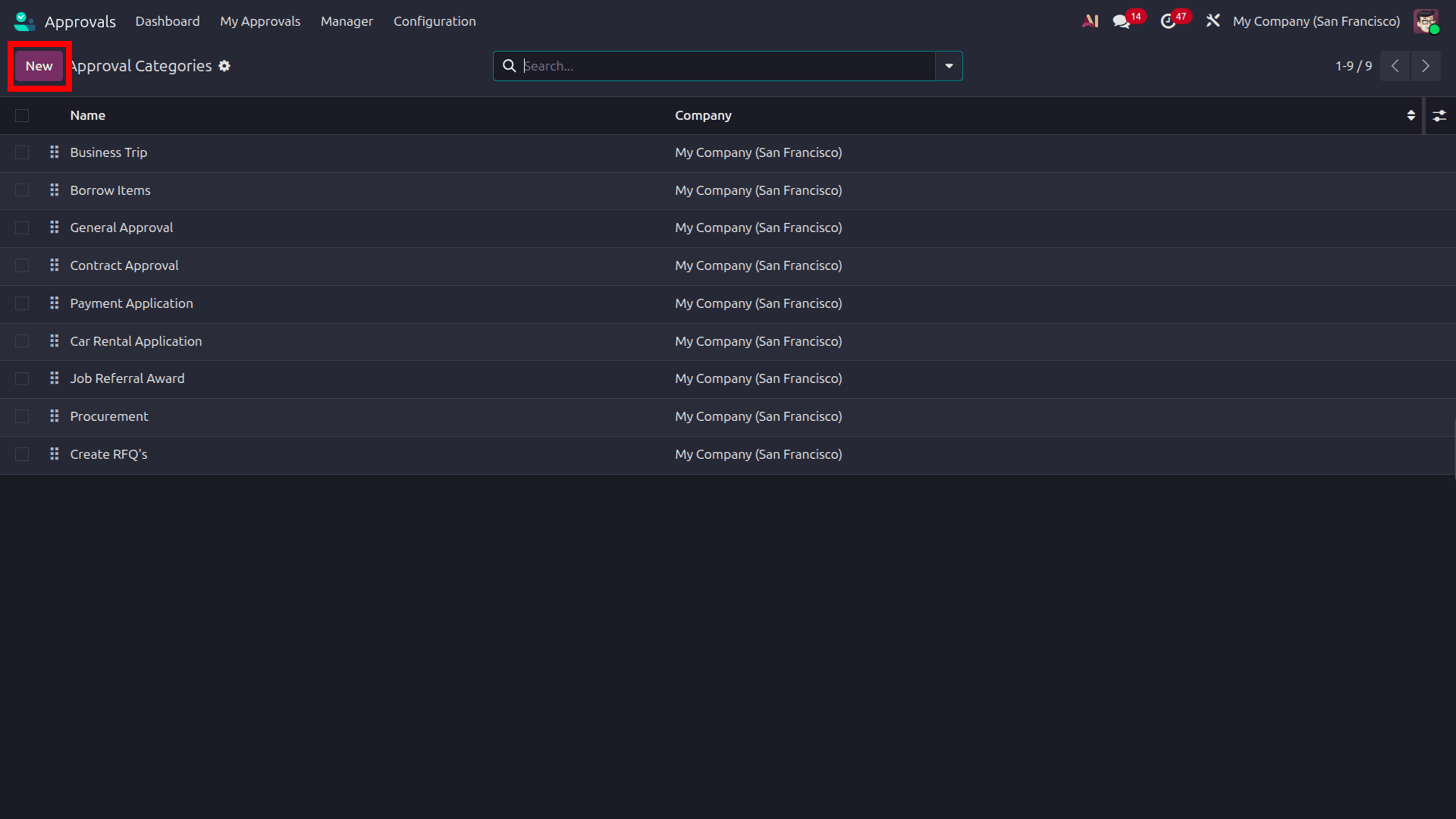
The Approval Categories menu displays all available approval categories in Odoo 19. Users can click New to create and configure a new approval category based on their business requirements. Odoo 19 also provides Filters, Group By, and Favorites options, allowing users to organize and manage approval types efficiently using predefined or customized criteria.
When creating a new Approval Type in Odoo 19, users can specify the Approval Type Name and provide a Description to clearly define its purpose. By enabling the Automated Sequence option, Odoo automatically assigns a unique sequence number to each approval request based on the configured Code, making approval requests easier to identify and track.
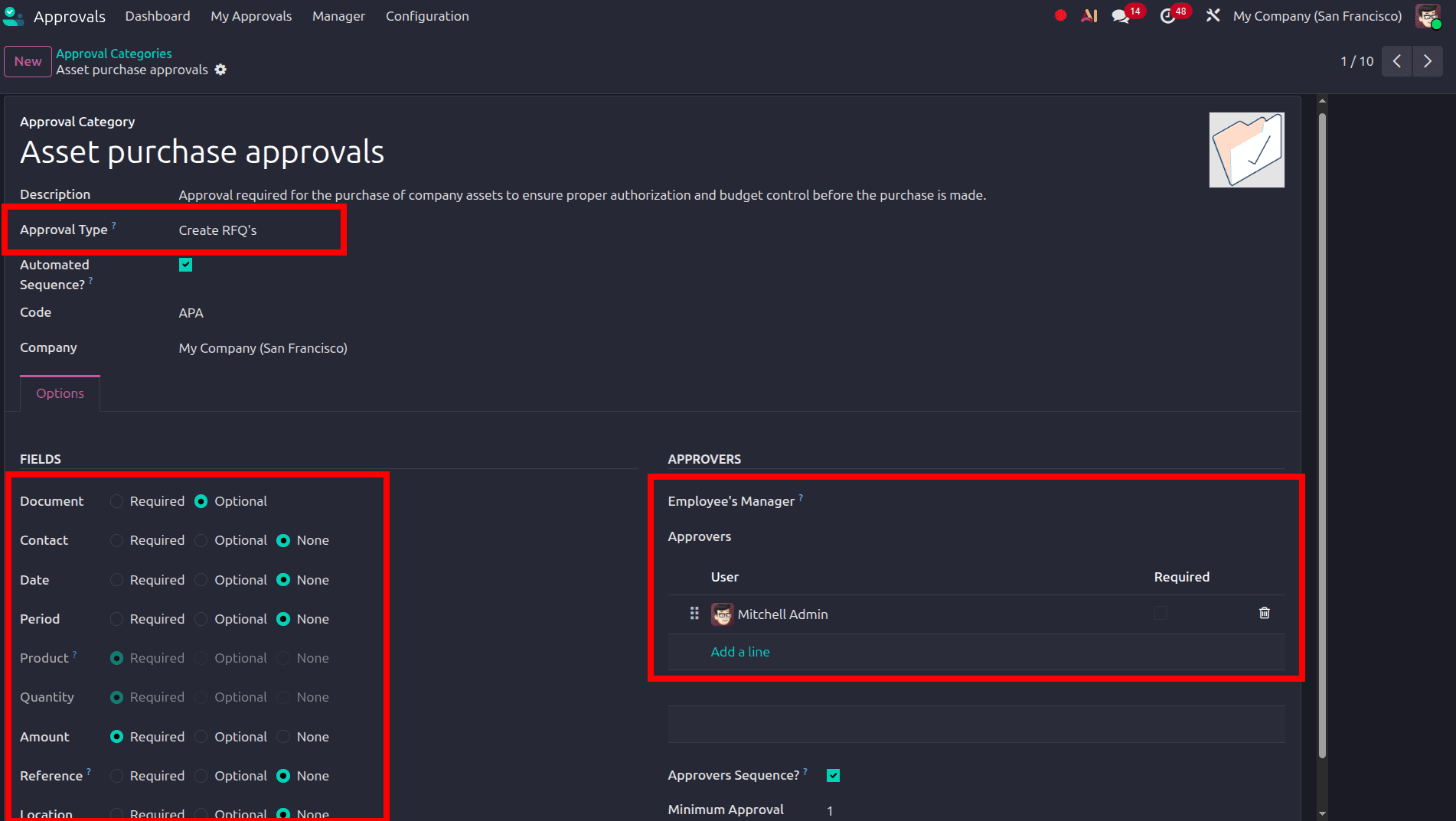
- Automated Sequence: When enabled, approval requests will be automatically assigned a name based on the specified code.
- Employee's manager: How the employee's manager interacts with this type of approval.
- Is Approver: the employee's manager will be in the approver list
- Is Required Approver: the employee's manager will be required to approve the request.
- Approvers Sequence: If checked, the approvers have to approve in sequence (one after the other). If the employee's manager is selected as approver, they will be the first in line.
- Fields: Enable the fields that we need to add in the approval form
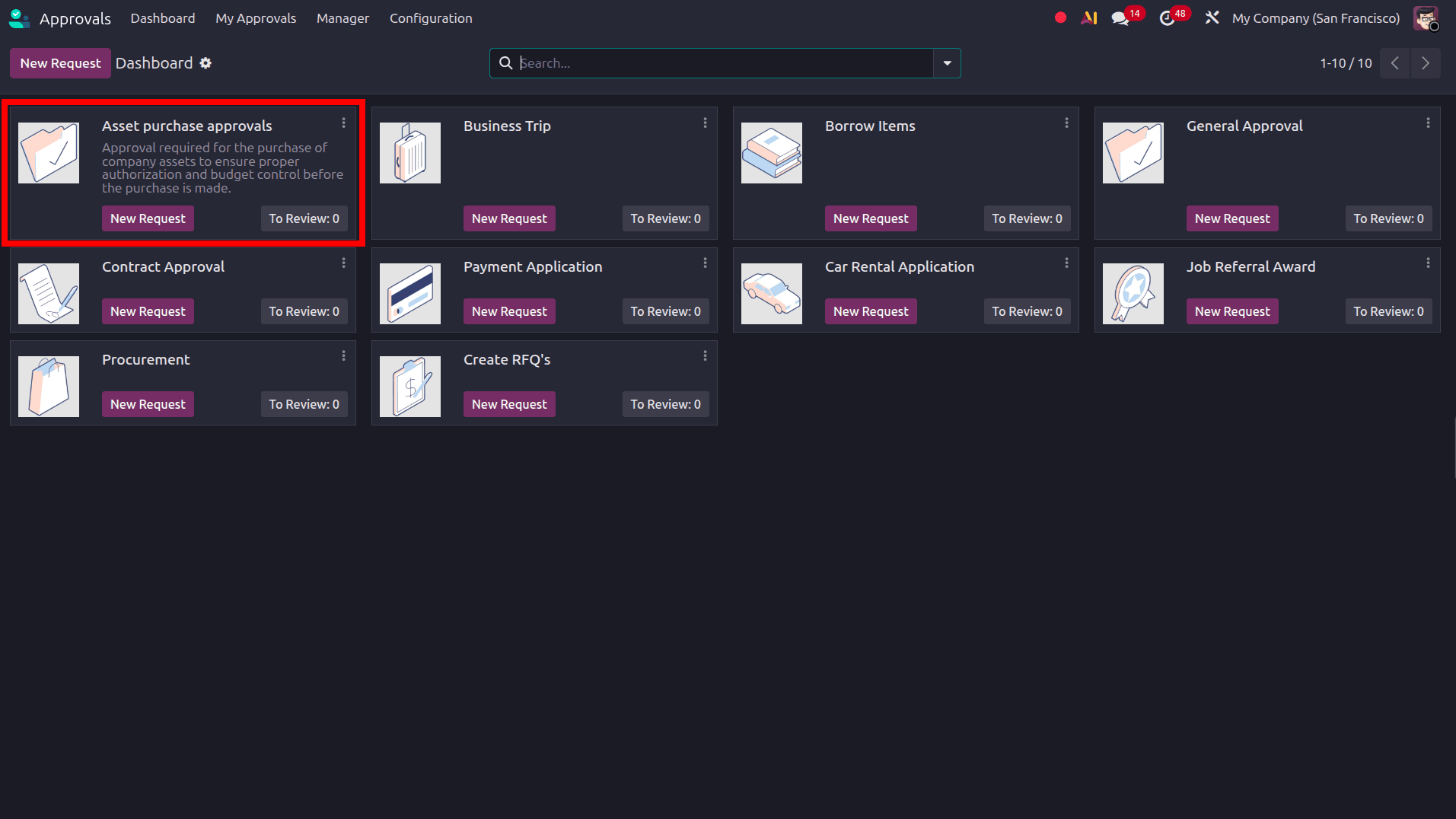
Once the approval categories are configured, click the save button, and when moving to the dashboard, the approval type will be there.
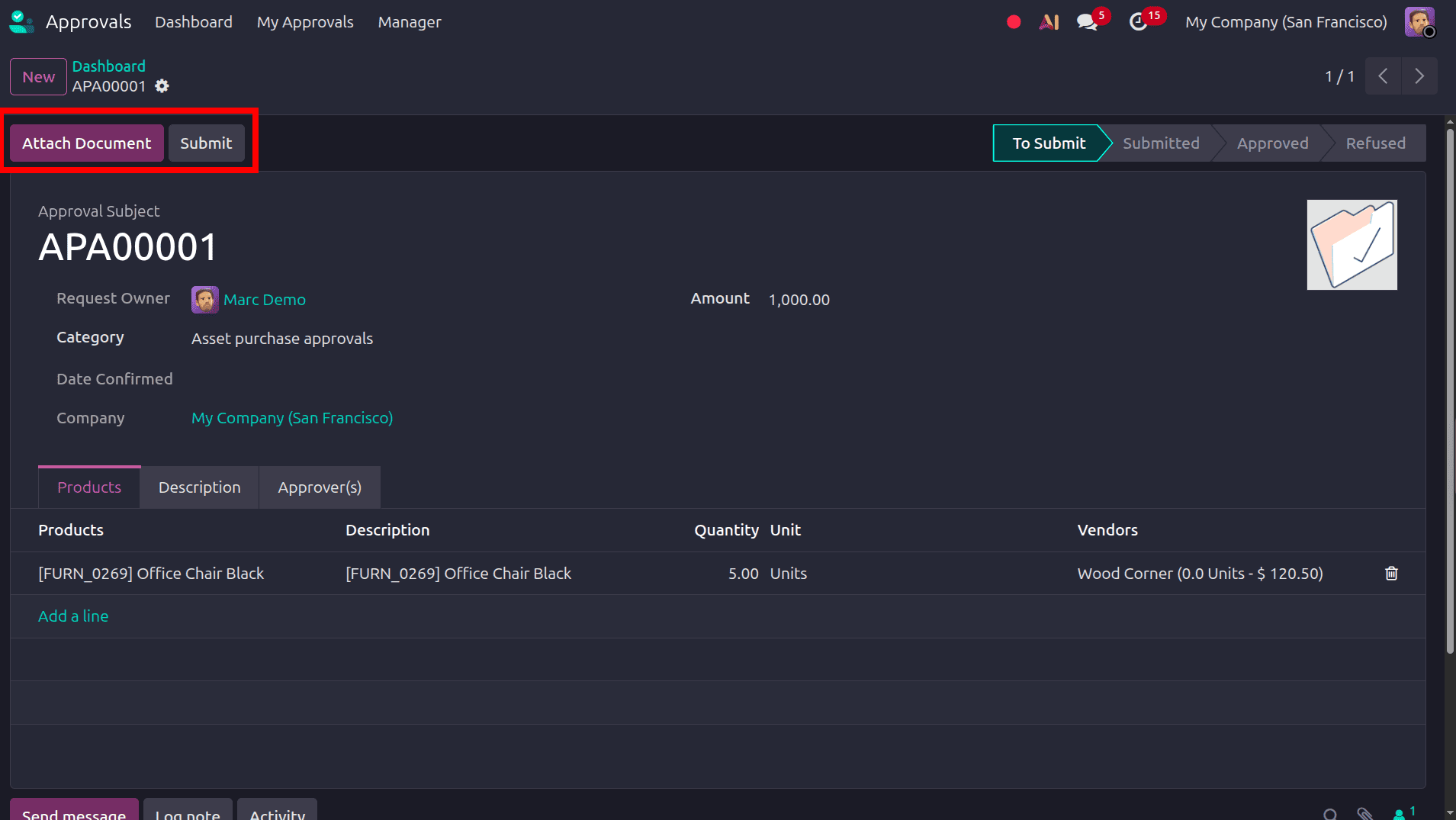
To create an Approval Request, we move to another user's profile and select the newly created Approval Type from the Approvals dashboard. The user can enter the required details in the approval request form, add the relevant Products, provide a Description, and specify the Quantity and other required information. After completing all required details, click Submit to initiate the approval process. The assigned approvers will be notified to review the request and provide their approval based on the configured workflow.
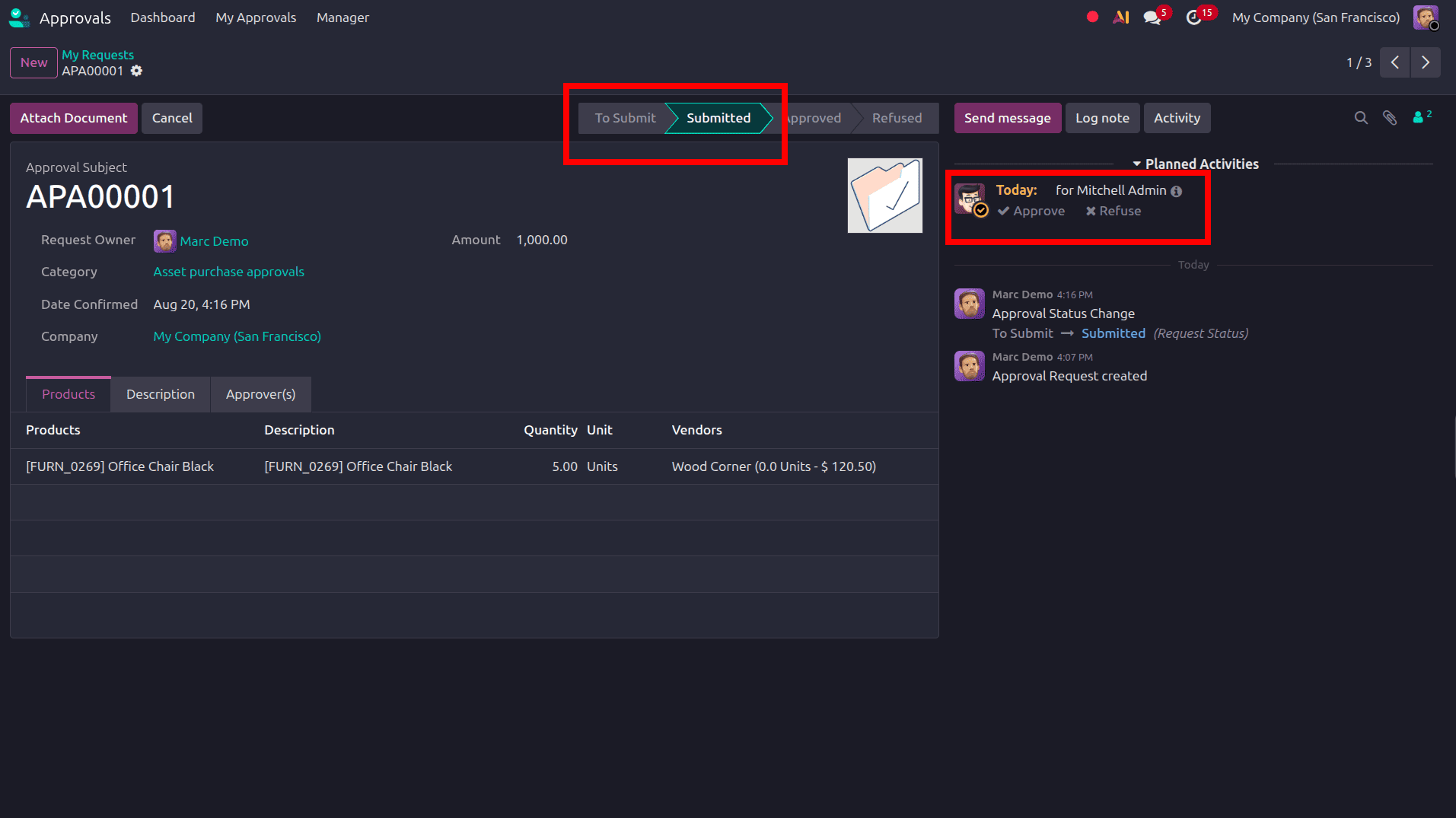
Then, the request moves from the To Submit stage to the Submitted stage, as highlighted in the screenshot. The Chatter also records the status change and displays the related Planned Activity for the configured approver, allowing the approver to review the request and take the required action, such as Approve or Refuse.
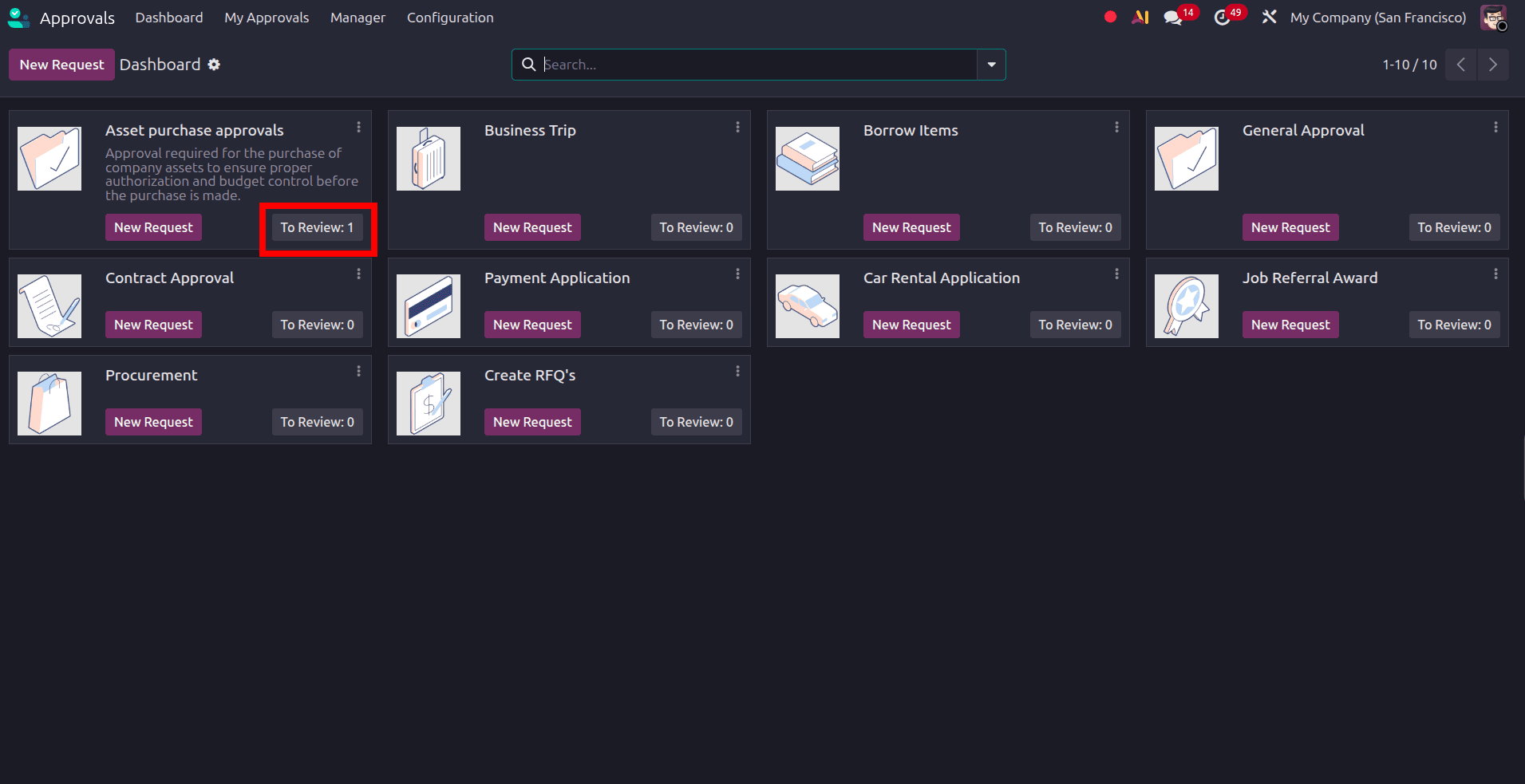
Next, we move to the Approver's profile. On the Approvals dashboard, the Asset Purchase Approvals approval type displays a To Review button, indicating that an approval request is awaiting the approver's action.
By clicking To Review, the approver can open the submitted Approval Request and review its details before taking the required action.
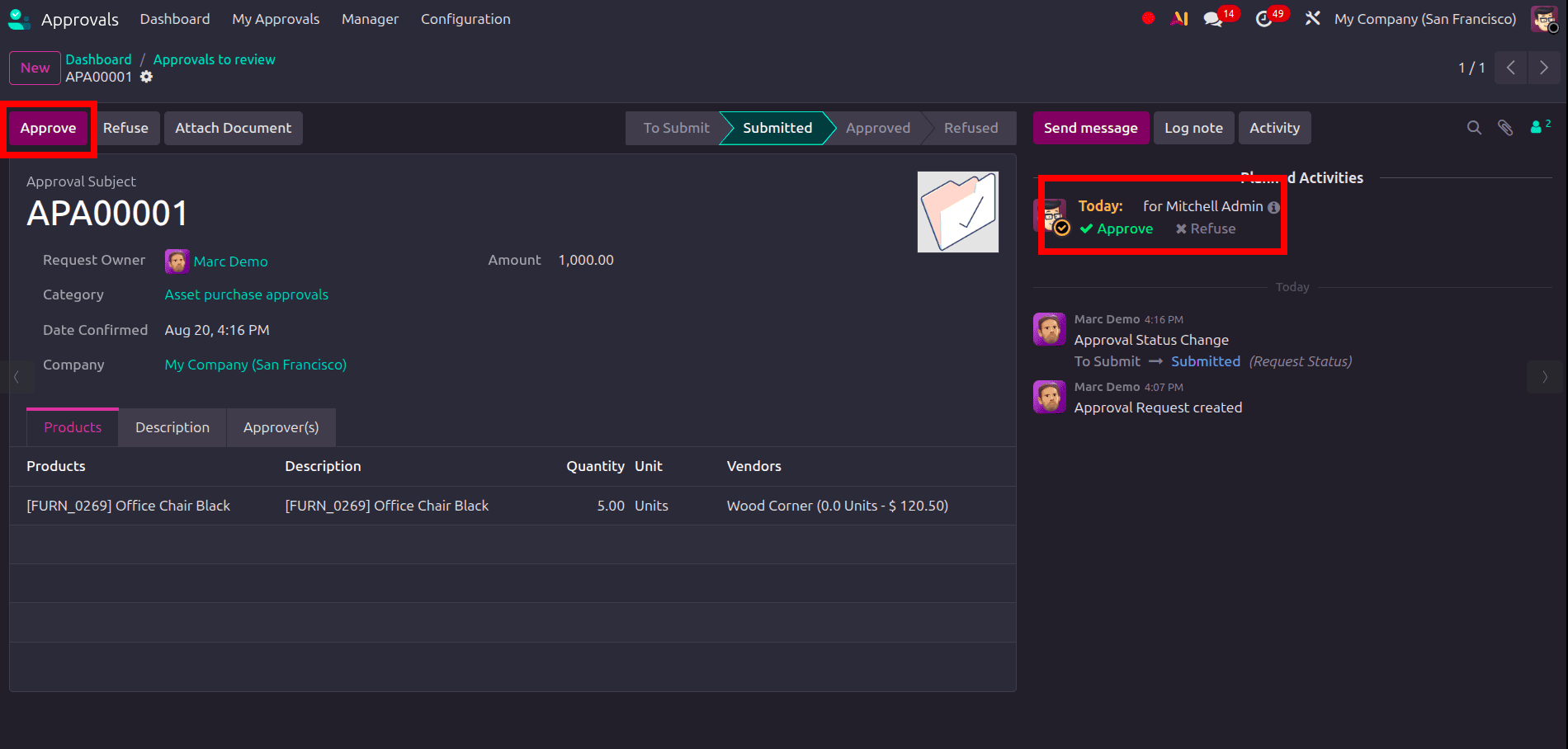
The approver can review the submitted Approval Request and take the required action in either of two ways. They can click the Approve button at the top of the request or select Approve from the Planned Activities section in Chatter. Both options allow the approver to approve the request directly from the approval form.
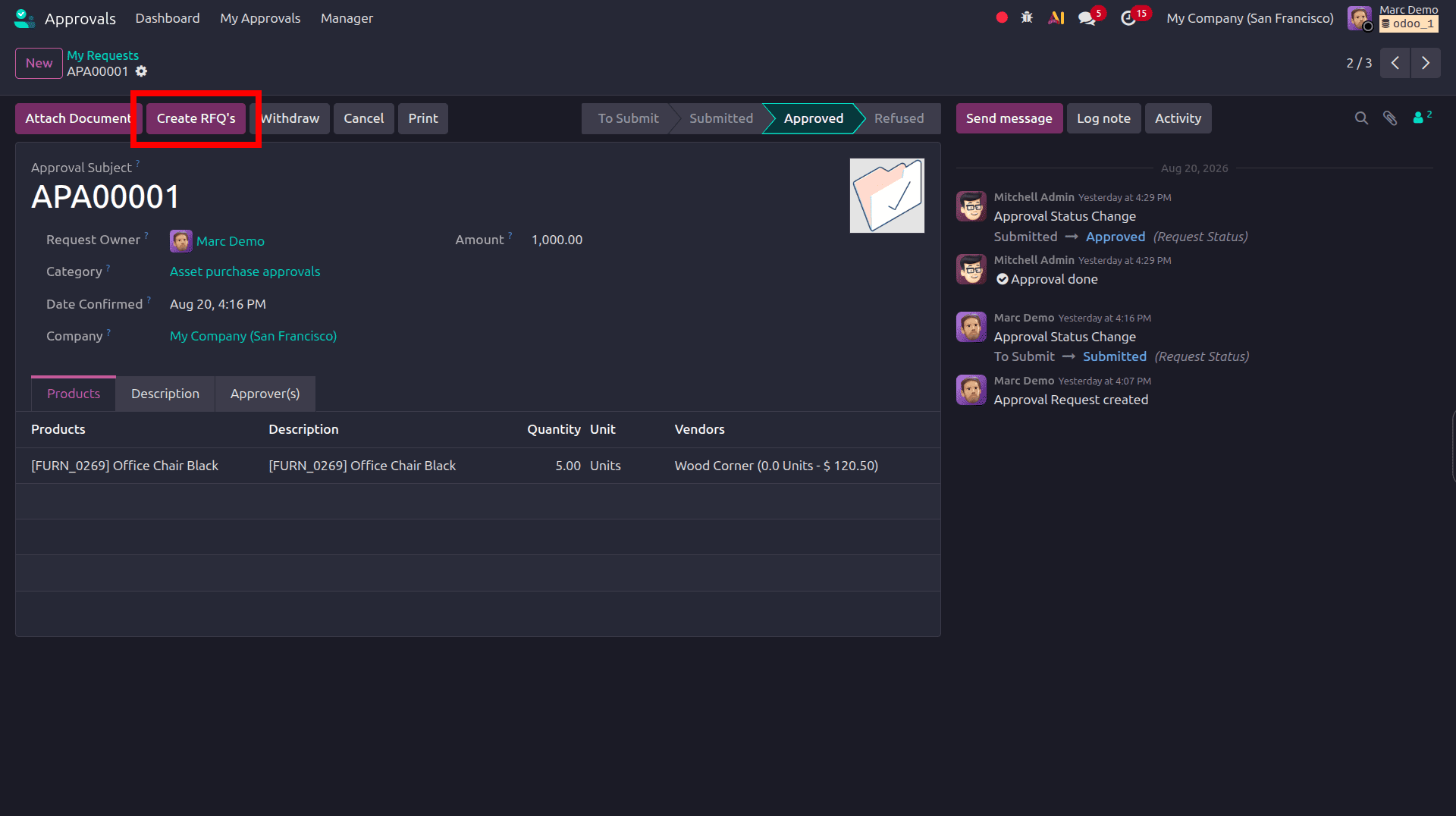
When the approval request reaches the appropriate stage, the Request Owner can create a Request for Quotation (RFQ) directly from the approval request by clicking the Create RFQs button. This option is also available to the assigned Approver, allowing them to initiate the purchasing process when required. The created RFQ can then be processed through the standard Odoo Purchase workflow.
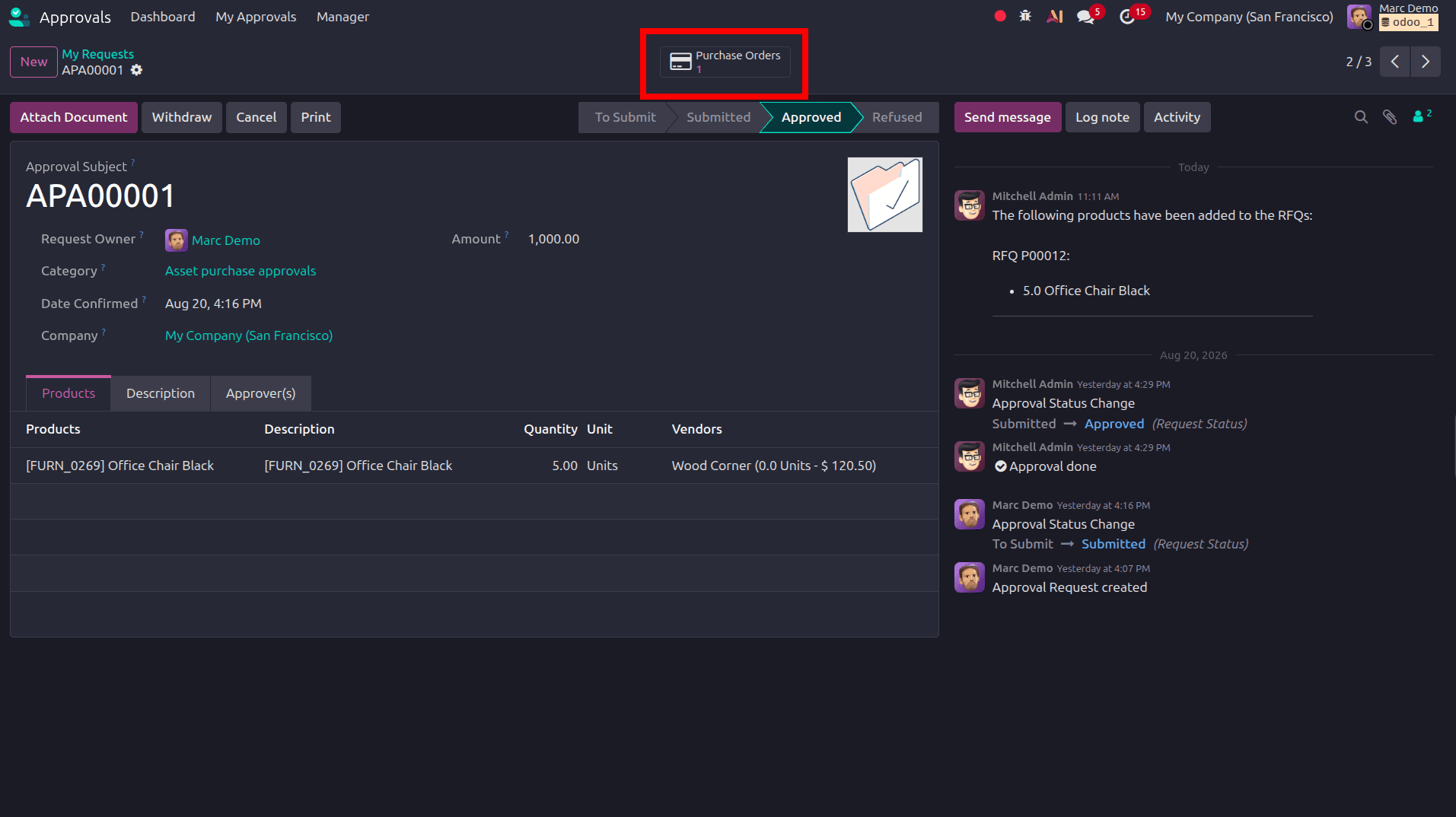
Once the Create RFQs button is clicked, Odoo automatically creates the corresponding Request for Quotation (RFQ). The number of RFQs created is then displayed in the Purchase Orders smart button at the top of the approval request, allowing users to quickly access and manage the associated RFQ.
Streamlining Approval Workflows in Odoo 19 for Maximum Productivity. The Approvals module in Odoo 19 provides a centralized solution for managing approval requests and streamlining internal authorization processes. It enables organizations to create structured approval workflows, assign approvers, and track requests efficiently from a single platform. By replacing manual, paper-based approval processes with a digital workflow, Odoo 19 helps improve collaboration, transparency, and communication between employees and management.
To read more about How to Optimize Approvals in Odoo 18 for Better Efficiency, refer to our blog How to Optimize Approvals in Odoo 18 for Better Efficiency.