Getting a document signed used to mean printing it, physically signing it, scanning it back in, and emailing it to the next person in line, a process that could stretch a same-day approval into a week-long back-and-forth. Odoo 19 Sign removes that friction by letting documents be uploaded, prepared, sent, and signed entirely online, with every step tracked automatically. Whether the document is a sales quotation, an employment contract, or a non-disclosure agreement, the Sign app turns what used to be a paper-based chore into a workflow that can be completed in minutes, from any device. This article introduces the core concepts behind Odoo 19 Sign and walks through how a document moves from upload to a fully executed, legally recognized signature.
What Is Odoo Sign and Why It Matters
Odoo Sign is a productivity application built into Odoo for requesting and collecting electronic signatures. An electronic signature captured through the app carries the same legal weight as a handwritten one in most jurisdictions, including recognition under the EU's eIDAS regulation and the US ESIGN Act, along with similar frameworks in well over a hundred other countries. This matters because it means the Sign app is not just a convenience feature; it produces documents that hold up as valid, enforceable agreements. For everyday business paperwork, sales contracts, NDAs, leases, and internal approvals, this level of legal recognition removes the need to keep chasing physical signatures for documents to be considered binding.
Accessing the Sign Dashboard
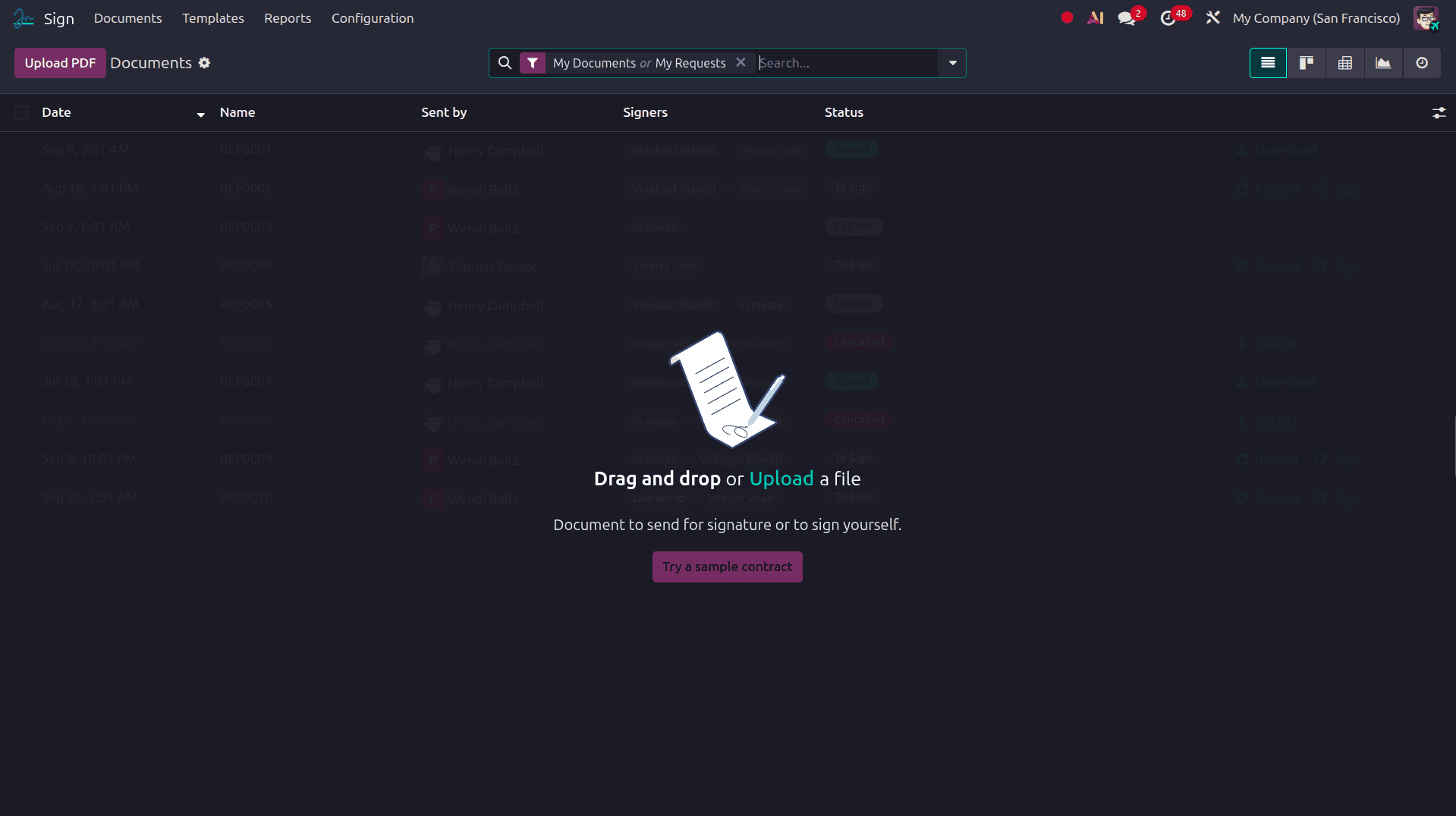
The Sign app is reached from the main Odoo apps menu, and once opened, it presents a dashboard listing every document and template currently in progress, alongside filters for drafts, documents awaiting signature, and documents that have already been completed. From here, a user can start a new signature request, reuse an existing template, or check on the status of a document sent out days earlier. As the dashboard consolidates every pending request in one place, there's no need to dig through email threads to figure out who still needs to sign.
Uploading and Preparing a Document
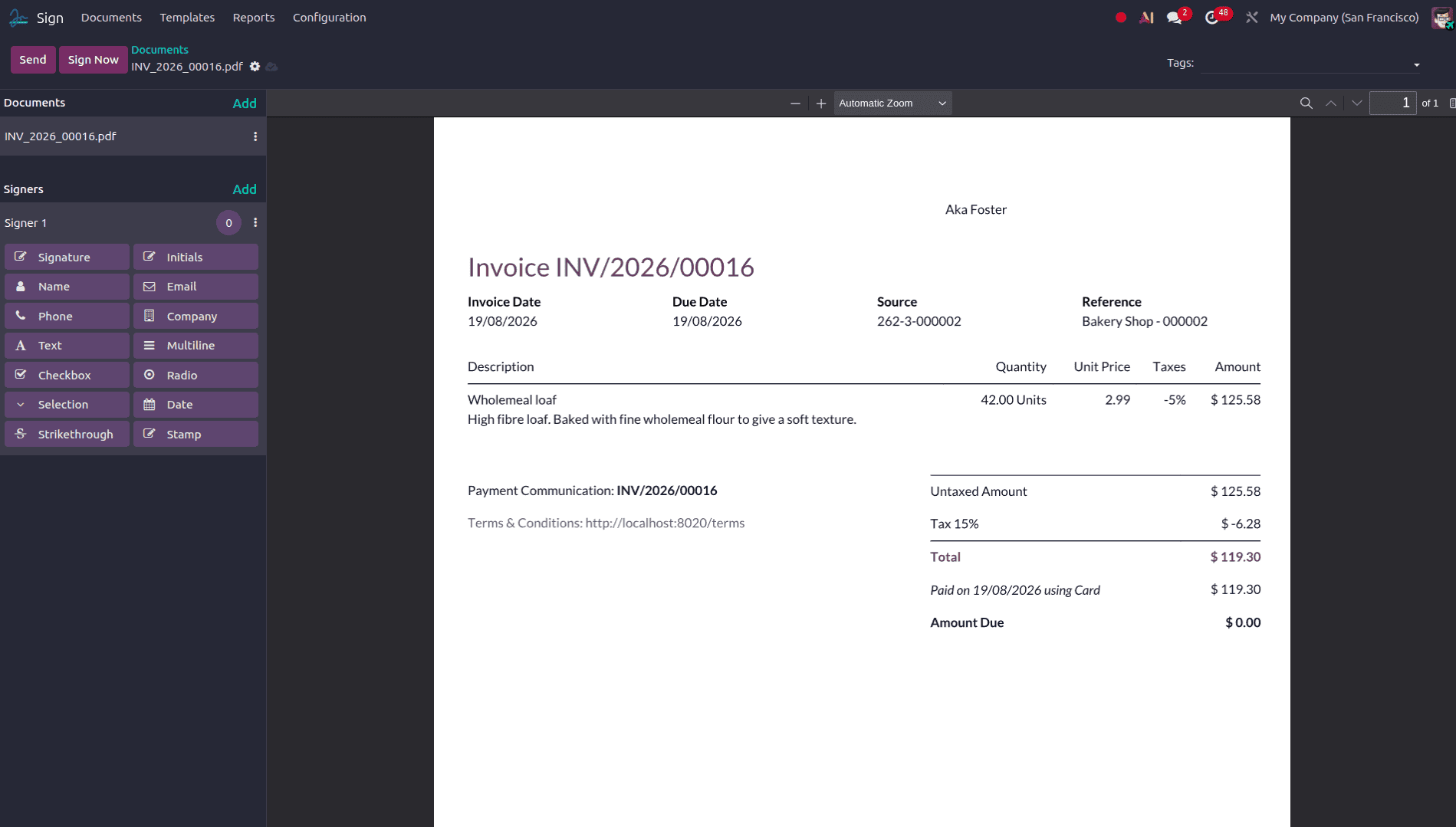
Starting a new signature request begins with uploading a PDF or, in Odoo 19, clicking the Sign button that now appears directly on any PDF already stored in the system, whether it's attached to a sales order, a purchase agreement, or an HR document. Once the file is open in the Sign editor, the page is displayed exactly as it will appear to the signer, giving the sender a chance to review the content before adding any interactive elements.
Adding Signature Fields and Using Templates
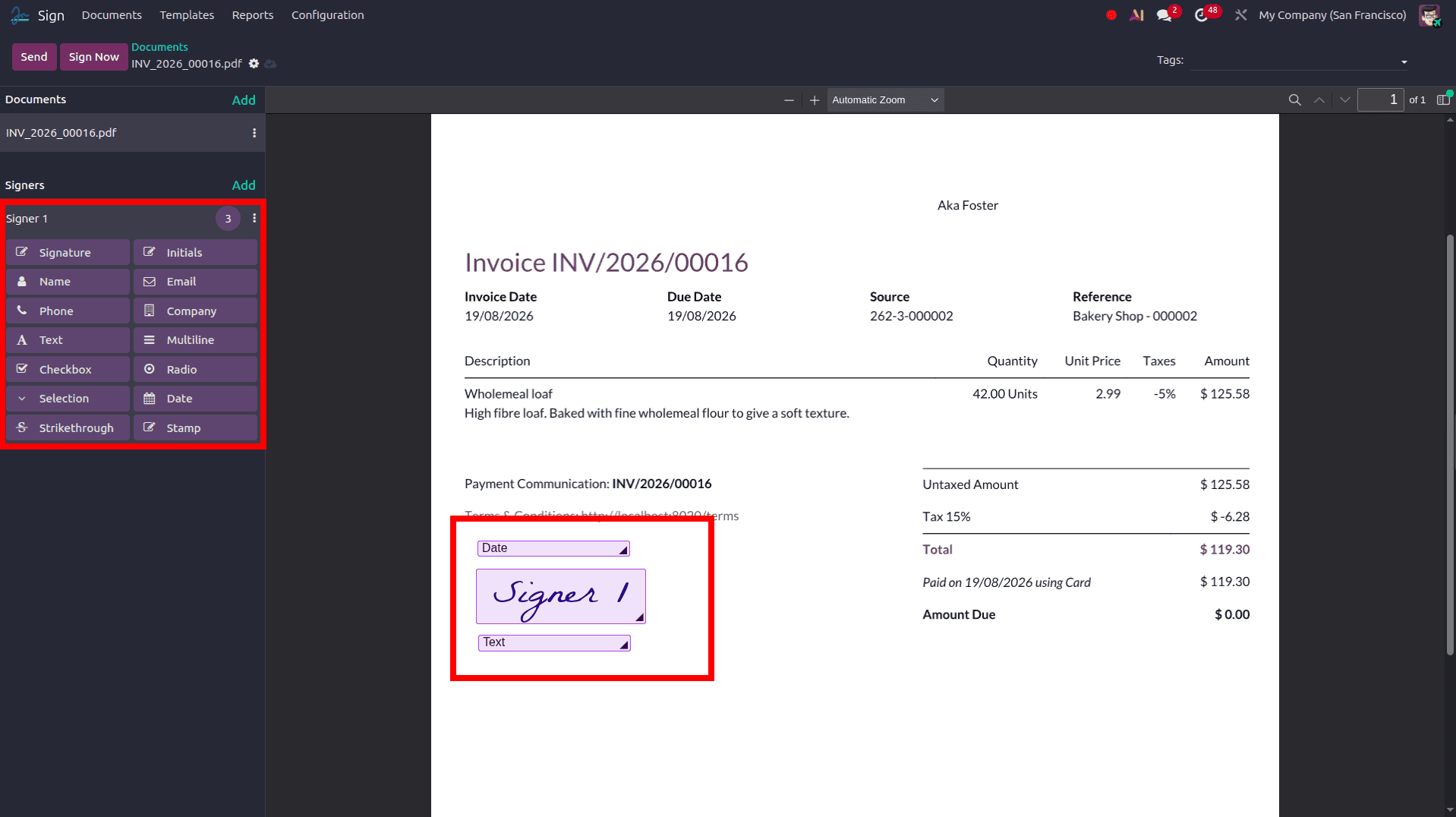
With the document open, the sender drags and drops fields directly onto the page: a signature box, an initials box, a date, a text field, a checkbox, or a stamp field that can combine several pieces of information, such as name, date, and location, into a single block. Each field can be assigned to a specific signer when a document involves more than one party, so the system knows exactly who is responsible for filling in which section. Once a layout has been built for a document type that gets reused often, such as a standard NDA or a service agreement, it can be saved as a template, so the next signature request for that same document type starts with the fields already in place instead of being built from scratch.
Sending the Signature Request
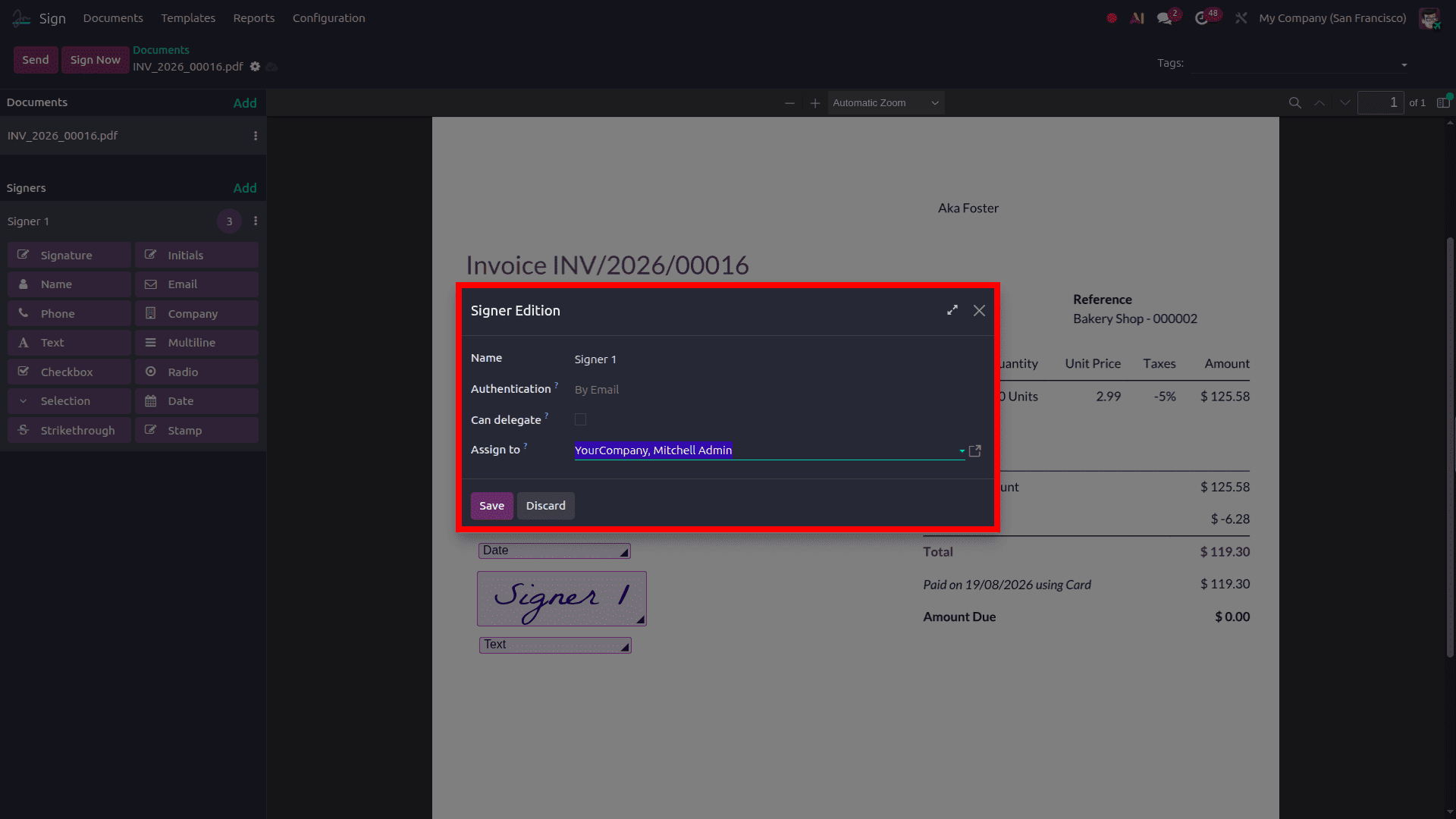
Once the fields are placed, the sender adds the signer's name and email address and sends the request. Odoo 19 supports both single documents and multi-document envelopes, meaning several related files can be bundled into one request and signed together in a single sitting. For agreements that require signatures in a particular sequence, such as an employee signing before a manager countersigns, the sender can define a signing order, so each party is only notified once it's their turn. The signer receives an email with a secure link, opens the document in their browser, fills in the assigned fields, and confirms their signature without needing an Odoo account of their own.
Security and Authentication
Every signature collected through Odoo Sign is backed by several layers of security. Email verification ensures the signing link reaches only the intended recipient, while a signatory hash cryptographically ties the signer's identity to the exact contents of the document at the moment it was signed, which means any later change to the file would break that link. Once signing is complete, a certificate of completion is generated, documenting the full audit trail of the process. For situations that call for a higher level of assurance, Odoo Sign supports additional authentication methods, including SMS verification, itsme® identity verification in Belgium and the Netherlands, Aadhaar eSign in India, or a cryptographic digital certificate issued by a recognized certificate authority.
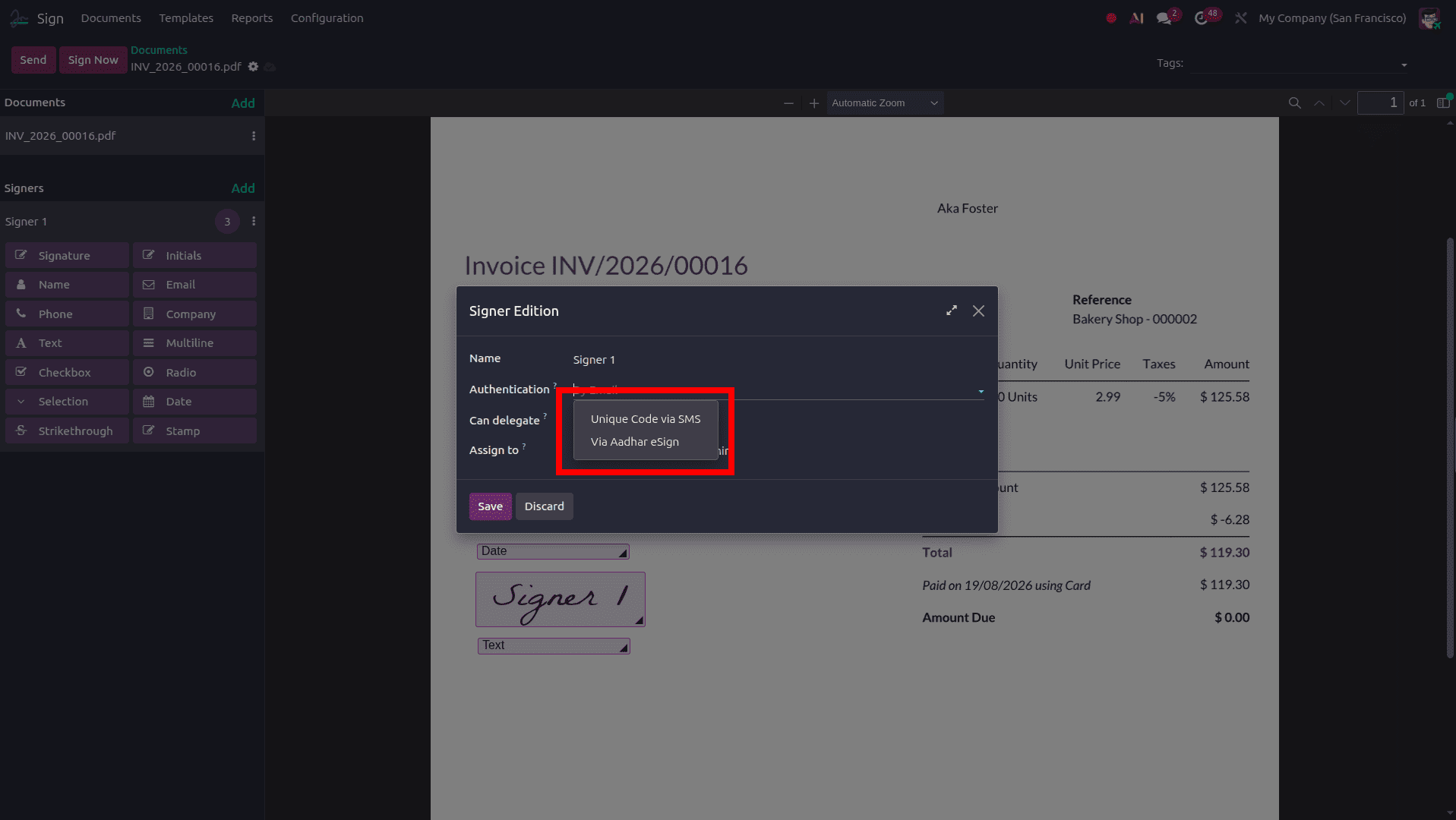
Save the configurations and click the send button to share the document with the user to sign it. The user can receive this in the document via email and also on the website.
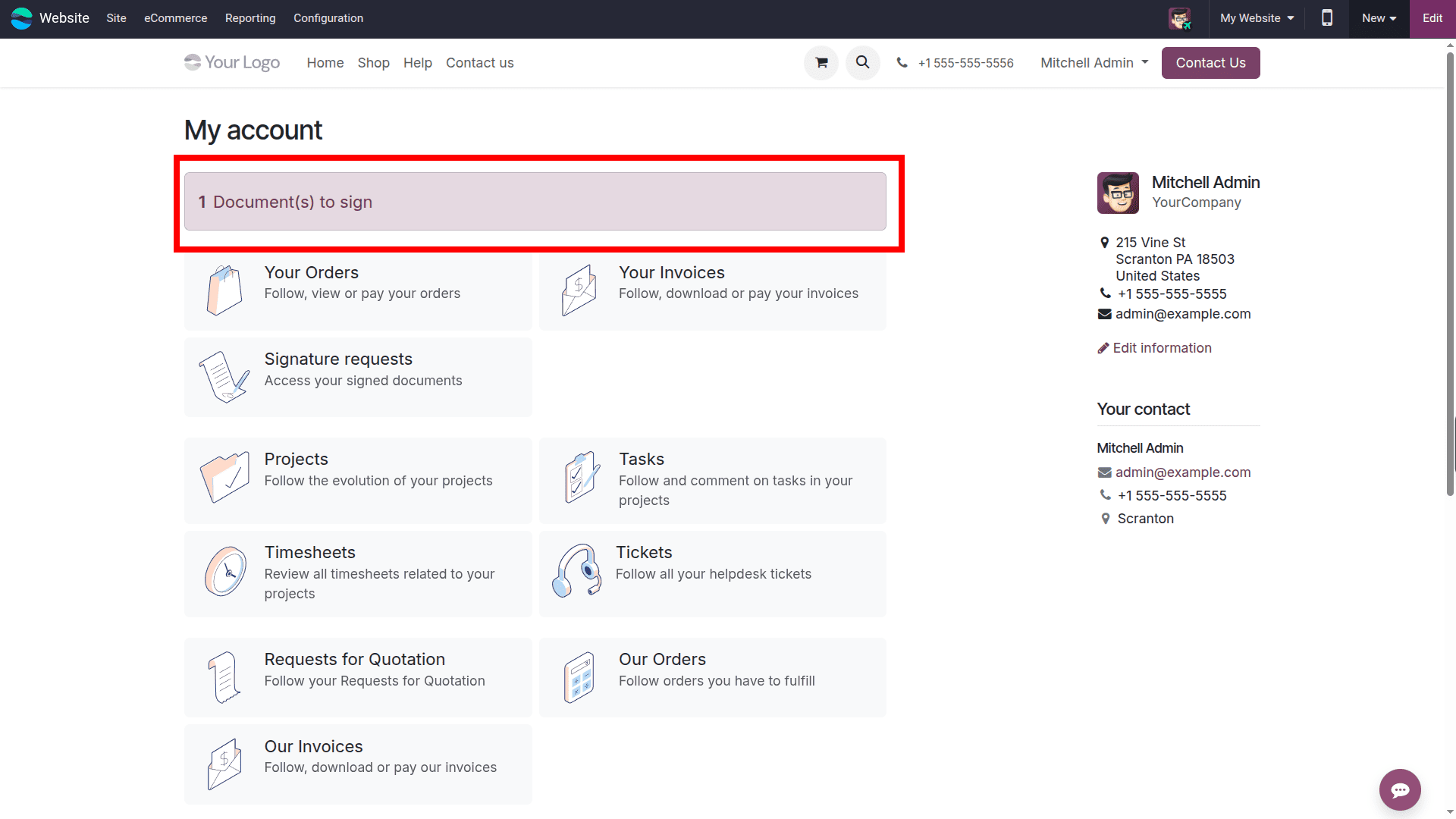
There, the user can fill in the details and sign the document, and after that, the user can validate and send this document back.
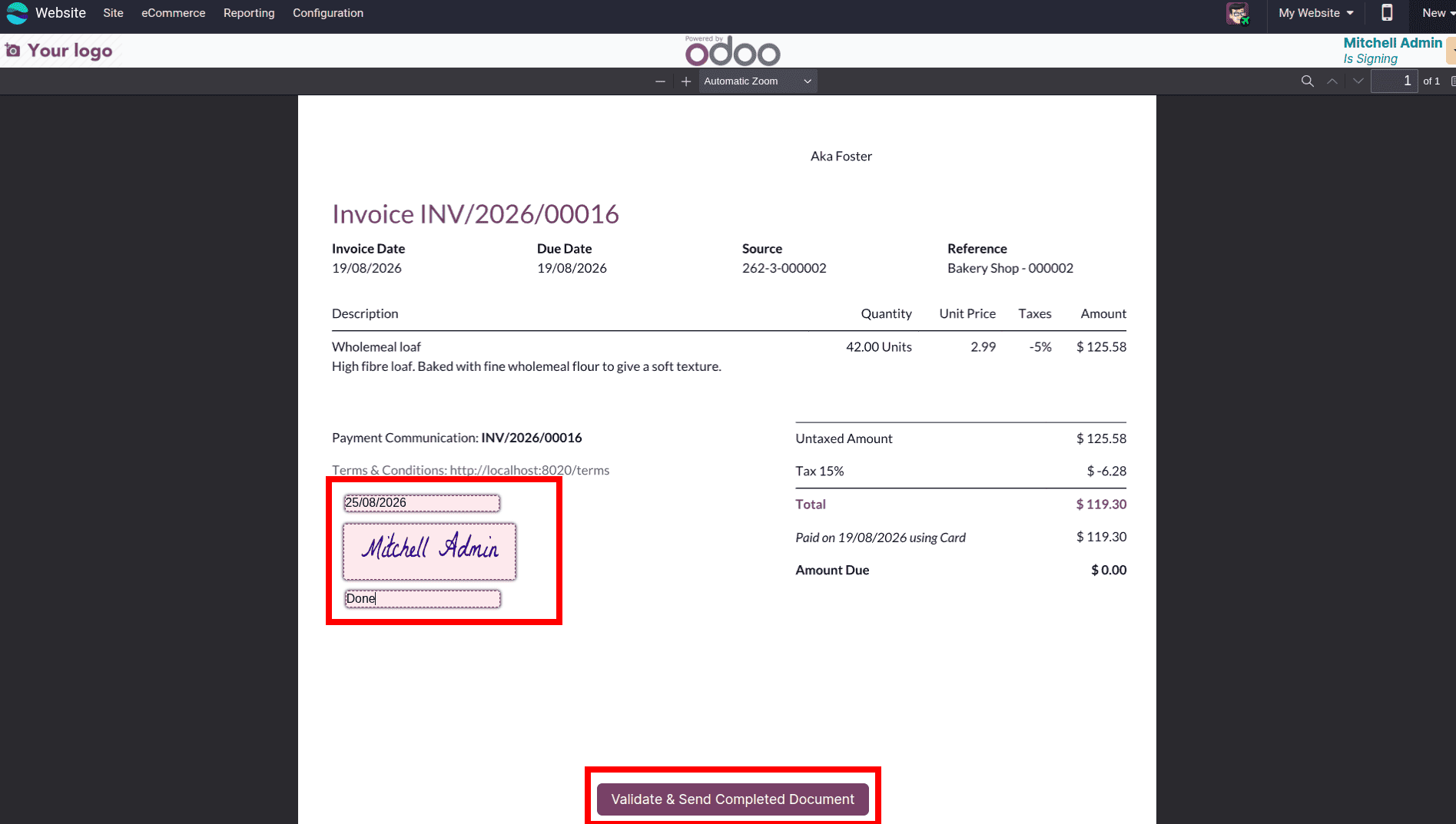
Tracking and Managing Signed Documents
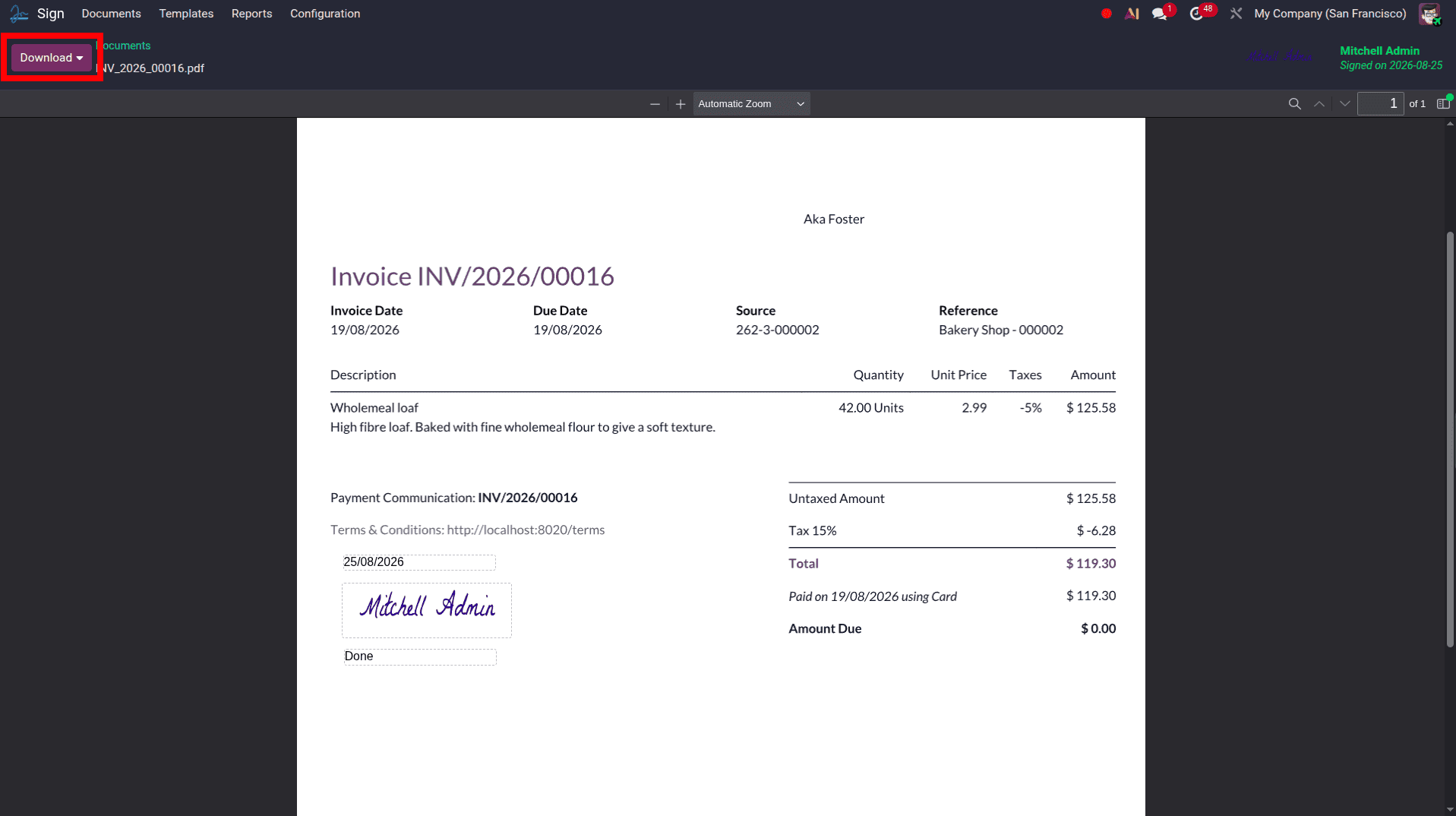
After a request is sent, its progress is visible directly from the Sign dashboard, showing whether it's still waiting on a signer, partially completed, or fully signed. Automatic reminder emails can be scheduled to nudge signers who haven't acted yet, and the sender receives a notification the moment a document is completed. Once every party has signed, the finished document, along with its certificate of completion, is stored in Odoo and can be downloaded, shared, or linked back to the related sales order, contract, or employee record it belongs to.
Odoo 19 Sign turns a traditionally slow, paper-dependent process into something that can be completed entirely online, without sacrificing the legal standing of the finished document. From uploading a file and placing fields to sending requests in a defined order and verifying signer identity, every part of the workflow is designed to move an agreement from draft to fully executed as quickly as possible. For any business already running on Odoo, adopting the Sign app means one less external tool to manage and one more process that stays connected to the records it affects.
To read more about An Overview of Odoo 19 Sign Module, refer to our blog An Overview of Odoo 19 Sign Module.