Effective project management is based on collaboration. Making sure that everyone gets access to the appropriate information at the appropriate time is crucial, whether you're working with internal teams or external stakeholders. The Share Project function in the Project module of Odoo 19 addresses this requirement for smooth collaboration. This effective application makes it simple for users to communicate project data with partners, increasing openness, preventing misunderstandings, and effectively coordinating teamwork.
In contemporary project management, team productivity and project success depend on efficient cooperation and smooth information exchange. Regardless of department or location, teams can collaborate effectively with Odoo 19 Project's centralized and user-friendly platform. Odoo 19 makes it easier for team members to work together on projects by combining real-time updates, task management capabilities, and communication tools into one system.
Through features like chatter, notes, and activity scheduling, the platform enables users to communicate, assign tasks, discuss project data, and monitor progress. There are fewer misunderstandings and delays when team members can readily access pertinent papers, provide input, and maintain alignment with project objectives.
This blog offers a thorough tutorial on how to manage collaborator access and share projects in Odoo 19.
You are prepared to involve collaborators once your project setup is finished, tasks have been generated, stages have been established, and the workflow has been set up. The Share Project button is located at the top of the Odoo 19 project page.
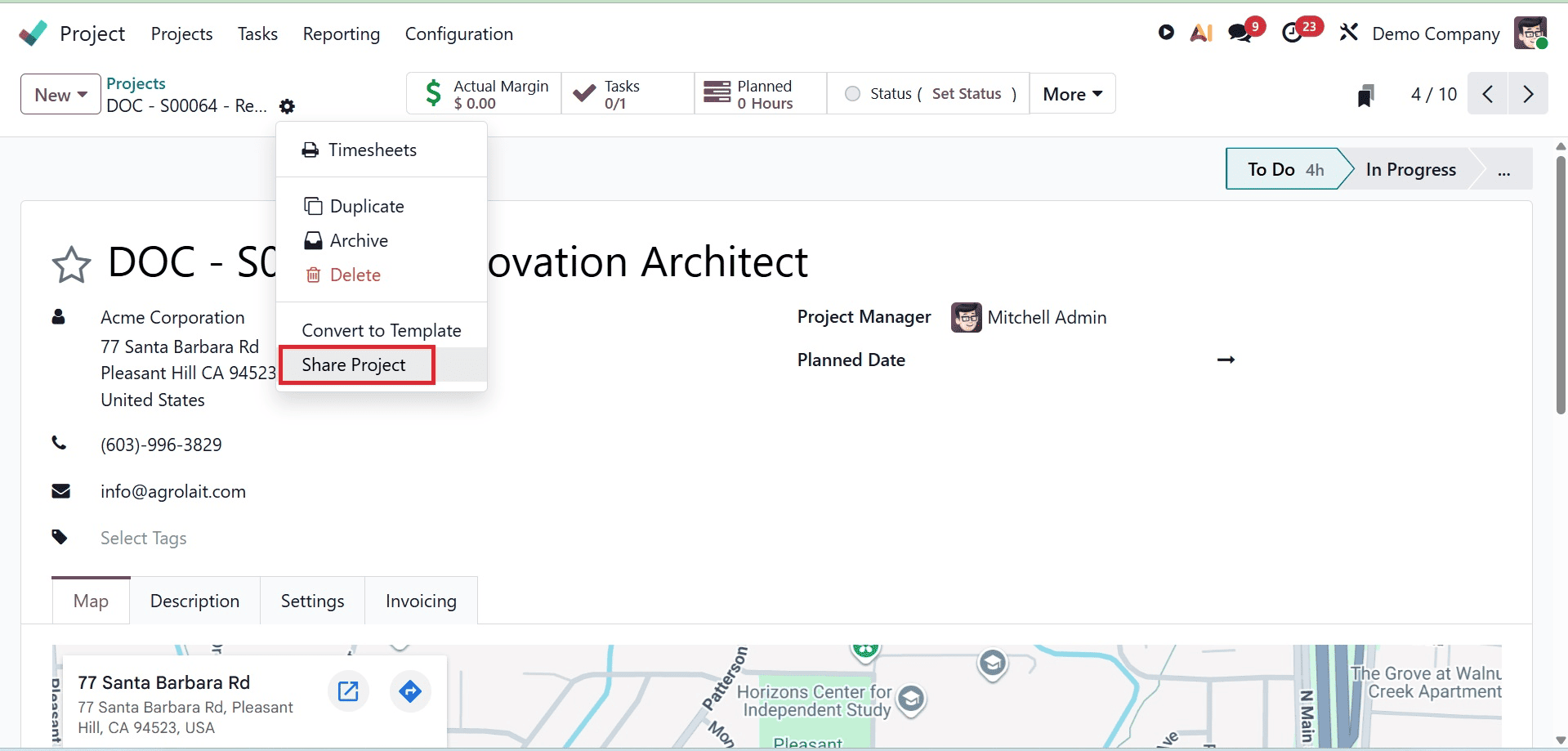
With the help of this functionality, you may give external users or collaborators who might not be a part of your core Odoo environment access to your project. By allowing these stakeholders to view or participate in the project according to the access rights you grant, sharing your project keeps everyone on the same page throughout its lifecycle.
A new pop-up window with all of the sharing options appears when you click the Share Project button. The Public Link is one of the main components of this window. External users have read-only access to the project through this link, which allows them to see tasks and progress but not make any changes.
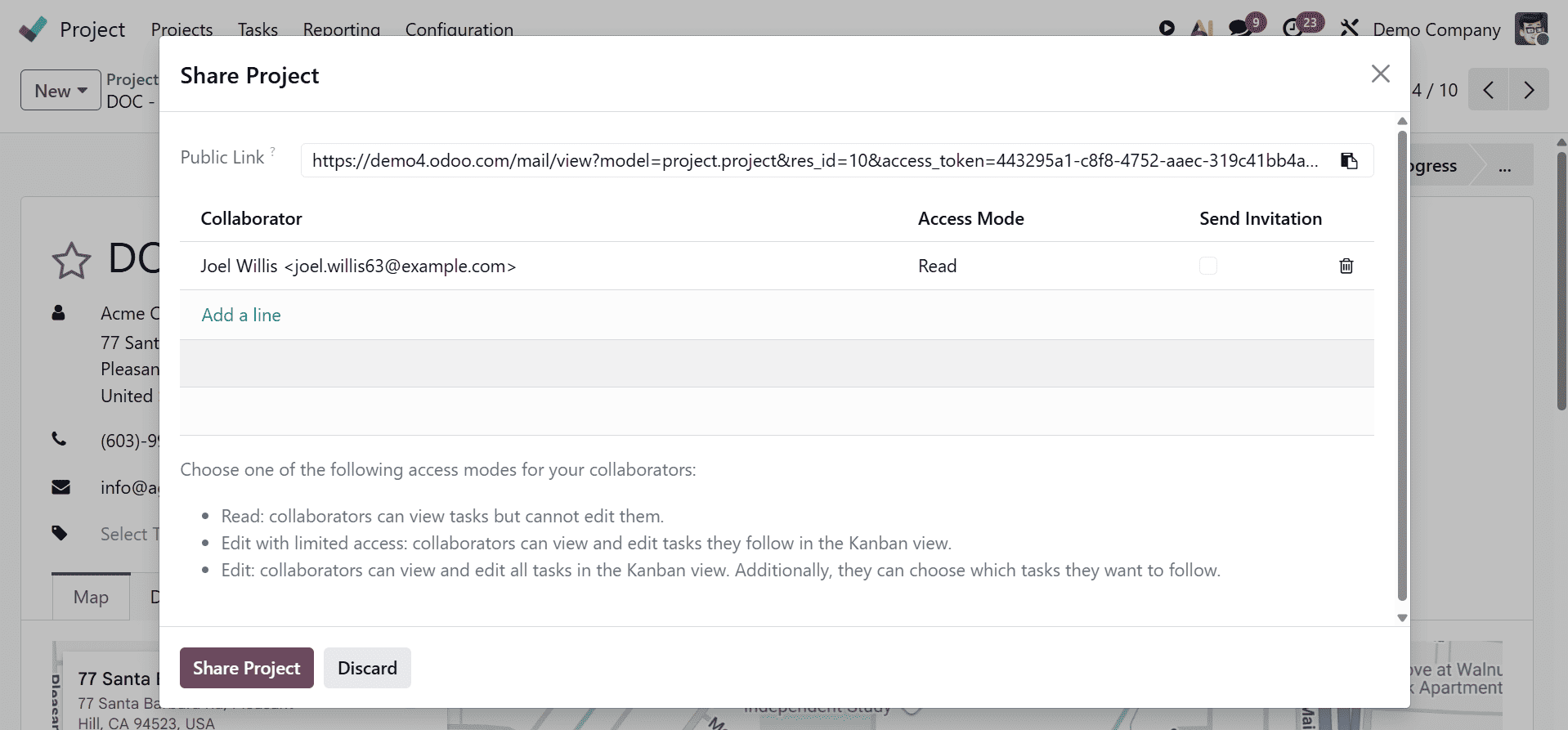
This is particularly helpful if you wish to tell clients, consultants, or upper management without granting them editing rights.
You can add certain people as Collaborators to provide them access with particular permissions. To add new collaborators, click the Add a Line button in the pop-up window. You must use the Access Mode box to define the proper level of access for each collaborator.
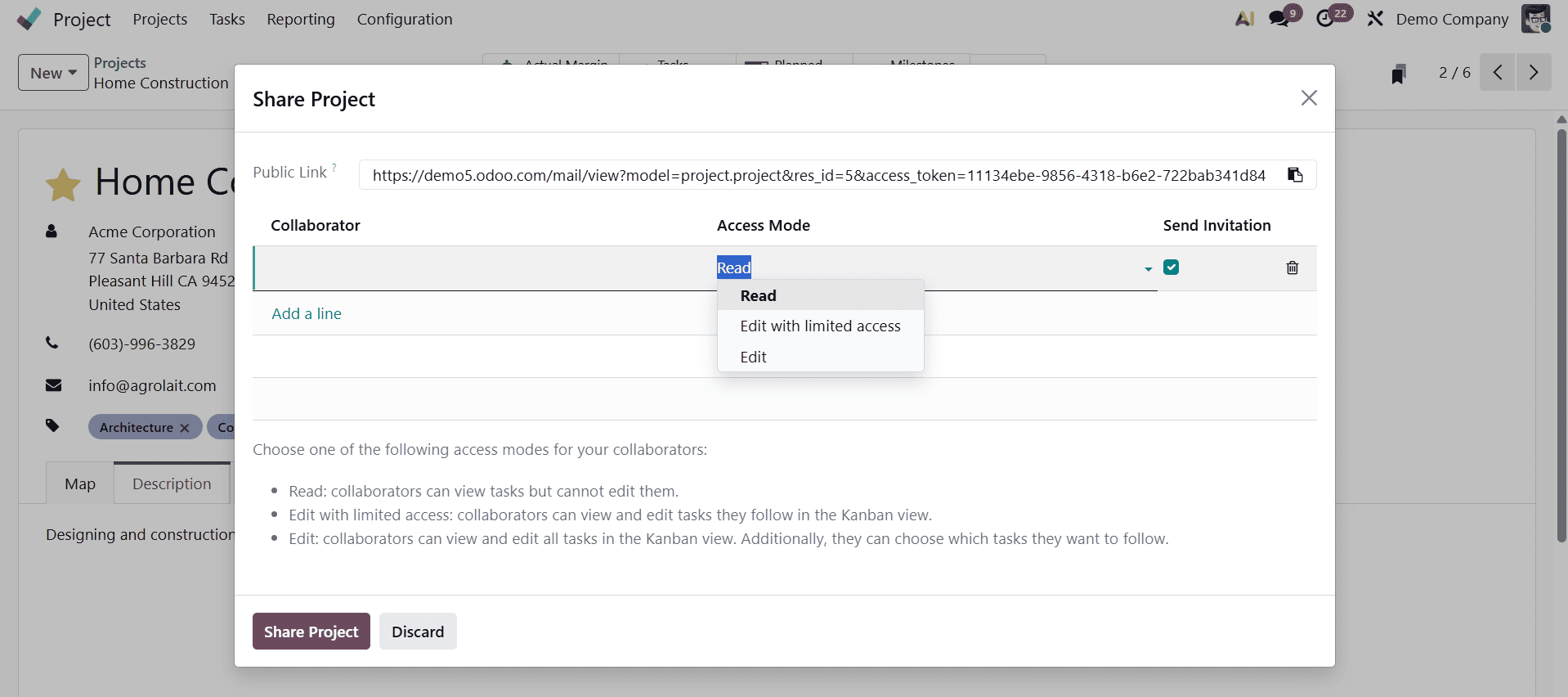
To provide flexibility and control over what collaborators can see or do, Odoo provides three different access modes:
Read: In this mode, team members can see the project's tasks but are not allowed to make any changes. For stakeholders that merely need to keep an eye on developments without making direct contributions, it's perfect.
Edit with Limited Access: In this mode, only the tasks that they follow in the Kanban view can be viewed and edited by collaborators. It finds a middle ground between granting authority and preserving data integrity.
Edit: All tasks in the Kanban view can be viewed and edited by collaborators in this mode, which is the most accessible. Collaborators are also free to select the tasks they wish to pursue. For close partners or outside team members actively involved in the project, this style works best.
You can decide whether to send collaborators an email invitation after adding them and choosing their access levels. Just check the Send Invitation box to accomplish this.
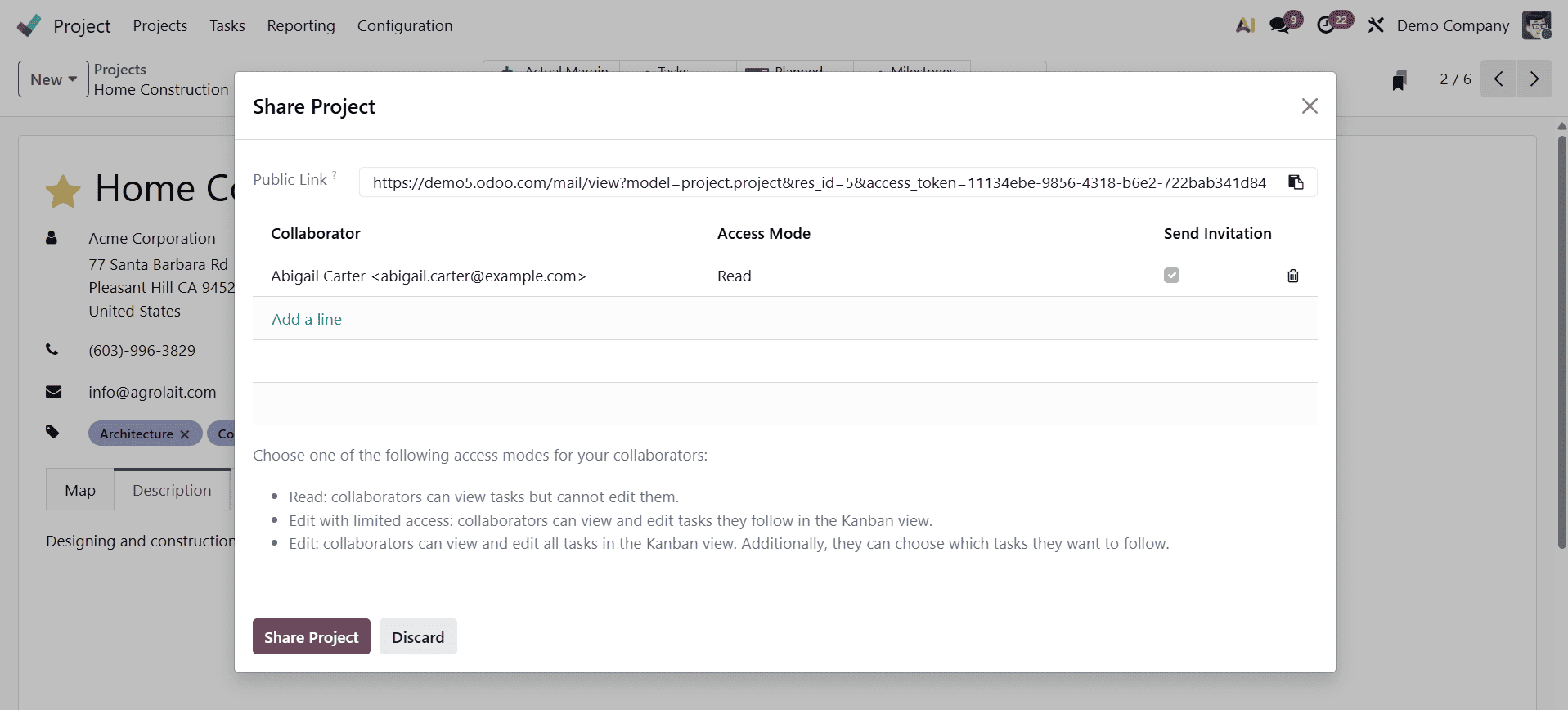
Once everything is configured, click the Share Project button once more. The chosen collaborators receive the access link straight from this step, enabling them to interact with the project in accordance with the permissions you have specified.
You enable your team and colleagues to be practically on the same page by utilizing this functionality. It makes communication easier, prevents misunderstandings, and guarantees that everyone participating is using the most recent project information. Sharing your project with Odoo 19 promotes openness and seamless cooperation, whether you are working with outside contractors, updating clients on progress, or facilitating internal team members from different departments.
Odoo 19 also offers an easy way to keep track of who is actively following the project. Clicking on the follower icon in the lower right corner of the project interface makes it simple to view the list of followers.
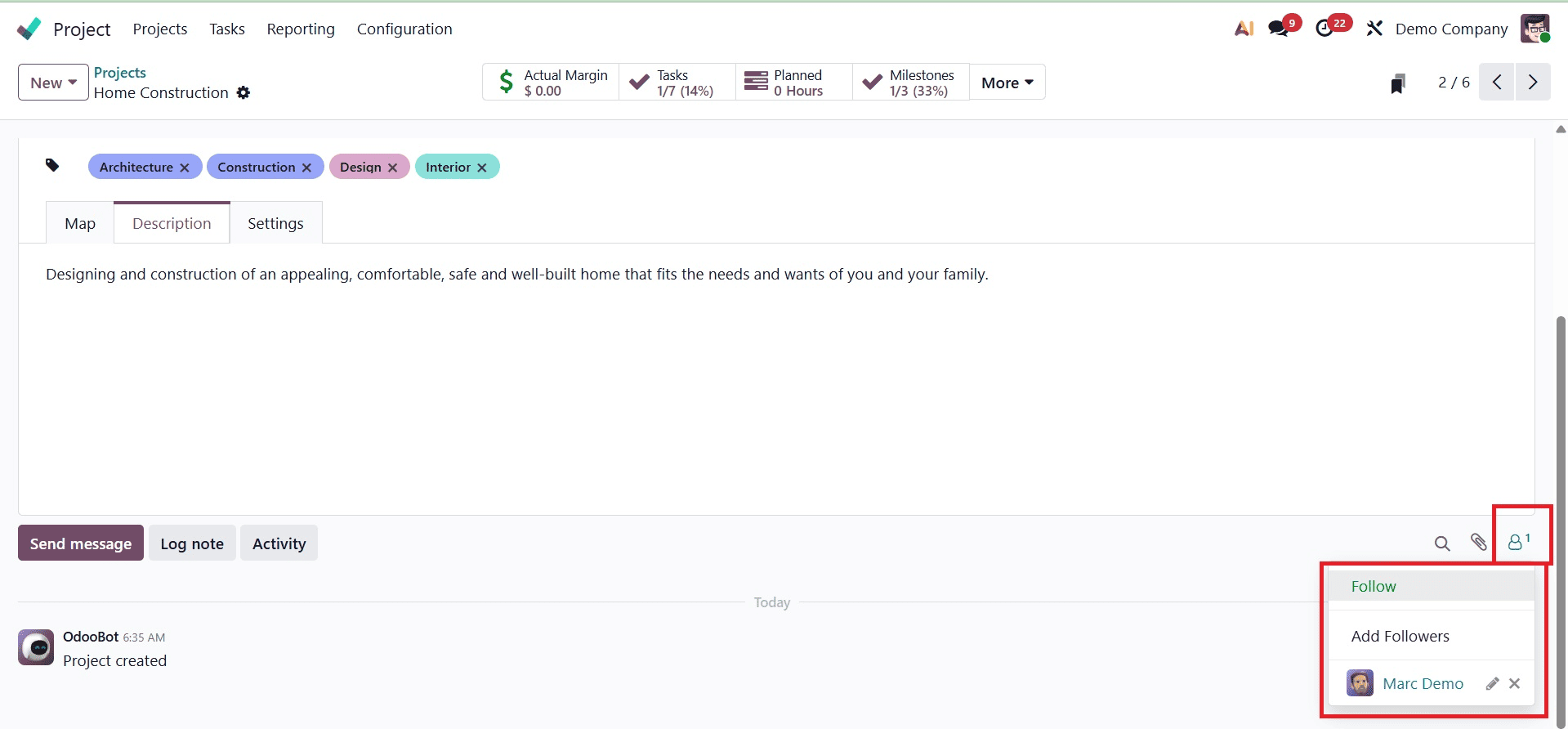
Users can quickly view the names of all internal users and collaborators who are currently subscribed to project updates and notifications by clicking on this icon. Project managers may make sure that all pertinent team members are informed and receive timely updates by going over this list. In order to ensure thorough communication throughout the project's lifecycle, it also assists in identifying any missing partners that must be added.
For businesses looking to manage coordinated, cooperative, and communicative project environments, the Share Project feature in the Odoo 19 Project module is an essential tool. Odoo guarantees that project information reaches the appropriate individuals in a safe and effective manner because of its multiple access modes, real-time sharing, and user-friendly design.
To read more about How to Share Your Projects in Odoo 18 Project, refer to our blog How to Share Your Projects in Odoo 18 Project.